|
VOOZH | about |
|
VOOZH | about |
The Ticket Raising Platform project is a web application that enables users to create, manage, and track tickets for various issues or tasks. Built using the MERN (MongoDB, ExpressJS, ReactJS, NodeJS) stack, this project provides a comprehensive solution for efficiently handling ticket requests and resolutions.
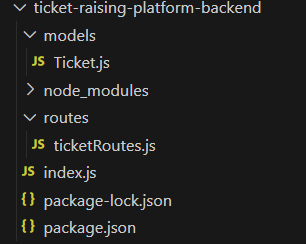
👁 Screenshot-2024-03-11-110307
Step 1: Initialize a new NodeJS project using the following command:
npm init -yStep 2: Install required dependencies using the following command:
npm install express mongoose corsStep 3: Create models and routes for handling ticket data (CRUD operations) in the routes/ and models/ directories.
The updated dependencies in package.json file of backend will look like:
 "dependencies": {
 "body-parser": "^1.20.2",
 "cors": "^2.8.5",
 "express": "^4.18.2",
 "mongoose": "^8.1.0"
 }
Example: Write the following code in backend files.
Start your server using the following command.
node server.jsStep 1: Create a new React.js project and install the required dependencies:-
npx create-react-app ticket-raising-platform.Step 2: Navigate to the root directory of your project using the following command.
cd ticket-raising-platformStep 3: Install the required packages in your project using the following command.
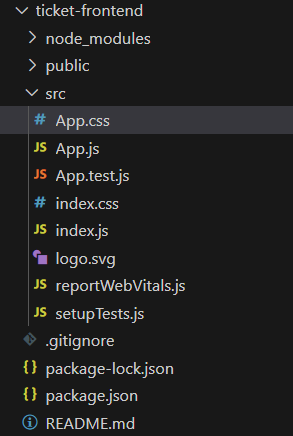
npm install axiosStep 5: Add the following code to theApp.js to render the featrues of ticket creation, listing, and management in the src/ directory.
👁 Screenshot-2024-03-11-105938
The updated dependencies in package.json file of frontend will look like:
"dependencies": {
 "@testing-library/jest-dom": "^5.17.0",
 "@testing-library/react": "^13.4.0",
 "@testing-library/user-event": "^13.5.0",
 "bootstrap": "^5.3.2",
 "react": "^18.2.0",
 "react-bootstrap": "^2.10.0",
 "react-dom": "^18.2.0",
 "react-router-dom": "^6.21.2",
 "react-scripts": "^5.0.1",
 "web-vitals": "^2.1.4"
 }
Example: Below is an example of creating a ticket raising platform using MERN.
Start your application using the following command.
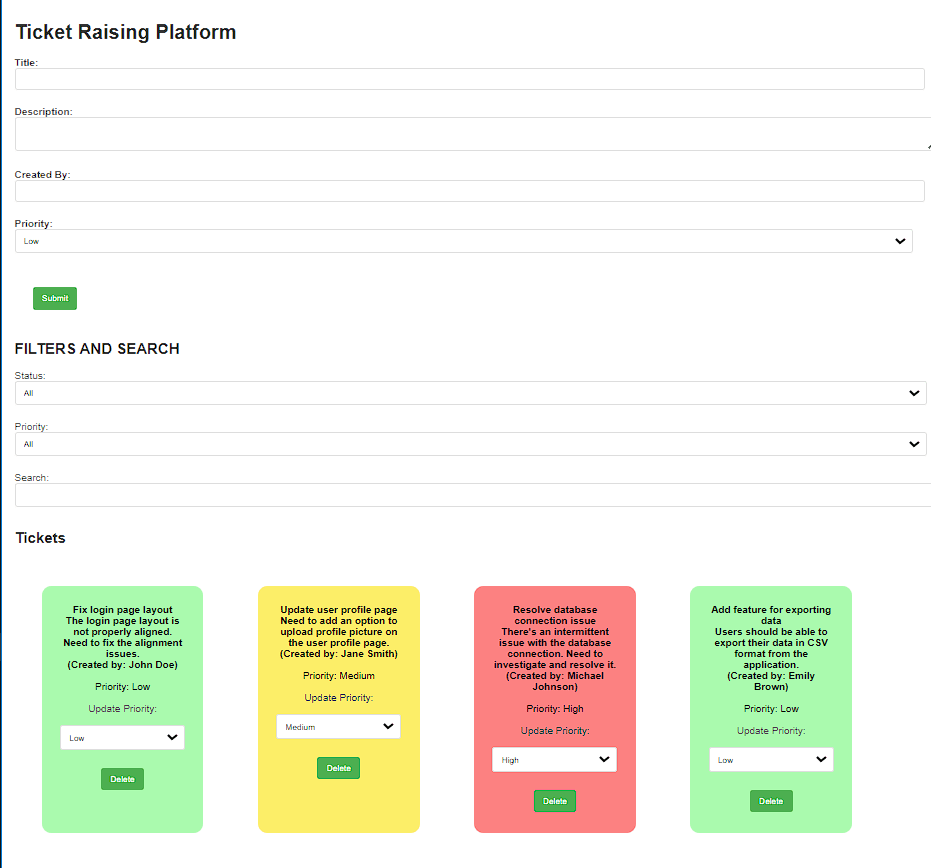
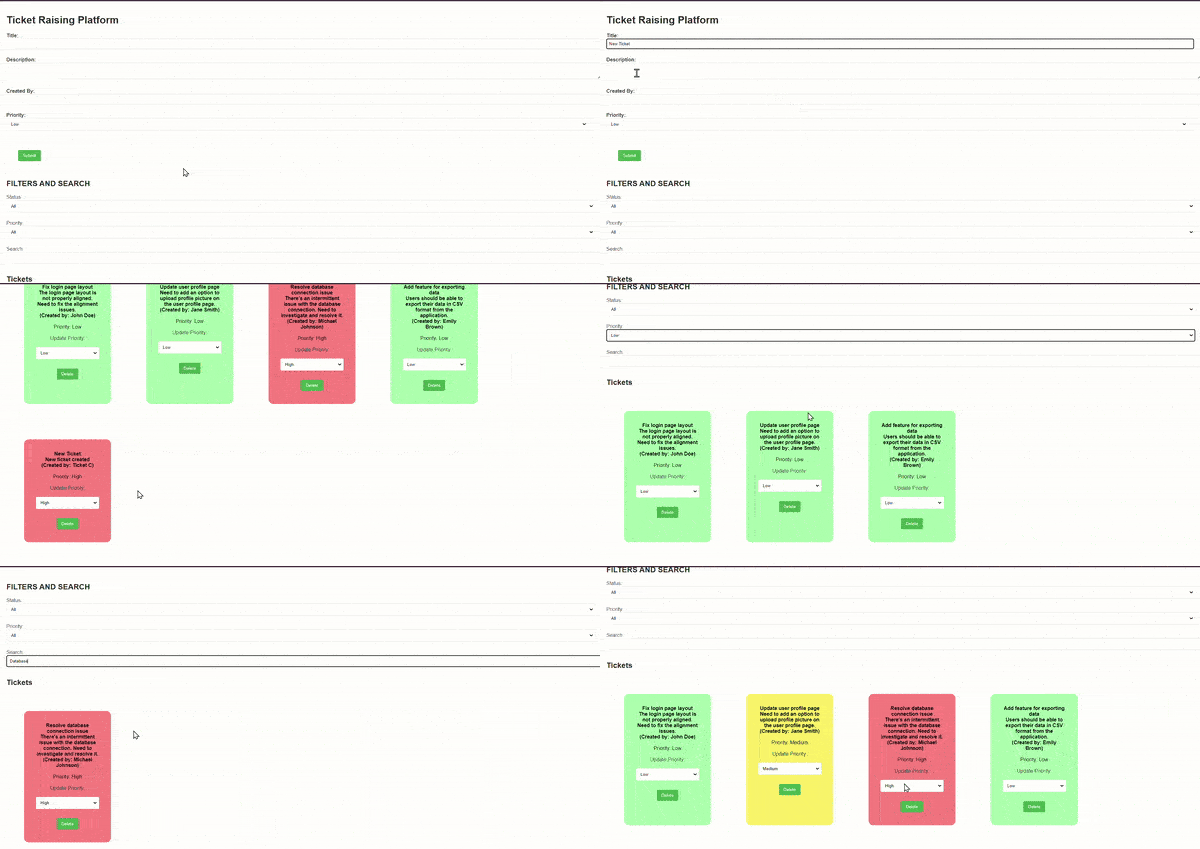
npm startOutput: Open a web browser and visit http://localhost:3000 to access the Ticket Raising Platform.