|
VOOZH | about |
|
VOOZH | about |
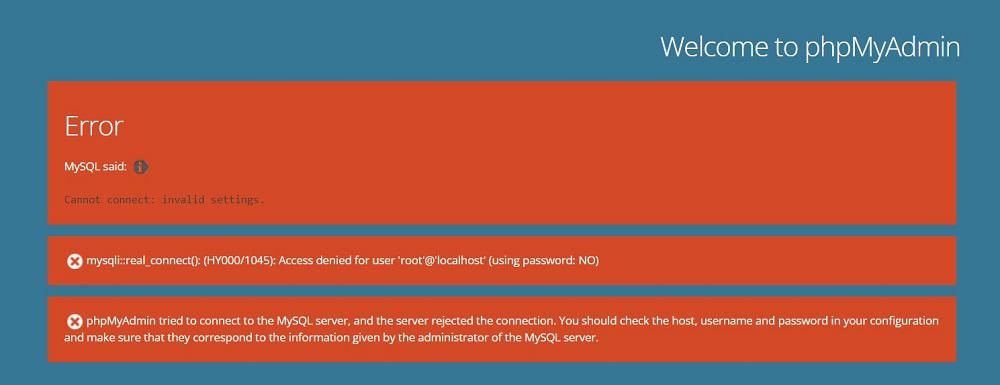
In MySQL, encountering the "Access Denied for User 'root'@'localhost' " error typically occurs when there is an issue with the user privileges or incorrect credentials. This article explores the step-by-step process to troubleshoot and fix this error.
To solve the "Access Denied for User 'root'@'localhost' " error, try resetting the root password or granting certain privileges to the user. The step-by-step guide to try these solutions is explained further in the article.
The "Access Denied for User 'root'@'localhost'" error occurs when MySQL denies access to the 'root' user from the 'localhost' host. This can happen due to various reasons, including missing user privileges, incorrect login credentials, or hostname mismatches.
The error message can occur due to follows reasons -
You can use the following methods to fix this error
Let's look at each of these methods, with a step-by-step guide to implement them.
Ensure that you are using the correct username and password combination. In XAMPP, default credentials are often 'root' with a blank password.
Navigate to the directory where XAMPP is installed on your system. Inside the XAMPP directory, find the phpMyAdmin folder( by default C:/xampp/phpMyAdmin).
Right-click on config.inc.php and choose to open it with a text editor like Notepad or Visual Studio Code.
Use the search function of your text editor to locate the line that sets the password for the MySQL server. The line should look something like this:
$cfg['Servers'][$i]['password'] = 'your_password';
Replace 'your_password' with your desired new password enclosed within single quotes.
After updating the password, save the config.inc.php file.
To apply the changes, you'll need to restart the Apache server. this will Fix your error.
Granting privileges in MySQL allows you to control access levels and permissions for database users. This feature is crucial for ensuring that users have the necessary permissions to perform specific actions on databases, tables, or even entire servers. Here's a detailed description of how to granti privileges to users in MySQL:
To grant privileges to a user in MySQL, you use the GRANT statement followed by the privileges you want to grant and the objects (e.g., databases, tables) on which you want to grant those privileges. The syntax generally follows this structure:
GRANT privileges ON object TO user@host IDENTIFIED BY 'password';
Note: After executing the
GRANTstatement, don’t forget to run theFLUSH PRIVILEGEScommand to reload the grant tables in the MySQL server
Granting all privileges on a specific database to a user:
GRANT ALL PRIVILEGESON database_name.* TO 'username'@'localhost' IDENTIFIED BY 'password';
Granting specific privileges on a specific table to a user:
GRANT SELECT, INSERT, UPDATE ON database_name.table_name TO 'username'@'localhost';
Granting all privileges on all databases to a user from any host:
GRANT ALL PRIVILEGES ON *.* TO 'username'@'%' IDENTIFIED BY 'password';
In conclusion, resolving the "Access Denied for User 'root'@'localhost'" error involves addressing issues related to credentials, privileges, and hostname configurations. Users of XAMPP can successfully troubleshoot and overcome this common MySQL authentication error either by resetting the root user password or by providing certain privileges to users.