|
VOOZH | about |
|
VOOZH | about |
MySQL is a database engine that provides fast, secure and scalable solutions for both small and large applications. It is known for its reliability, scalability and ease of use, making it a popular choice for web developers and organizations worldwide. By installing MySQL on your Windows machine, you can:
Before we start, ensure your system meets the following hardware and software requirements:
Now, Let's break down MySQL software downloading steps for a better understanding and see install MySQL on Windows 10 step by step.
Open your preferred web browser and navigate to the official MySQL website. Now, Simple click on first download button.
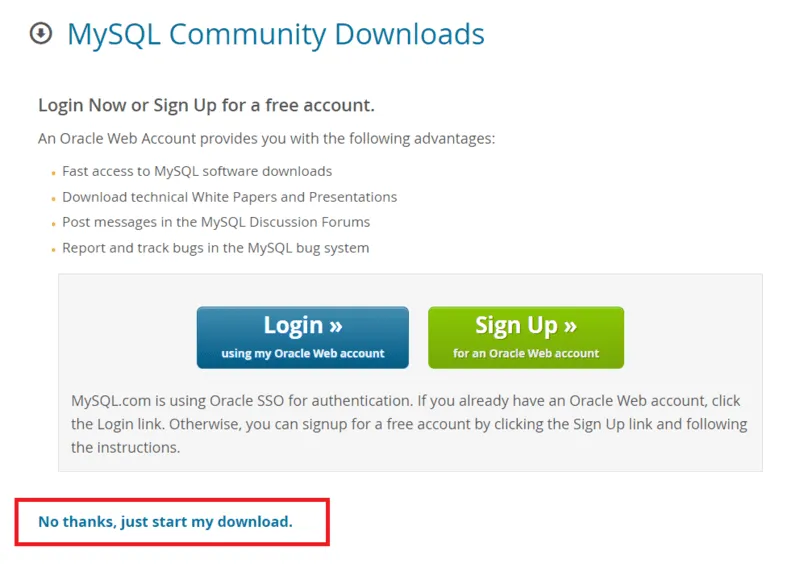
On the MySQL homepage, Click on the " No thanks, just start my download" link to proceed MySql downloading.
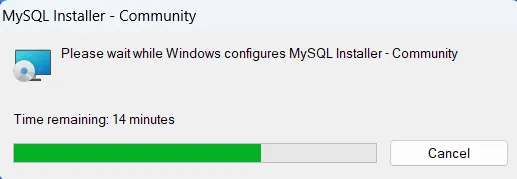
After downloading the MySQL installer (.exe file), go to your Downloads folder, find the file and double-click to run the installer.
The installer will instruct you to choose the setup type. For most users, the "Developer Default" is suitable. Click "Next" to proceed.
MySQL is a database engine that provides fast, secure and scalable solutions for both small and large applications. It is known for its reliability, scalability and ease of use, making it a popular choice for web developers and organizations worldwide. By installing MySQL on your Windows machine, you can:
Before we start, ensure your system meets the following hardware and software requirements:
Now, Let's break down MySQL software downloading steps for a better understanding and see install MySQL on Windows 10 step by step.
Open your preferred web browser and navigate to the official MySQL website. Now, Simple click on first download button.
On the MySQL homepage, Click on the " No thanks, just start my download" link to proceed MySql downloading.
After downloading the MySQL installer (.exe file), go to your Downloads folder, find the file and double-click to run the installer.
The installer will instruct you to choose the setup type. For most users, the "Developer Default" is suitable. Click "Next" to proceed.
The installer will check for required dependencies such as the Microsoft Visual C++ Redistributable. It may automatically resolve missing components, but in some cases, manual installation may be required.
Now that you're in the download section, click "Execute" to start downloading the components you selected. Wait a few minutes until all items show tick marks, indicating completion, before moving forward.
Now the downloaded components will be installed. Click "Execute" to start the installation process. MySQL will be installed on your Windows system. Then click Next to proceed.
Proceed to "Product Configuration" > "Type and Networking" > "Authentication Method" Pages by clicking the "Next" button.
Create a password for the MySQL root user. Ensure it's strong and memorable. Click "Next" to proceed.
Enter the root password, click Check. If it says "Connection succeed," you have successfully connected to the server.
Once the installation is complete, click "Finish." Congratulations! MySQL is now installed on your Windows system.
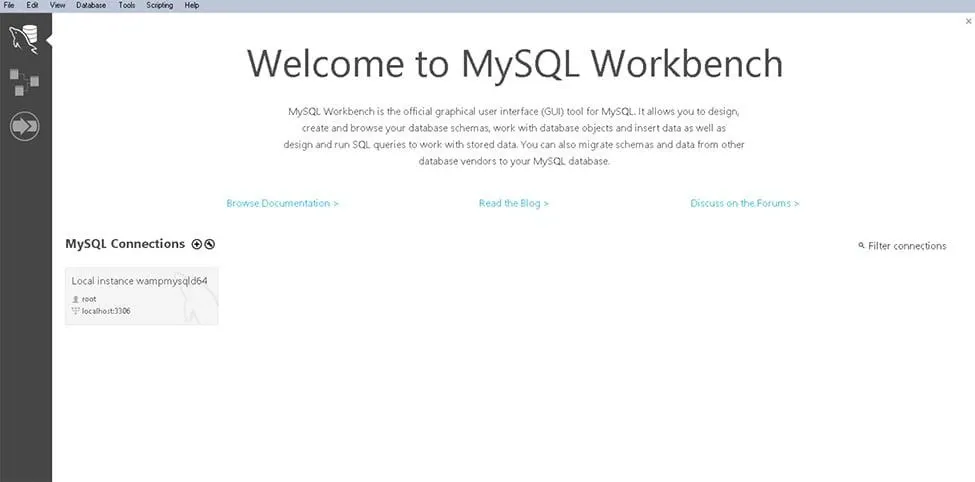
To ensure a successful installation of MySQL, open the MySQL Command Line Client or MySQL Workbench, both available in your Start Menu. Log in using the root user credentials you set during installation.
MySQL is an open-source relational database management system that is based on SQL queries. MySQL is used for data operations like querying, filtering, sorting, grouping, modifying, and joining the tables present in the database.
Now that you're in the download section, click "Execute" to start downloading the components you selected. Wait a few minutes until all items show tick marks, indicating completion, before moving forward.
Now the downloaded components will be installed. Click "Execute" to start the installation process. MySQL will be installed on your Windows system. Then click Next to proceed.
Proceed to "Product Configuration" > "Type and Networking" > "Authentication Method" Pages by clicking the "Next" button.
Create a password for the MySQL root user. Ensure it's strong and memorable. Click "Next" to proceed.
Enter the root password, click Check. If it says "Connection succeed," you have successfully connected to the server.
Once the installation is complete, click "Finish." Congratulations! MySQL is now installed on your Windows system.
To ensure a successful installation of MySQL, open the MySQL Command Line Client or MySQL Workbench, both available in your Start Menu. Log in using the root user credentials you set during installation.
MySQL is an open-source relational database management system that is based on SQL queries. MySQL is used for data operations like querying, filtering, sorting, grouping, modifying, and joining the tables present in the database.
If you encounter any issues during the MySQL installation process, here are a few common solutions: