 |
VOOZH | about |
|
VOOZH | about |
In the world of Java programming and MySQL database management systems, you might be querying your MySQL database using a JDBC connection. In this article, we will look at fetching the latest ID after an insertion. Using Java's java.sql package, we will look at some examples of how to access the last inserted ID from MySQL.
In these examples, we'll learn how to smoothly retrieve the last inserted ID in Java applications, improving data management. Using Java's java.sql package, these techniques empower developers to optimize interactions with MySQL databases efficiently.
When any MySQL table includes an AUTO_INCREMENT column, MySQL generates the ID automatically. Here, we want to know the value of the AUTOINCREMENT column for the last INSERT statement executed. To get the last inserted ID from MySQL using Java, you create the JDBC connection and use conn.prepareStatement() method to which you must pass an additional parameter Statement.RETURN_GENERATED_KEYS.
Syntax:
<conn_obj>.prepareStatement(<sql-query>, Statement.RETURN_GENERATED_KEYS);
Parameters:
<sql-query>: An SQL query in string datatype.
Statement.RETURN_GENERATED_KEYS: A parameter to indicate that query returns id of last inserted record.
Returns:
An object of PreparedStatement class
NOTE: We can only get the last inserted id of the record for the tables from MySQL that contain an `id` column, which is of auto-increment type. The last inserted ID is not changed even if you run the UPDATE query to any column of that table.
Java Database Connectivity (JDBC) is a standard Java API for interacting with relational databases. The java.sql package, part of the Java Standard Edition (SE), provides classes and interfaces to facilitate database operations.
Let us assume that we have a database named "GFG" in which we have a table named "users". The schema for the table "users" is as follows:
CREATE TABLE users
(
 id int AUTO_INCREMENT PRIMARY KEY,
 name varchar(255) not null,
 email varchar(255) not null,
 age int not null
);
Now, we will insert two records into this table. The Java code below establishes a JDBC connection using connection parameters like username, password, database URL, and database name. The code contains an `InsertRecord()` method, which takes the JDBC connection object and the values for the insert query. The `InsertRecord()` method creates a PreparedStatement object and executes the query. To get the id of the last inserted record, it extracts the generatedKeys() from the executed query and returns the id.
Code:
Last Inserted Record Id was : 1
Last Inserted Record Id was : 2
Output:
Data inserted using JDBC:
CREATE TABLE users
(
 name varchar(255) not null,
 email varchar(255) not null PRIMARY KEY,
 age int not null
);
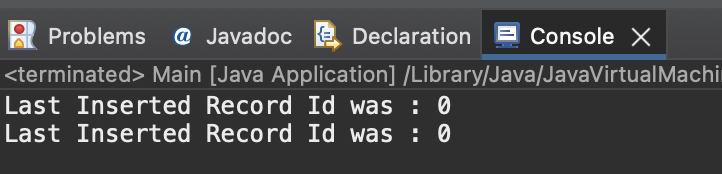
Again, we use the same code mentioned in the example above, but this time, we won't get the last inserted id for any record inserted into the `users` table since, now there is no AUTOINCREMENT type column in `users` table.
Last Inserted Record Id was : 0
Last Inserted Record Id was : 0
Output:
Data inserted using JDBC:
Mastering the retrieval of the last inserted ID in MySQL with Java's java.sql package opens doors to enhanced database management. By following the steps outlined in this article, you can use them in your applications with this efficient approach to handling and utilizing newly inserted data.
As developers continue to optimize database interactions, the seamless retrieval of last-inserted IDs becomes a cornerstone, allowing for agile and precise management of data in Java applications. In the dynamic landscape of software development, these skills contribute to creating more resilient and efficient systems, ultimately enhancing the user experience.

.png)
.png)
.png)