|
VOOZH | about |
|
VOOZH | about |
Image processing involves analyzing and modifying digital images using computer algorithms. It is widely used in fields like computer vision, medical imaging, security and artificial intelligence. Python with its vast libraries simplifies image processing, making it a valuable tool for researchers and developers. OpenCV (Open Source Computer Vision) is one of the most popular libraries for image processing in Python offering extensive functionalities for handling images and videos In this article we will look into some of the image processing methods.
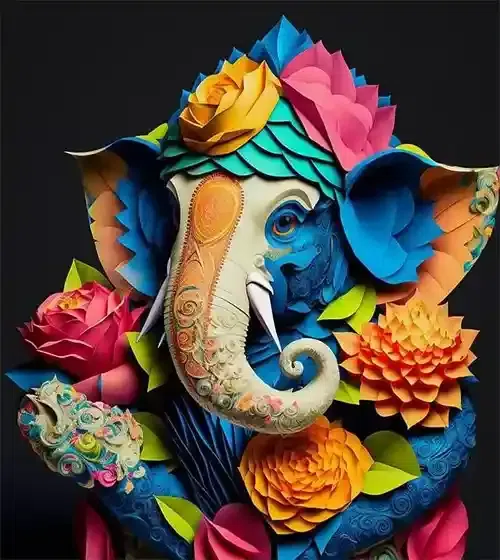
OpenCV is an open-source computer vision and image processing library that supports multiple programming languages, including Python, C++, and Java. It offers a variety of tools for image manipulation, feature extraction and object detection. OpenCV is optimized for real-time applications and is widely used in industrial, research and academic projects. We will discuss different Operations in Image Processing using OpenCV and for this we will use this Input Image :
👁 Ganeshji Input Image-Geeksforgeeks
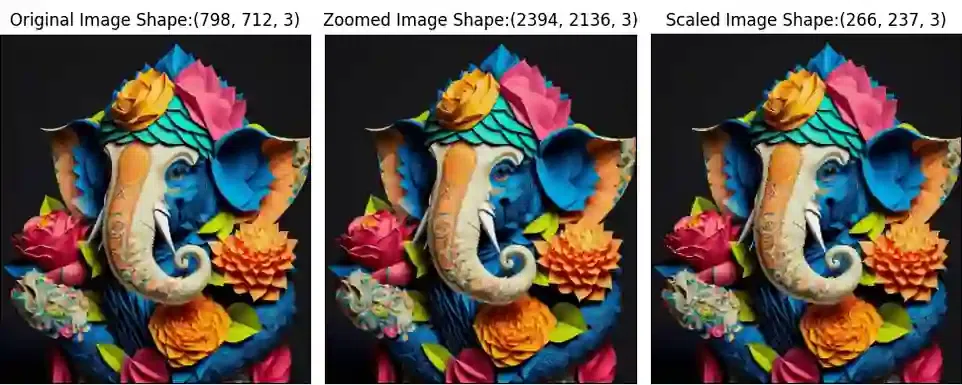
Image Resizing refers to the process of changing the dimensions of an image. This can involve either enlarging or reducing the size of an image while preserving its content. Resizing is often used in image processing to make images fit specific dimensions for display on different devices or for further analysis. The cv2.resize() function is used for this task. Here:
cv2.resize(): Resizes the image to new dimensions.cv2.INTER_CUBIC: Provides high-quality enlargement.cv2.INTER_AREA: Works best for downscaling.Output:
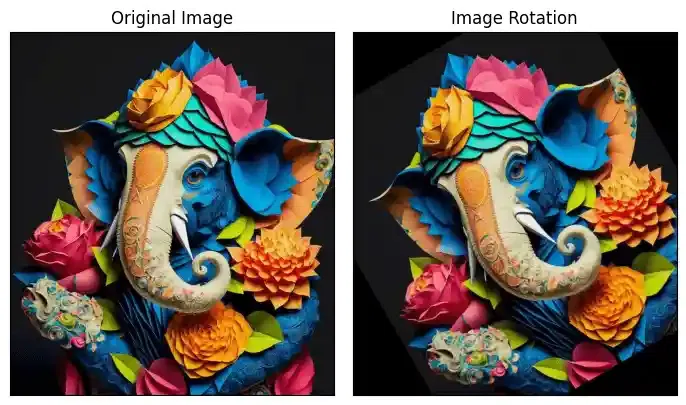
Images can be rotated to any degree clockwise or anticlockwise using image rotation. We just need to define rotation matrix listing rotation point, degree of rotation and the scaling factor. Here:
cv2.getRotationMatrix2D() : generates the transformation matrix.cv2.warpAffine() : applies the rotation.Output:
👁 Image Rotation-Geeksforgeeks
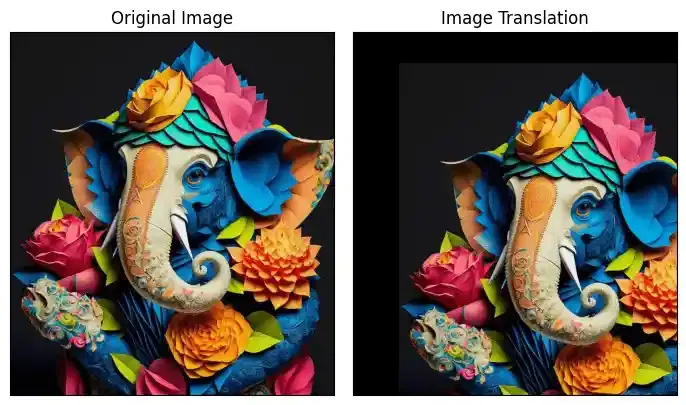
Image Translation is the process of moving an image from one position to another within a specified frame of reference. This shift can occur along the x-axis (horizontal movement) and y-axis (vertical movement) without altering the content or orientation of the image. Here:
cv2.warpAffine() shifts the image based on translation values.tx, ty define the movement along the x and y axes.Output:
👁 Image Translation-Geeksforgeeks
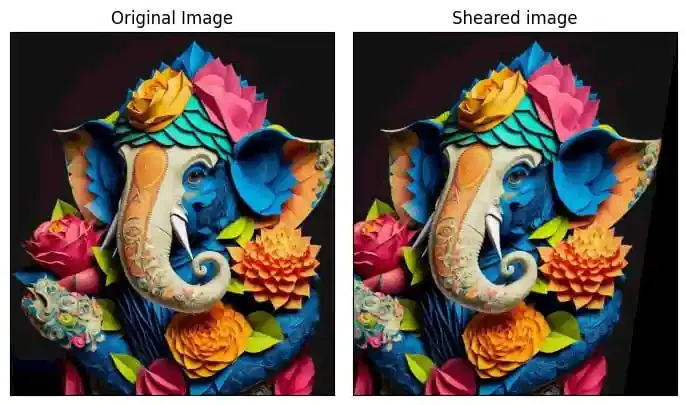
Image Shearing is a geometric transformation that distorts or skews an image along one or both axes. This operation slants the image creating a shear effect without changing its area or shape. Shearing can be applied to make the image appear as if it’s being stretched or compressed in a particular direction. Here:
shear_x, shear_y control the degree of skewing.cv2.warpAffine() applies the transformation.Output:
👁 Image Shearing-Geeksforgeeks
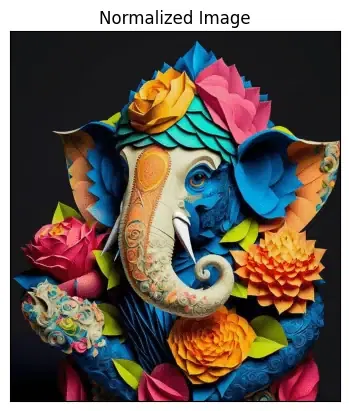
Image Normalizationscales pixel values to a specific range to enhance image processing tasks. Here:
cv2.normalize(): Normalizes pixel values.cv2.NORM_MINMAX: Scales values between 0 and 1.cv2.merge(): Combines separately normalized RGB channels.Output:
[[0.0745098 0.0745098 0.0745098 ... 0.07843137 0.07843137 0.07843137]
[0.0745098 0.0745098 0.0745098 ... 0.07843137 0.07843137 0.07843137]
[0.0745098 0.0745098 0.0745098 ... 0.07843137 0.07843137 0.07843137]
...
[0.00392157 0.00392157 0.00392157 ... 0.0745098 0.0745098 0.0745098 ]
[0.00392157 0.00392157 0.00392157 ... 0.0745098 0.0745098 0.0745098 ]
[0.00392157 0.00392157 0.00392157 ... 0.0745098 0.0745098 0.0745098 ]]
👁 Image Normalization-Geeksforgeeks
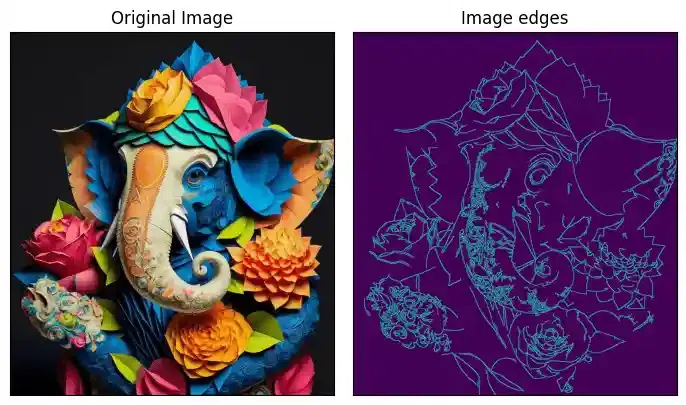
Edge detection is used to find sharp edges withing image to find different objects and boundaries within a image. Canny Edge Detection is a popular edge detection method. Here:
cv2.GaussianBlur(): Removes noise through Gaussian smoothing.cv2.Sobel(): Computes the gradient of the image.cv2.Canny(): Applies non-maximum suppression and hysteresis thresholding to detect edges.Output:
👁 Edge detection of Image-Geeksforgeeks
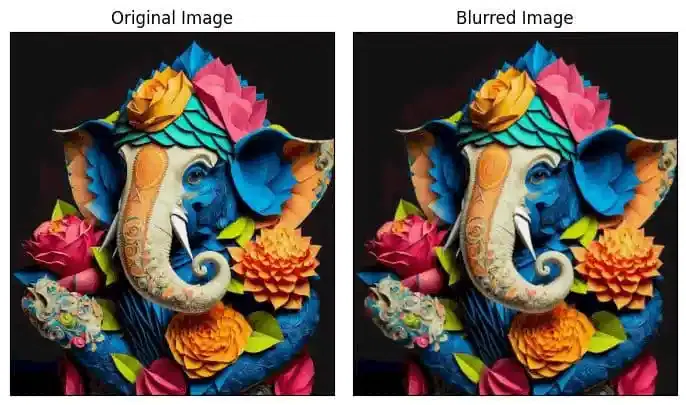
Image Blurring reduces image detail by averaging pixel values. Here:
cv2.GaussianBlur(): Smooths using a Gaussian kernel.cv2.medianBlur(): Replaces pixels with the median value in a neighborhood..cv2.bilateralFilter(): Preserves edges while blurring.Output:
👁 Image Blurring-Geeksforgeeks
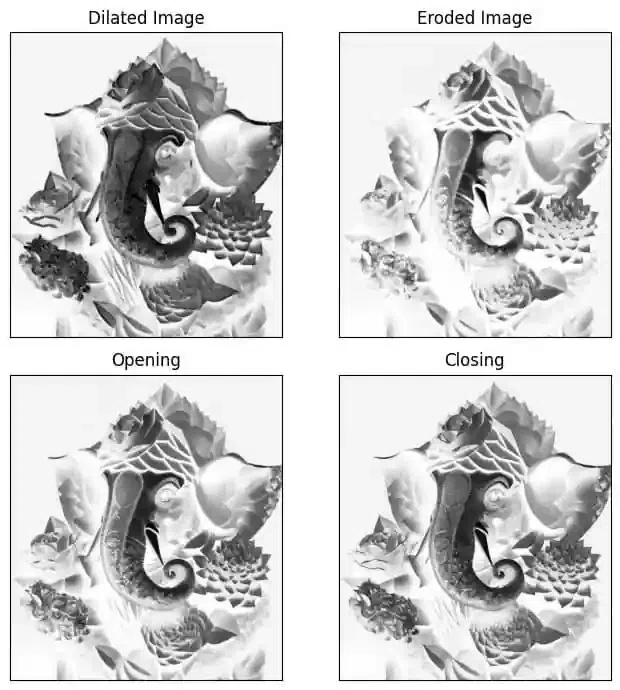
Morphological Image Processing involves techniques that process the structure or shape of objects in an image. It focuses on operations like dilation, erosion, opening and closing which modify the image's geometric features. These operations work by examining the image’s pixels in relation to their neighbors usually with a small mask or kernel.Here:
cv2.dilate(): Expands object boundaries.cv2.erode(): Shrinks object boundaries.cv2.morphologyEx() with cv2.MORPH_OPEN: Removes small noise.cv2.morphologyEx() with cv2.MORPH_CLOSE: Fills small holes.Output:
👁 Morphological Image Processing-Geeksforgeeks
In this article we covered essential image processing techniques in OpenCV, such as normalization, edge detection, blurring and morphological operations. While OpenCV offers a solid foundation, combining it with deep learning methods like convolutional neural networks (CNNs) can improve accuracy and efficiency in image preprocessing.