|
VOOZH | about |
|
VOOZH | about |
Data visualization and Plotting is an essential skill that allows us to spot trends in data and outliers. With the help of plots, we can easily discover and present useful information about the data. In this article, we are going to plot a sine and cosine graph using Matplotlib in Python. Matplotlib is a Python library for data visualization and plotting, if you don't have Matplotlib installed on your system, please install it before Plotting Sine and Cosine Graph using Matplotlib. One can install Matplotlib using the below command on the terminal or Jupyter notebook.
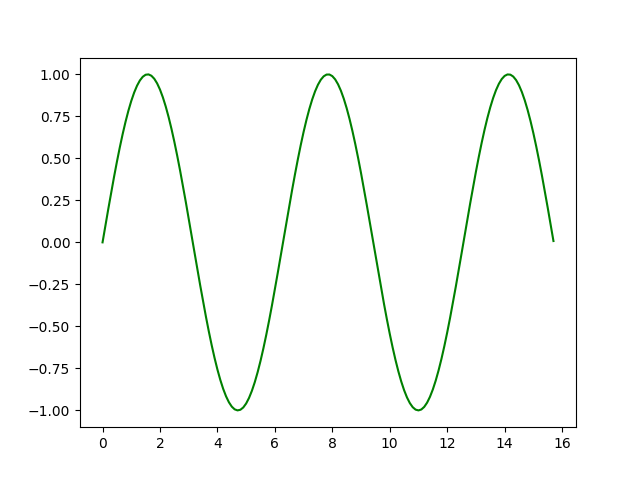
pip install matplotlibNow let's plot the sine curve using the sine function that is inbuilt into the NumPy library and plot it using Matplotlib.
Step 1: Import the necessary library for plotting.
Step 2: Create a list or load your own data for Plotting Sine Graph.
Step 3: Plotting Sine Graph with the created list or load data.
Output:
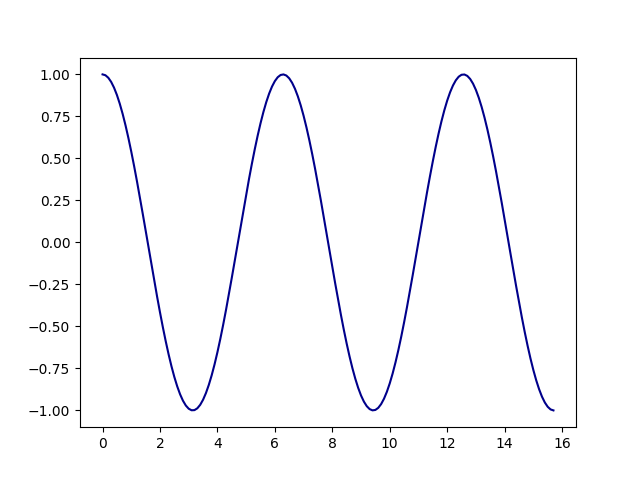
Now let's plot the cosine curve using the cosine function that is inbuilt into the NumPy library and plot it using Matplotlib.
Output:
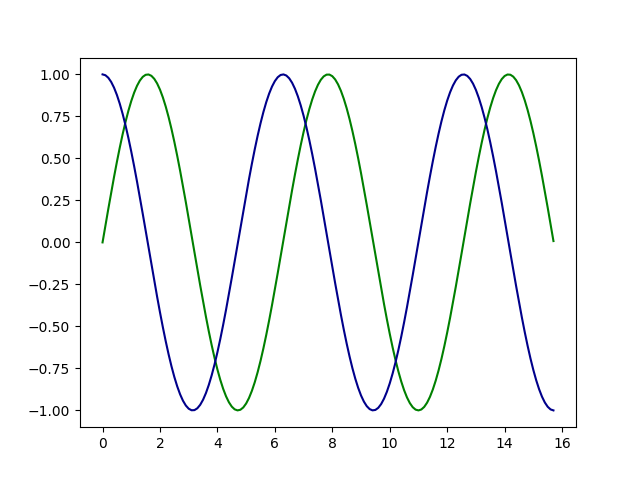
From the above two curves, one must think that both of them seem pretty similar. Let's look at both of these curves on the same graph then we will be able to detect the difference between the graph of the two curves.
Output:
The sine wave, square wave, triangle wave, and sawtooth wave are four different waveforms that are created and displayed. These waveforms are frequently utilized in signal processing, electronics, and several scientific and technical applications.