|
VOOZH | about |
|
VOOZH | about |
Spring MVC is a widely used framework that helps build structured web applications using the Model-View-Controller pattern. It simplifies request handling and application flow using plain Java classes. In this guide, you will learn how to create and run your first Spring MVC controller in Eclipse/Spring Tool Suite.
The Spring MVC framework is comprised of the following components.
Here, we are going to create our first spring MVC controller in Spring Tool Suite IDE.
- Eclipse (EE version)/STS IDE
- Spring JAR Files
- Apache Tomcat latest version
Note: We are going to use Spring Tool Suite 4 IDE for this project. Please refer to this article to install STS on your local machine How to Download and Install Spring Tool Suite (Spring Tools 4 for Eclipse) IDE?
Follow the below steps to run your first SpringMVC Controller.
Open your STS IDE, you may refer to this article How to Create a Dynamic Web Project in Spring Tool Suite?
Download the spring JARs file and go to the src > main > webapp > WEB-INF > lib folder and past these JAR files.
Configure Apache Tomcat Server with the application. Now we are ready to go.
Please refer to this article What is Dispatcher Servlet in Spring? and read more about Dispatcher Servlet which is a very very important concept to understand.
Now we are going to configure Dispatcher Servlet with our Spring MVC application. Go to the src > main > webapp > WEB-INF > web.xml file
web.xml:
Now go to the src -> main -> webapp -> WEB-INF and create an XML file. Actually, this is a Spring Configuration file like beans.xml file. And the name of the file must be in this format
YourServletName-servlet.xml
For example, for this project, the name of the file must be
frontcontroller-dispatcher-servlet.xml
So either you can create a Spring Configuration File or you can just create a simple XML file add the below lines of code inside that file.
frontcontroller-dispatcher-servlet.xml:
Go to src/main/java, create a package (e.g., com.student.controllers), and add a class named DemoController. Mark the class with @Controller to let Spring recognize it as a controller. Use @RequestMapping("/hello") to map a URL endpoint to the controller method.
DemoController.java:
Note: Spring will automatically initialize the class having a @Controller annotation and register that class with the spring container.
Add the below line inside the frontcontroller-dispatcher-servlet.xml file
<context:component-scan base-package="com.student.controllers"></context:component-scan>
frontcontroller-dispatcher-servlet.xml:
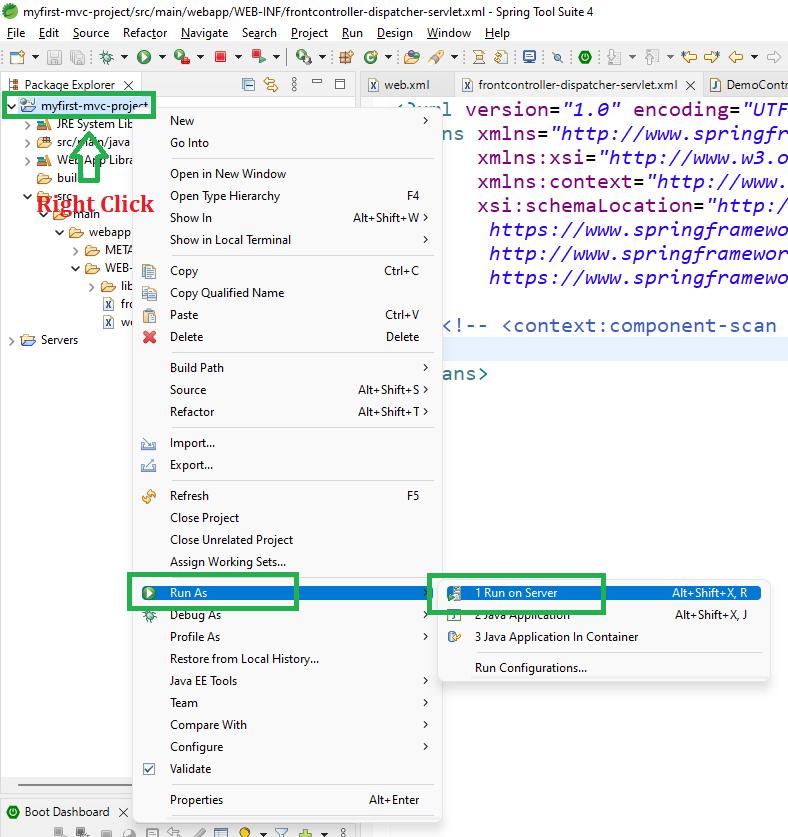
To run your Spring MVC Application right-click on your project > Run As > Run on Server and run your application as shown in the below image.
👁 Image
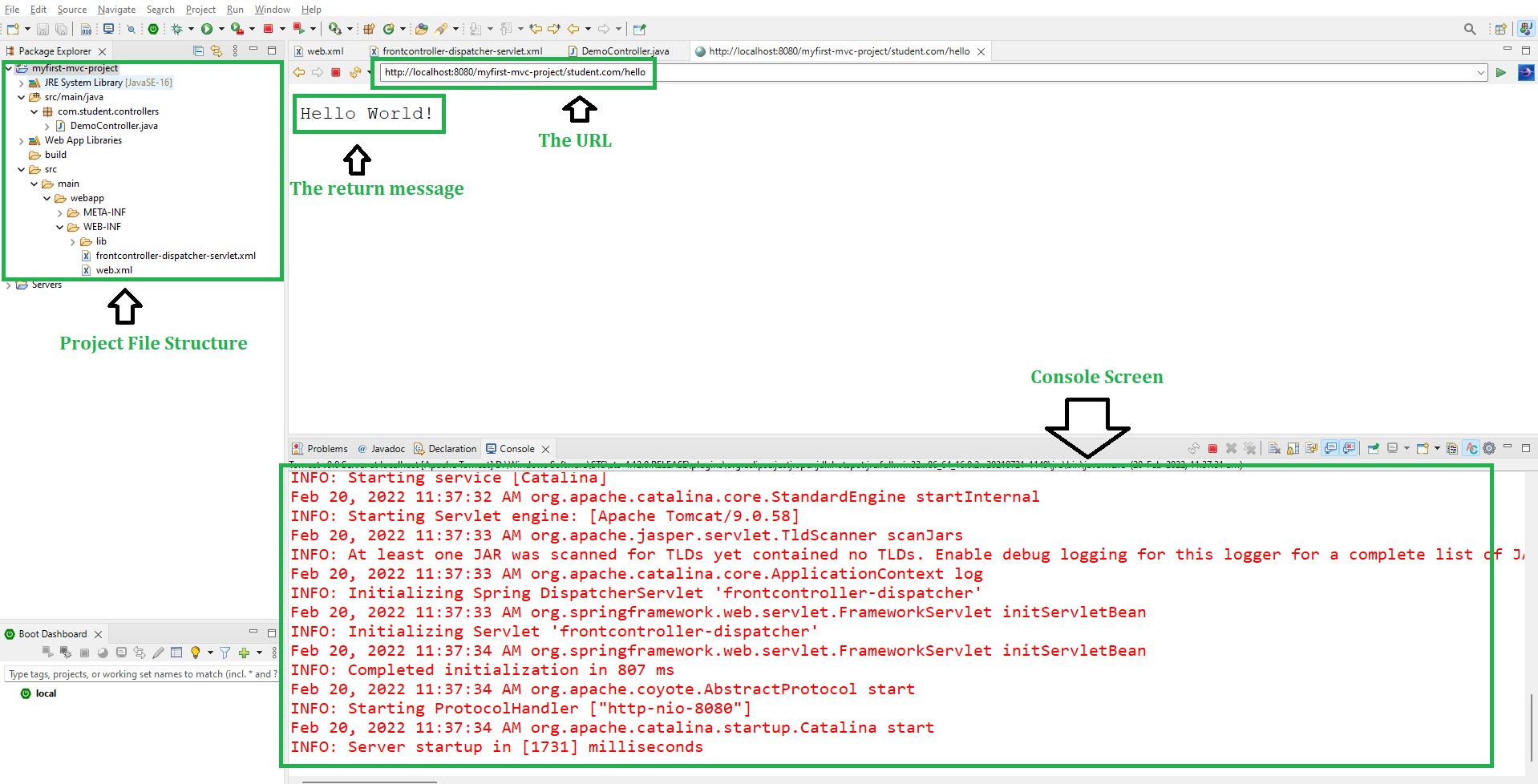
After that use the following URL to run your controller as shown in the below image. All other details can be perceived through below image as follows:
http://localhost:8080/myfirst-mvc-project/student.com/hello