SimCLR (Simple Framework for Contrastive Learning of Visual Representations) is a self-supervised learning approach that learns powerful image representations without labeled data. It does so by maximizing agreement between differently augmented views of the same image via a contrastive loss in the latent space.By maximizing the similarity between different augmented views of the same image and minimizing similarity with other images, SimCLR enables models to learn powerful visual representations. Implementing SimCLR in PyTorch allows for flexible experimentation and strong performance on image tasks using only unlabeled data.
Core Ideas of SimCLR
Data Augmentation: Each input image is randomly augmented twice to create two correlated views (positive pair). Common augmentations include random cropping, flipping, color jittering, and Gaussian blur.
Encoder Network: A deep neural network (often ResNet-18/50) encodes each augmented image into a feature vector. The final classification layer is removed and replaced with a projection head.
Projection Head: An MLP (multi-layer perceptron) maps the encoder’s output to a lower-dimensional embedding space where the contrastive loss is applied.
SimCLR in PyTorch: Main Components
1. Data Augmentation: Define a set of strong augmentations to generate two different views of each image.
2. Encoder and Projection Head
Use a backbone (e.g., ResNet-18/50) without the final classification layer.
Add a projection head (typically a 2-layer MLP) to map features to the embedding space.
Contrastive Loss (NT-Xent): The normalized temperature-scaled cross-entropy loss encourages embeddings of positive pairs to be similar and those of different images (negatives) to be dissimilar.
3. Contrastive Loss Implementation: A custom loss function (NT-Xent) computes the contrastive loss for each positive pair in the batch.
4. Training Loop
For each batch, generate two augmented views per image.
Pass both views through the encoder and projection head.
Compute the contrastive loss and update the model.
PyTorch Implementation
1. Install Libraries
Installs the required PyTorch packages to run the model.
Batch Size: Large batch sizes improve performance by providing more negative samples.
Projection Head: Used only during pretraining; final representations are taken from the encoder, not the projection head.
Multi-GPU Training: Supported for scaling to large datasets.
Training and Evaluation
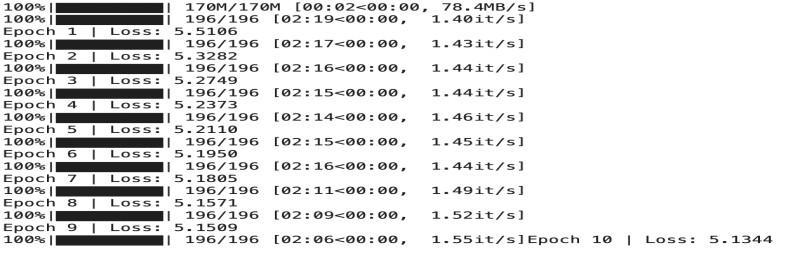
Pretraining: Train SimCLR on unlabeled data using the contrastive loss.
Fine-tuning: After pretraining, remove the projection head and fine-tune or evaluate the encoder on downstream tasks (e.g., classification with a linear head).