VOOZH about

URL: https://www.geeksforgeeks.org/deep-learning/fine-grained-image-classification/

⇱ Fine - Grained Image Classification - GeeksforGeeks


  • Courses
  • Tutorials
  • Interview Prep

Fine - Grained Image Classification

Last Updated : 23 Jul, 2025

Traditional image classification divides images into generic classes (e.g., cats vs. dogs). On the other hand, fine-grained image classification (FGIC) tries to identify images between visually similar subcategories, like dissimilar breeds of dogs or different automobile models.

Fine-Grained Image Classification is the process of labeling images into subcategories with similar visual characteristics.

Examples are:

  • Pigeon vs. sparrow bird species identification from images.
  • Identifying car models (e.g., Tesla Model 3 vs. Tesla Model S).
  • Differentiating plant species for agriculture or conservation.

Techniques for Fine-Grained Image Classification

To overcome the above challenges, researchers employ various strategies:

1. Part-Based Models: The models identify and examine particular portions of the object (e.g., the tail, wings, and head of a bird). This assists with the detection of fine differences.

2. Attention Mechanisms: Attention modules aid the model to concentrate on distinguishing parts of the image that are most useful in classification.

3. Metric Learning: Rather than classifying immediately, metric learning teaches the model to learn a space where analogous instances are nearby.

4. Data Augmentation: Advanced data augmentation methods such as mixup, CutMix, and pose-based augmentations are employed for enhancing generalization.

5. Transfer Learning: Fine-tuned pre-trained models (e.g., ResNet, EfficientNet) are employed over fine-grained datasets to take advantage of their acquired low-level and high-level features.

Popular Datasets

  • Caltech-UCSD Birds-200 (CUB-200): 200 bird species with over 11,000 images.
  • Stanford Cars: 16,000 images of 196 car models.
  • Oxford Flowers 102: 102 categories of flowers.
  • iNaturalist: Large-scale dataset for species classification.

Implementation

1. Install Required Libraries

Ensure you have the necessary dependencies installed:

pip install torch torchvision matplotlib

2. Load the Dataset

We'll use the CIFAR-10 dataset.

  • Preprocessed using resizing, normalizing, and tensors.
  • Loading is performed utilizing ImageFolder and encapsulated with DataLoader to have batch training.

Output:

Classes: ['airplane', 'automobile', 'bird', 'cat', 'deer', 'dog', 'frog', 'horse', 'ship', 'truck']

3. Define and Train the Model

  • A pre-trained ResNet18 model is loaded and is accordingly modified.
  • We specify the loss function (CrossEntropyLoss) and optimizer (Adam).
  • The model is trained for some number of epochs, where at each step it learns to reduce the loss and enhance prediction accuracy.

Output:

Epoch [1/3] - Loss: 0.7729, Accuracy: 74.02%

Epoch [2/3] - Loss: 0.6525, Accuracy: 77.59%

Epoch [3/3] - Loss: 0.6322, Accuracy: 78.23%

4. Evaluate the Model

  • Once trained, we set the model to evaluation mode.
  • We evaluate the model on unseen test images and compute the accuracy by comparing predicted and actual labels.

Output:

Test Accuracy: 80.53%

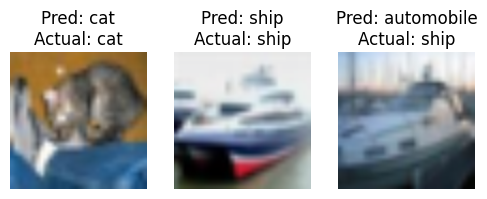
5. Visualize Predictions

  • We select some images from the test set.
  • Show them with matplotlib and the model

Output:

👁 fine_grained
Predictions

You can download the source code here

Applications

Fine-Grained Image Classification has diverse real-world applications across various industries:

1. Wildlife Conservation

  • Helps in species identification for ecological studies.
  • Used in endangered species monitoring via camera traps.
  • AI models classify bird species, insects, or marine animals from images.

2. Medical Diagnosis

  • Distinguishes tumor subtypes in histopathology images.
  • Identifies different stages of diabetic retinopathy.
  • Differentiates between skin lesion types for early cancer detection.

3. E-commerce and Fashion

  • Recognizes clothing attributes (e.g., dress patterns, sleeve types).
  • Helps in product recommendation systems based on visual similarity.
  • Identifies fake vs. real branded items (e.g., Nike, Adidas).

4. Autonomous Vehicles

  • Recognizes different car models and makes.
  • Helps detect traffic signs with fine-grained details.
  • Improves pedestrian recognition based on clothing attributes.

Challenges in Fine-Grained Classification

Fine-grained classification is challenging because:

  1. Small inter-class variance: Subcategories have very similar features.
  2. Large intra-class variance: The same subcategory can appear in different conditions (e.g., lighting, pose).
  3. Data annotation difficulty: Requires expert knowledge (e.g., botanists for plant classification).
  4. Background distractions: Non-relevant background elements can confuse models.

Related Articles

Comment