VOOZH about

URL: https://www.geeksforgeeks.org/mern/community-forum-page-using-mern-stack/

⇱ Community Forum Page using MERN Stack - GeeksforGeeks


  • Courses
  • Tutorials
  • Interview Prep

Community Forum Page using MERN Stack

Last Updated : 23 Jul, 2025

In the ever-expanding digital landscape, fostering meaningful connections within communities is paramount. The Community Forum Page project, developed using the MERN (MongoDB, Express, React, Node) stack, aims to provide a dynamic platform for users to engage in discussions, share valuable information, and cultivate a thriving community environment.

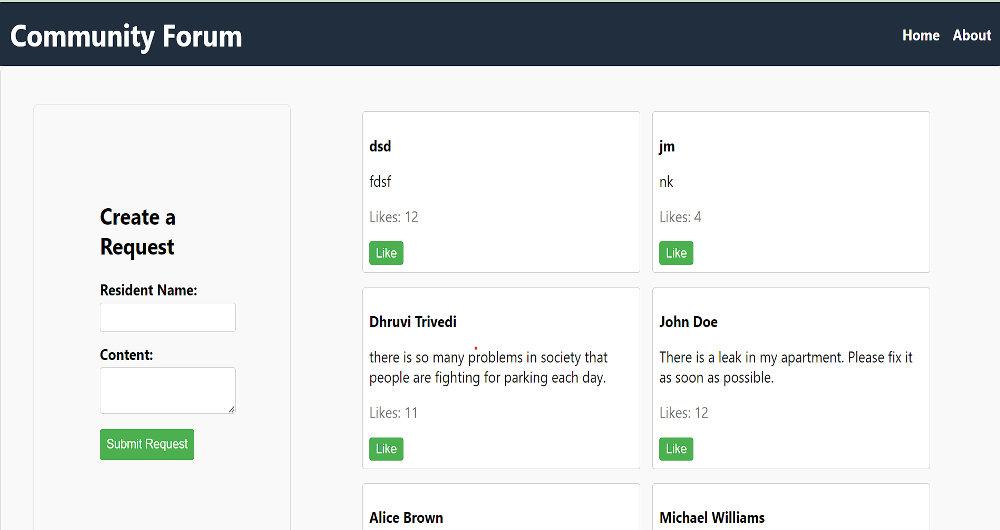
Preview of final output: Let us have a look at how the final output will look like.

👁 imresizer-1704628759793

Prerequisites:

Approach to create Community Forum Page:

  • Creating BackEnd for our Application
  • Creating FrontEnd for Application
  • Connecting It with MongoDB

Steps to Create the Backend:

Step 1: Create a directory for project

npm init backend

Step 2: Open project using the command

cd backend

Step 3: Installing the required packages

npm install express mongoose cors body-parser

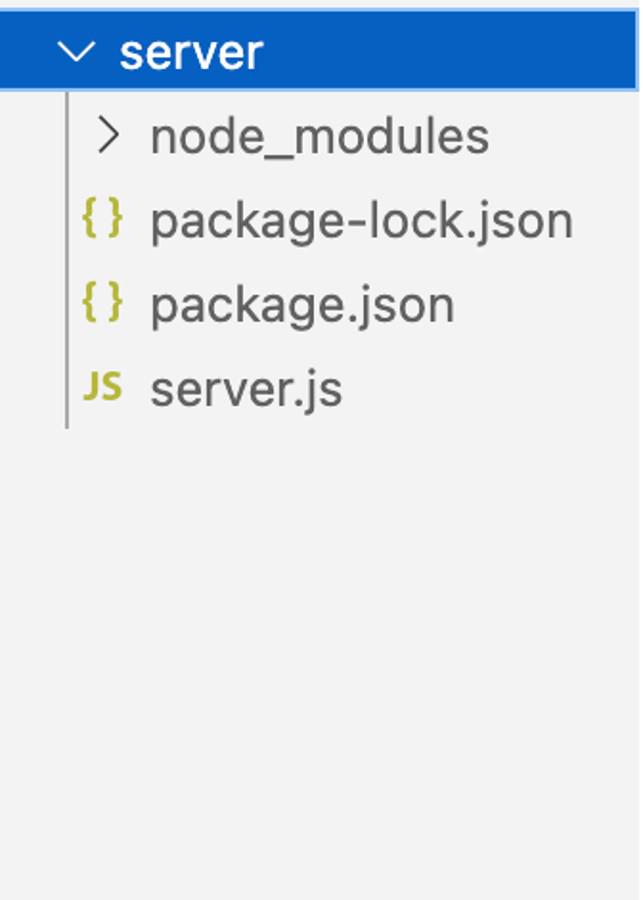
Project Structure:

👁 Screenshot-2567-01-04-at-000243

The updated dependencies in package.json file for backend will look like:

"dependencies": {
"body-parser": "^1.20.2",
"cors": "^2.8.5",
"express": "^4.18.2",
"mongoose": "^8.0.0",
}

Explanation:

  • Imports: Express, Mongoose, body-parser, cors modules for web server, MongoDB connection, request body handling, and CORS.
  • Creates an Express app instance, specifies a port (from PORT environment variable or defaulting to 5000).
  • Middleware setup: Handles CORS and parses JSON request bodies using cors and body-parser.
  • Defines "Request" data structure with attributes like residentName, content, and likes using Mongoose.
  • API Endpoints: Create, Read, Update (like), and Delete operations for requests are defined.
  • Server start: The server starts, listens on the specified port, and logs an operational message once running.

Example: Create server.js (Express Server) as connection between frontEnd and BackEnd. Insert the following code to it :

Steps to Create the Frontend:

Step 1: Set up React frontend using the command.

npx create-react-app client

Step 2: Navigate to the project folder using the command.

cd client

Step 3: Installing the required packages:

npm i axios react-router-dom

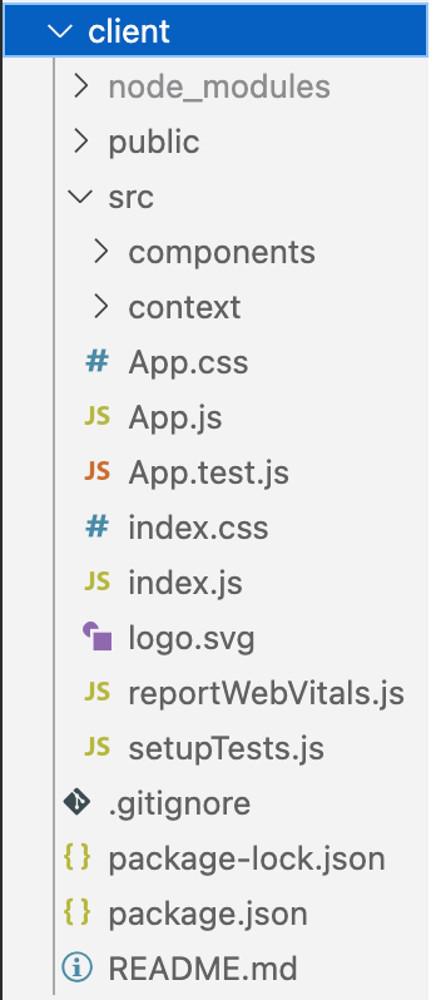
Project Structure:

👁 Screenshot-2567-01-04-at-000408

The updated dependencies in package.json for frontend will look like:

"dependencies": {
"axios": "^1.6.2",
"react": "^18.2.0",
"react-dom": "^18.2.0",
"react-router-dom": "^6.17.0",
"react-scripts": "5.0.1",
"web-vitals": "^2.1.4"
}

Explanation:

  • Form component with a title (FormTitle) indicating it's for creating requests.
  • Utilizes flexbox with a column direction and small gaps for a clean layout.
  • Includes two form fields: Resident Name (text input) and Request Content (textarea), both styled.
  • Utilizes the useState hook to manage state for residentName and content.
  • handleSubmit function prevents default form submission, creates a new request object, calls onAddRequest callback with the new request, and clears form fields.
  • Receives onAddRequest prop as a callback function for handling new request additions.
  • Uses axios for asynchronous GET request to http://localhost:5000/requests, storing data in the requests state.
  • handleLike function makes a PATCH request to update likes for a specific request, then refreshes the request list.
  • UI divided into two columns: left column has RequestForm for new requests, and right column displays a list of community requests.
  • Community requests show resident name, issue content, and a "Like" button for user interaction.

Steps to run the Application:

node server.js and npm start

Output:

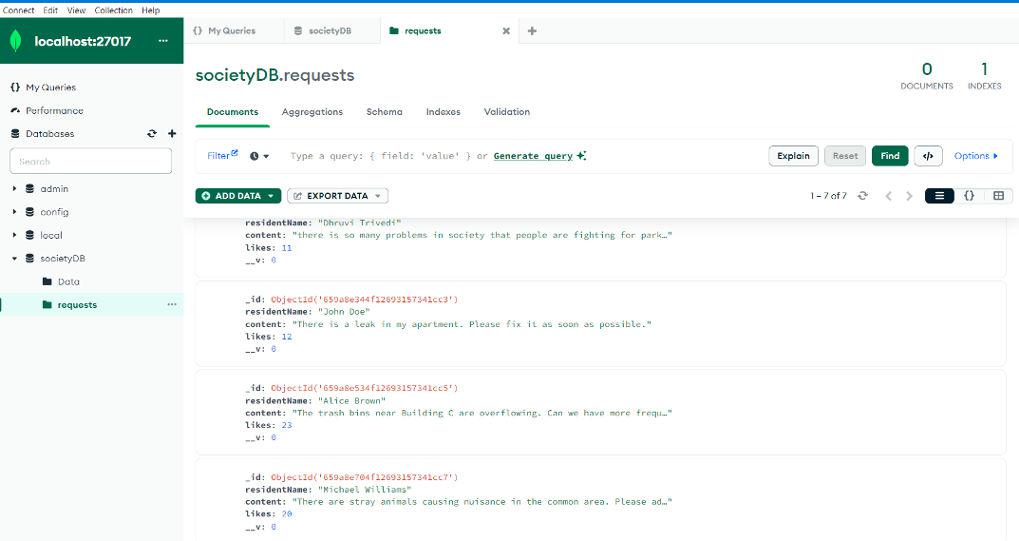
Output of Data Saved in Database:

👁 imresizer-1704628653045

Comment

Explore