|
VOOZH | about |
|
VOOZH | about |
MongoDB is a popular NoSQL database that stores data in JSON-like documents instead of traditional tables and rows. It is flexible and widely used in modern applications because it does not require a fixed schema. Spring Boot provides easy integration with MongoDB using Spring Data MongoDB, which simplifies database access and reduces boilerplate code.
- Java 8 or higher
- MongoDB
- Any IDE such as IntelliJ IDEA, Eclipse IDE
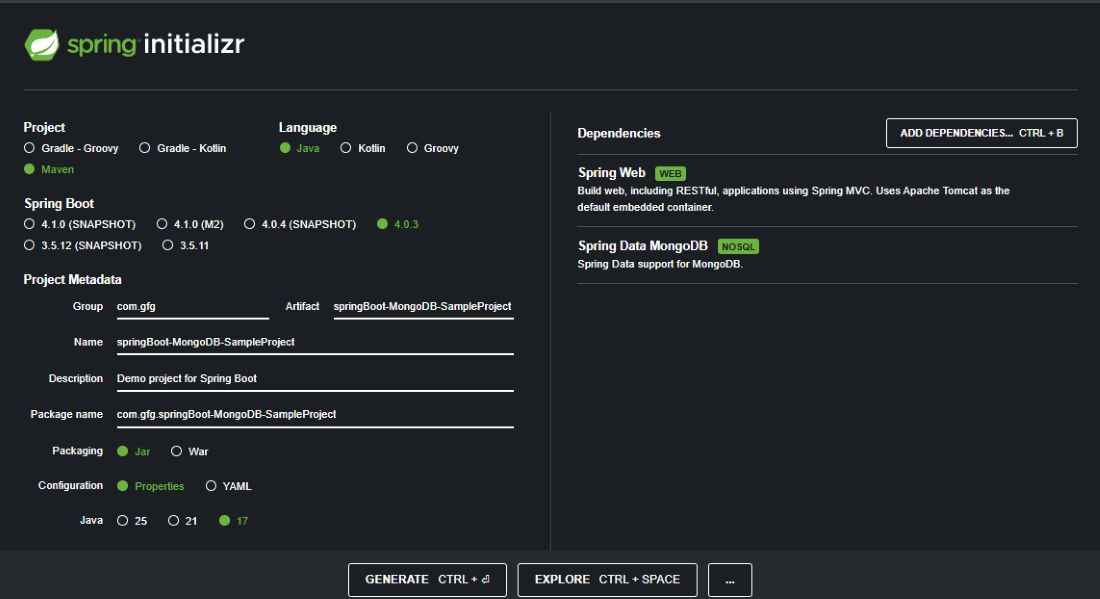
Create a new project using Spring Initializr.
Project Configuration
Add Dependencies:
Select the following dependencies:
Download the project, extract it, and open it in your IDE.
After creating the project, the folder structure will look like this:
As it is a maven project, let's start with adding dependencies via
pom.xml
File to mention the connectivity with MongoDB database
Open application.properties and configure the MongoDB connection.application.properties
spring.data.mongodb.host=localhost
spring.data.mongodb.port=27017
spring.data.mongodb.database=geeksforgeeks
This configuration connects the Spring Boot application to the MongoDB database.
Create a class Book.java inside the docs package.
Book.java
Create a class Book.java inside the docs package.
BookRepository.java
Create BookService.java inside the service package.
BookService.java
Create BookController.java inside the controller package.
BookController.java
Main file that contains the main method and can be used to run as a Java application
Run the following command:
mvn clean install # As this is maven project
This will compile the project and download dependencies.
Run the Spring Boot application using:
mvn spring-boot:run
Output:
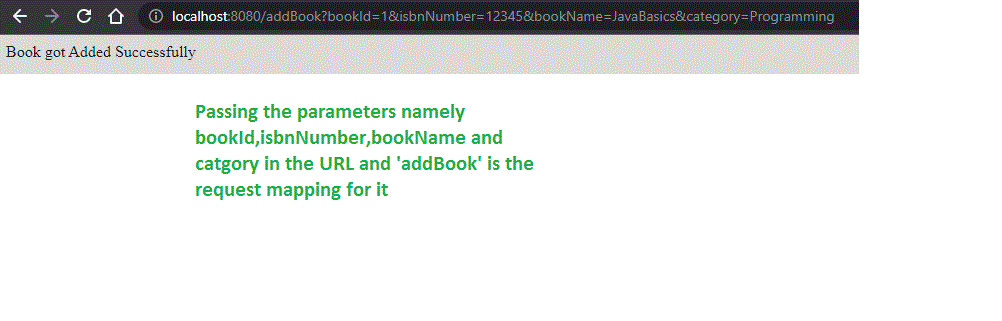
We can test the same in the below ways. First, let us add the book
URL: http://localhost:8080/addBook?bookId=1&isbnNumber=12345&bookName=JavaBasics&category=Programming
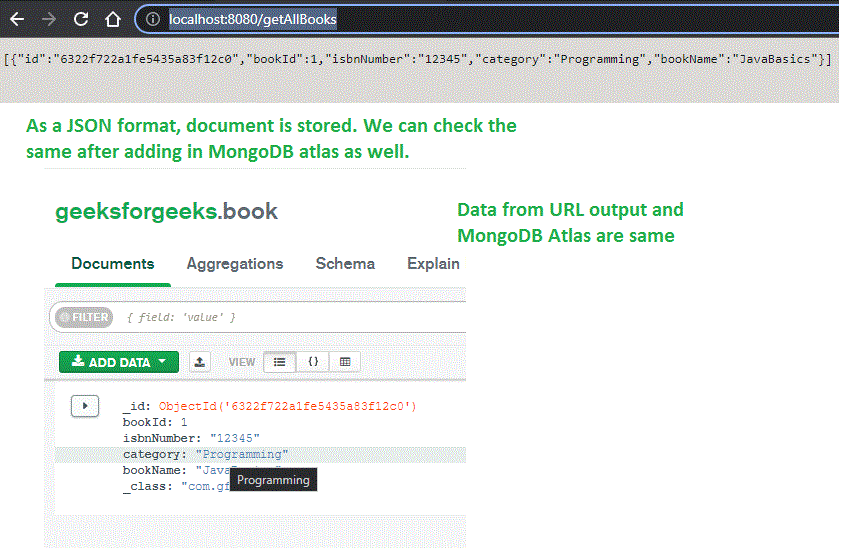
Now list out the books
URL: http://localhost:8080/getAllBooks
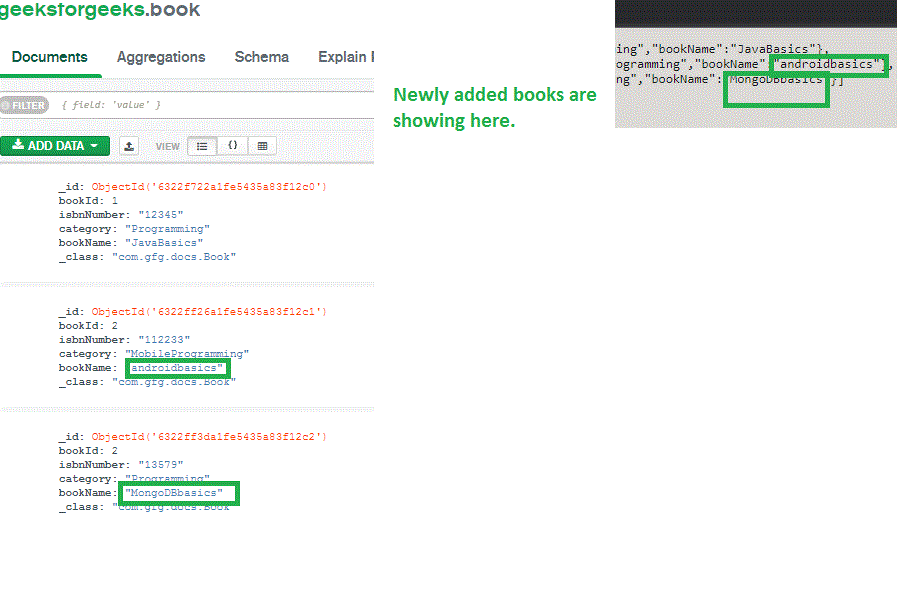
Let's add 2 more books
We can search books by means of category
URL: http://localhost:8080/getBook?category=Programming
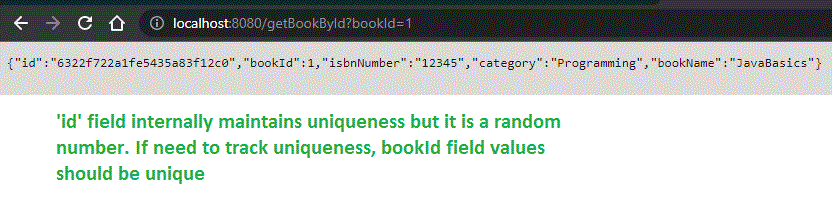
Similarly, we can do it by bookId as well
Like this, we can do all business logic as per our needs. It is quite easier to integrate MongoDB with SpringBoot technologies.