Dependency parsing is a way to understand how words in a sentence are connected. It finds which words depend on others. In NLTK, there is no built in full dependency parser instead it has tools for phrase structure parsing which means it builds trees showing how phrases are formed. You can use these trees to figure out word connections by hand or write simple rules to extract head dependent pairs.
This image shows a dependency parse tree for the sentence “I saw the ship with very strong binoculars.” It visualizes grammatical relationships like subject, object, modifiers between words, helping NLP systems understand sentence structure.
Dependency parsing is a natural language processing technique used to understand the grammatical structure of a sentence by showing how words are connected to each other.
Instead of focusing on phrases like in phrase structure parsing, dependency parsing builds direct links between individual words. Each word depends on another word that acts as its head.
For example, in the sentence “She eats an apple,” the main verb “eats” is the root, “She” depends on “eats” as its subject and “apple” depends on “eats” as its object.
This creates a clear map of relationships that makes it easier for machines to understand meaning and extract who is doing what to whom.
Dependency parsing is very useful for tasks like information extraction, question answering and building chatbots because it helps the computer see the real roles words play in a sentence.
Implementation
Step 1: Install Necessary Libraries
This step installs the SpaCy library and downloads the small English language model en_core_web_sm.
It prepares your environment to perform NLP tasks like tokenization, parsing and named entity recognition.
Step 2: Load and Preview Dataset
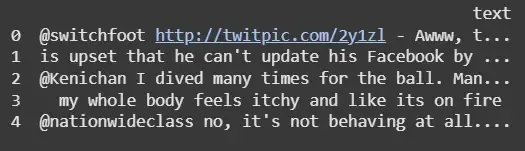
This step reads the CSV file into a pandas DataFrame selecting only the text column which contains the tweets.
Here we have used Sentiment140 dataset with 1.6 million tweets you can download it from Kaggle.
It then displays the first few rows to verify that the data has loaded correctly.
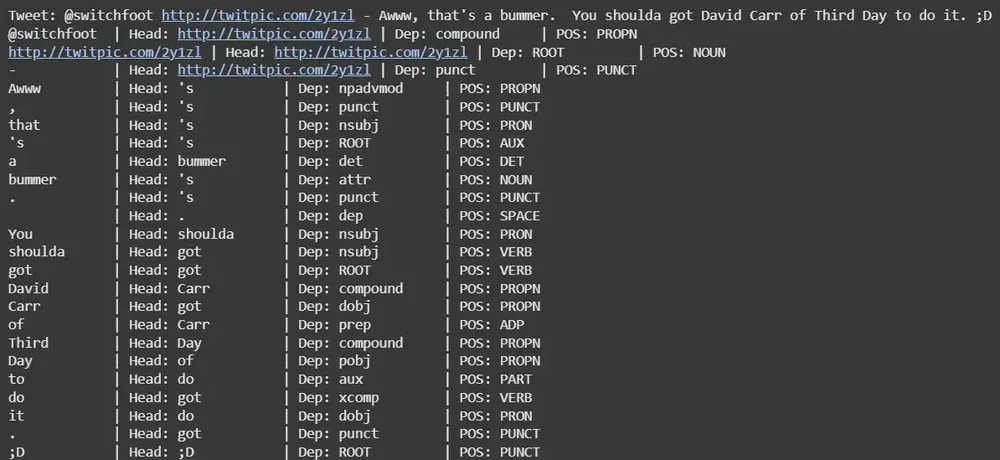
This step loads the SpaCy NLP pipeline and processes the first five tweets.
For each tweet it tokenizes the text and prints each token along with its head word, dependency relation and part of speech tag to understand the grammatical structure.