|
VOOZH | about |
|
VOOZH | about |
Normally, a lot of businesses are remained as failures due to lack of profit, lack of proper improvement measures. Mostly, restaurant owners face a lot of difficulties to improve their productivity. This project really helps those who want to increase their productivity, which in turn increases their business profits. This is the main objective of this project.
What the project does is that the restaurant owner gets to know about drawbacks of his restaurant such as most disliked food items of his restaurant by customer's text review which is processed with ML classification algorithm(Naive Bayes) and its results gets stored in the database using SQLite.
Firstly, we import NumPy, matplotlib, pandas, nltk, re, sklearn, Tkinter, sqlite3 libraries which are used for data manipulation, text data processing, pattern recognition, training the data, graphical user interfaces and manipulation of data on the database.
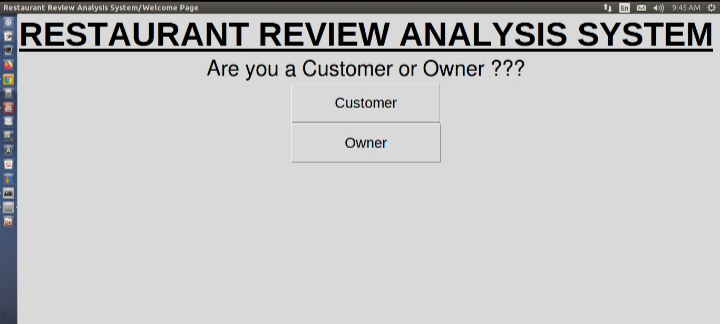
Initially, our GUI application asks the user whether he is an owner or a customer to decide what action to be performed.
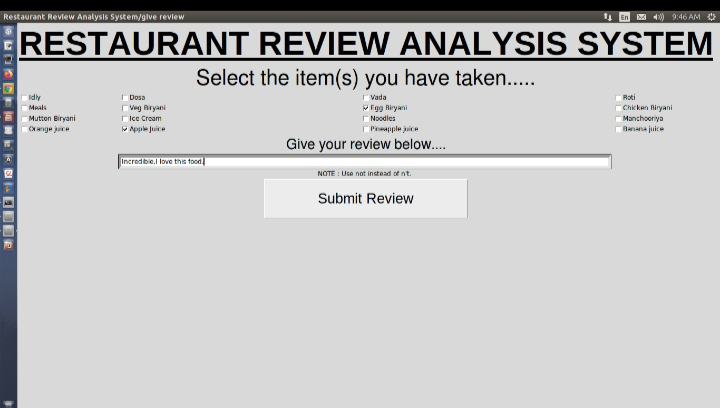
Once, the system ensures that the user is a customer, it asks for food review in text format. The customer must select the food items which he has taken from the restaurant and then give his review on selected foods. When he clicks on submit button, the text review is treated under the ML algorithm to predict whether it is a positive review or negative review. And then, the entire data is inserted into the database.
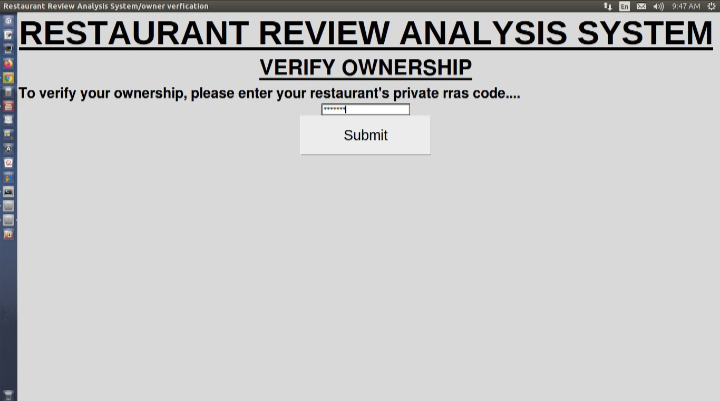
If the current user of the system is the owner of the restaurant, then the system verifies the owner by asking rras_code(i.e., A code that uniquely identifies a restaurant all over the world. And it is highly confidential, one should not share this code with others except co-owners of the restaurant).
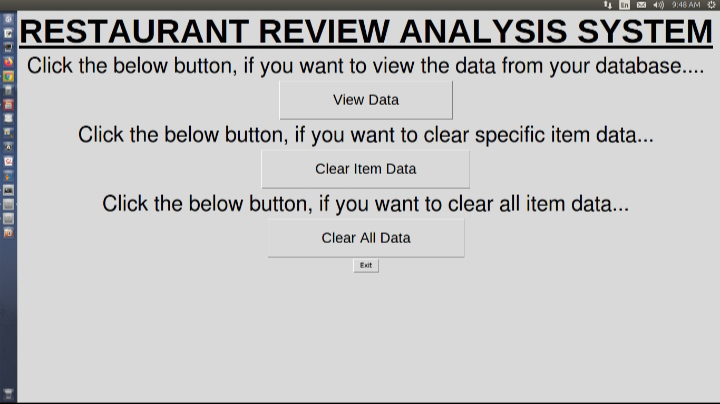
When the ownership verifies, the owner has 3 options described on a new page as mentioned below:
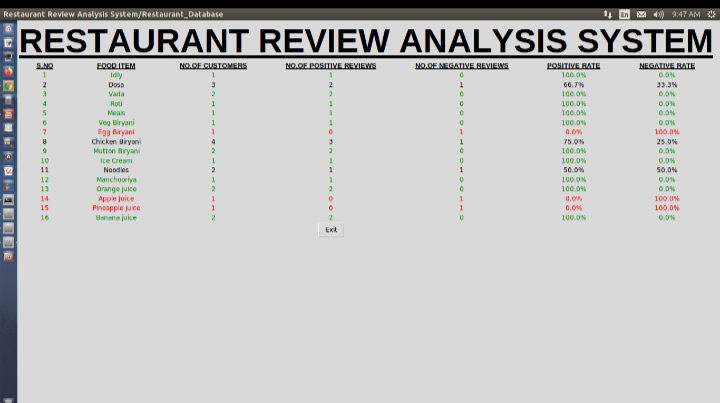
The owner can view the data in the database where each food having attributes like number of customers, number of positive reviews, number of negative reviews, positive rate, negative rate. Highly positive-rated foods are labelled in green colour, and least positive-rated food items are labelled in red colour to easily understand the summary of data. Now, the owner can identify low-rated food items and tries to improve the food_item taste by taking some measurements like calling to new chefs etc., which definitely improves his business.
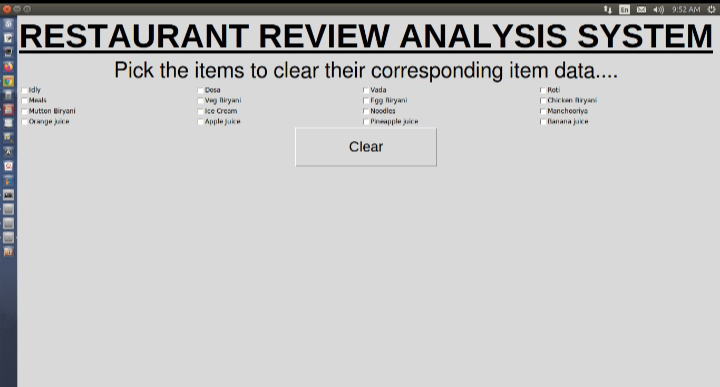
When some adjustments or modifications have been taken the owner, can clear those specific item data so that he can quickly observe the performance of the food item. If the owner wants, he can clear all food item data also.
Finally, this is my idea to increase the productivity of businesses with technology. With this, the business problems get shut down by the improvement of productivity.