|
VOOZH | about |
|
VOOZH | about |
BERT stands for Bidirectional Representation for Transformers and was proposed by researchers at Google AI language in 2018. Although the main aim of that was to improve the understanding of the meaning of queries related to Google Search, BERT becomes one of the most important and complete architectures for various natural language tasks having generated state-of-the-art results on Sentence pair classification tasks, question-answer tasks, etc.
BERT is a powerful technique for natural language processing that can improve how well computers comprehend human language. The foundation of BERT is the idea of exploiting bidirectional context to acquire complex and insightful word and phrase representations. By simultaneously examining both sides of a word's context, BERT can capture a word's whole meaning in its context, in contrast to earlier models that only considered the left or right context of a word. This enables BERT to deal with ambiguous and complex linguistic phenomena including polysemy, co-reference, and long-distance relationships.
For that, the paper also proposed the architecture of different tasks. In this post, we will be using BERT architecture for Sentiment classification tasks specifically the architecture used for the CoLA (Corpus of Linguistic Acceptability) binary classification task.
BERT has proposed two versions:
For TensorFlow implementation, Google has provided two versions of both the BERT BASE and BERT LARGE: Uncased and Cased. In an uncased version, letters are lowercase before WordPiece tokenization.
Output
Downloading data from http://ai.stanford.edu/~amaas/data/sentiment/aclImdb_v1.tar.gz
84125825/84125825 [==============================] - 12s 0us/step
Output:
['aclImdb.tar.gz', 'aclImdb']Output:
['README', 'test', 'imdb.vocab', 'imdbEr.txt', 'train']Output:
['urls_pos.txt',
 'urls_neg.txt',
 'labeledBow.feat',
 'neg',
 'unsup',
 'unsupBow.feat',
 'urls_unsup.txt',
 'pos']
Output:
urls_pos.txt: https://www.imdb.com/title/tt0453418/usercomments
urls_neg.txt: https://www.imdb.com/title/tt0064354/usercomments
labeledBow.feat: 9 0:9 1:1 2:4 3:4 4:6 5:4 6:2 7:2 8:4 10:4 12:2 26:1 27:1 28:1 29:2 32:1 41:1 45:1 47:1 50:1 54:2 57:1 59:1 63:2 64:1 66:1 68:2 70:1 72:1 78:1 100:1 106:1 116:1 122:1 125:1 136:1 140:1 142:1 150:1 167:1 183:1 201:1 207:1 208:1 213:1 217:1 230:1 255:1 321:5 343:1 357:1 370:1 390:2 468:1 514:1 571:1 619:1 671:1 766:1 877:1 1057:1 1179:1 1192:1 1402:2 1416:1 1477:2 1940:1 1941:1 2096:1 2243:1 2285:1 2379:1 2934:1 2938:1 3520:1 3647:1 4938:1 5138:4 5715:1 5726:1 5731:1 5812:1 8319:1 8567:1 10480:1 14239:1 20604:1 22409:4 24551:1 47304:1
neg: /content/datasets/aclImdb/train/neg
unsup: /content/datasets/aclImdb/train/unsup
unsupBow.feat: 0 0:8 1:6 3:5 4:2 5:1 7:1 8:5 9:2 10:1 11:2 13:3 16:1 17:1 18:1 19:1 22:3 24:1 26:3 28:1 30:1 31:1 35:2 36:1 39:2 40:1 41:2 46:2 47:1 48:1 52:1 63:1 67:1 68:1 74:1 81:1 83:1 87:1 104:1 105:1 112:1 117:1 131:1 151:1 155:1 170:1 198:1 225:1 226:1 288:2 291:1 320:1 331:1 342:1 364:1 374:1 384:2 385:1 407:1 437:1 441:1 465:1 468:1 470:1 519:1 595:1 615:1 650:1 692:1 851:1 937:1 940:1 1100:1 1264:1 1297:1 1317:1 1514:1 1728:1 1793:1 1948:1 2088:1 2257:1 2358:1 2584:2 2645:1 2735:1 3050:1 4297:1 5385:1 5858:1 7382:1 7767:1 7773:1 9306:1 10413:1 11881:1 15907:1 18613:1 18877:1 25479:1
urls_unsup.txt: https://www.imdb.com/title/tt0018515/usercomments
pos: /content/datasets/aclImdb/train/pos
Here 0 means Negative and 1 means Positive
Load the training datasets
Output:
urls_pos.txt
urls_neg.txt
labeledBow.feat
neg
unsup
unsupBow.feat
urls_unsup.txt
pos
 sentence sentiment
0 When I rented this movie, I had very low expec... 0
1 'Major Payne' is a film about a major who make... 0
2 I'd been following this films progress for qui... 0
3 Although the beginning suggests All Quiet on t... 0
4 Cabin Fever is the first feature film directed... 0
Output:
urls_pos.txt
urls_neg.txt
labeledBow.feat
neg
pos
 sentence sentiment
0 The movie is nothing extraordinary. As a matte... 0
1 Rented the video with a lot of expectations, b... 0
2 The first time I saw a commercial for this sho... 0
3 We can conclude that there are 10 types of peo... 0
4 I seem to remember a lot of hype about this mo... 0
Output:
Apply text_cleaning
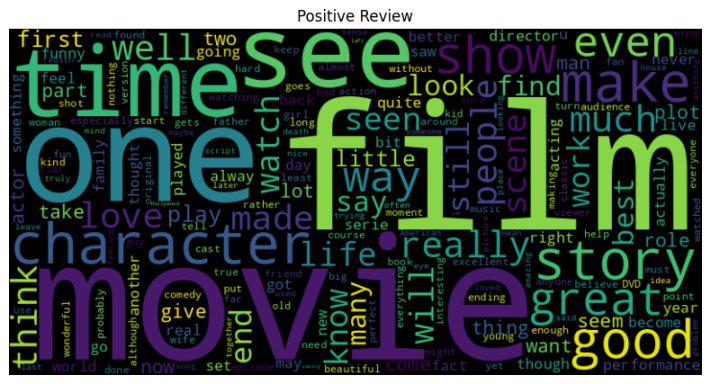
Positive Reviews
Output:
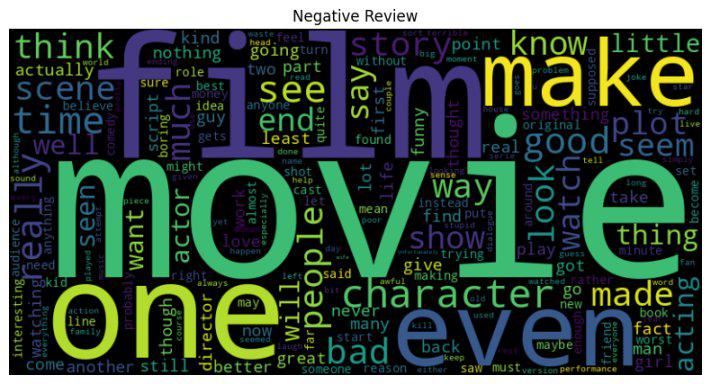
Negative Reviews
Output:
Separate input text and target sentiment of both train and test
BERT tokenization is used to convert the raw text into numerical inputs that can be fed into the BERT model. It tokenized the text and performs some preprocessing to prepare the text for the model's input format. Let's understand some of the key features of the BERT tokenization model.
Output:
Training Comments -->> When I rented this movie, I had very low expectationsbut when I saw it, I realized that the movie was less a lot less than what I expected The actors were bad the doctor's wife was one of the worst, the story was so stupidit could work for a Disney movie except for the murders, but this one is not a comedy, it is a laughable masterpiece of stupidity The title is well chosen except for one thing they could add stupid movie after Dead Husbands I give it 0 and a half out of 5

Input Ids -->>
 tf.Tensor(
[ 101 2043 1045 12524 2023 3185 1010 1045 2018 2200 2659 10908
 8569 2102 2043 1045 2387 2009 1010 1045 3651 2008 1996 3185
 2001 2625 1037 2843 2625 2084 2054 1045 3517 1996 5889 2020
 2919 1996 3460 1005 1055 2564 2001 2028 1997 1996 5409 1010
 1996 2466 2001 2061 5236 4183 2071 2147 2005 1037 6373 3185
 3272 2005 1996 9916 1010 2021 2023 2028 2003 2025 1037 4038
 1010 2009 2003 1037 4756 3085 17743 1997 28072 1996 2516 2003
 2092 4217 3272 2005 2028 2518 2027 2071 5587 5236 3185 2044
 2757 19089 1045 2507 2009 1014 1998 1037 2431 2041 1997 1019
 102 0 0 0 0 0 0 0 0 0 0 0
 0 0 0 0 0 0 0 0], shape=(128,), dtype=int32)

Decoded Ids -->>
 [CLS] when i rented this movie, i had very low expectationsbut when i saw it, i realized that the movie was less a lot less than what i expected the actors were bad the doctor's wife was one of the worst, the story was so stupidit could work for a disney movie except for the murders, but this one is not a comedy, it is a laughable masterpiece of stupidity the title is well chosen except for one thing they could add stupid movie after dead husbands i give it 0 and a half out of 5 [SEP] [PAD] [PAD] [PAD] [PAD] [PAD] [PAD] [PAD] [PAD] [PAD] [PAD] [PAD] [PAD] [PAD] [PAD] [PAD] [PAD] [PAD] [PAD] [PAD]

Attention Mask -->>
 tf.Tensor(
[1 1 1 1 1 1 1 1 1 1 1 1 1 1 1 1 1 1 1 1 1 1 1 1 1 1 1 1 1 1 1 1 1 1 1 1 1
 1 1 1 1 1 1 1 1 1 1 1 1 1 1 1 1 1 1 1 1 1 1 1 1 1 1 1 1 1 1 1 1 1 1 1 1 1
 1 1 1 1 1 1 1 1 1 1 1 1 1 1 1 1 1 1 1 1 1 1 1 1 1 1 1 1 1 1 1 1 1 1 1 0 0
 0 0 0 0 0 0 0 0 0 0 0 0 0 0 0 0 0], shape=(128,), dtype=int32)

Labels -->> 0
Output:
model.safetensors: 100% ------------------ 440M/440M [00:07<00:00, 114MB/s]
All PyTorch model weights were used when initializing TFBertForSequenceClassification.

Some weights or buffers of the TF 2.0 model TFBertForSequenceClassification were not initialized from the PyTorch model and are newly initialized: ['classifier.weight', 'classifier.bias']
You should probably TRAIN this model on a down-stream task to be able t
If the task at hand is similar to the one on which the checkpoint model was trained, we can use TFBertForSequenceClassification to provide predictions without further training.
Output:
Epoch 1/3
782/782 [==============================] - 808s 980ms/step - loss: 0.3348 - accuracy: 0.8480 - val_loss: 0.2891 - val_accuracy: 0.8764
Epoch 2/3
782/782 [==============================] - 765s 979ms/step - loss: 0.1963 - accuracy: 0.9238 - val_loss: 0.2984 - val_accuracy: 0.8906
Epoch 3/3
782/782 [==============================] - 764s 978ms/step - loss: 0.1007 - accuracy: 0.9632 - val_loss: 0.3652 - val_accuracy: 0.8816
Output:
391/391 [==============================] - 106s 271ms/step - loss: 0.3560 - accuracy: 0.8798
Test loss: 0.3560144007205963, Test accuracy: 0.8797600269317627
Output:
391/391 [==============================] - 108s 270ms/step
Predicted Label : ['positive', 'positive', 'Negative', 'Negative', 'Negative', 'positive', 'Negative', 'positive', 'Negative', 'Negative']
Actual Label : ['positive', 'Negative', 'Negative', 'Negative', 'Negative', 'positive', 'Negative', 'positive', 'Negative', 'Negative']
Output:
Classification Report:
 precision recall f1-score support

 Negative 0.87 0.90 0.88 6250
 positive 0.90 0.86 0.88 6250

 accuracy 0.88 12500
 macro avg 0.88 0.88 0.88 12500
weighted avg 0.88 0.88 0.88 12500
Output:
1/1 [==============================] - 3s 3s/step
['positive']
You can download the source code: Sentiment Classification Using BERT


.webp)