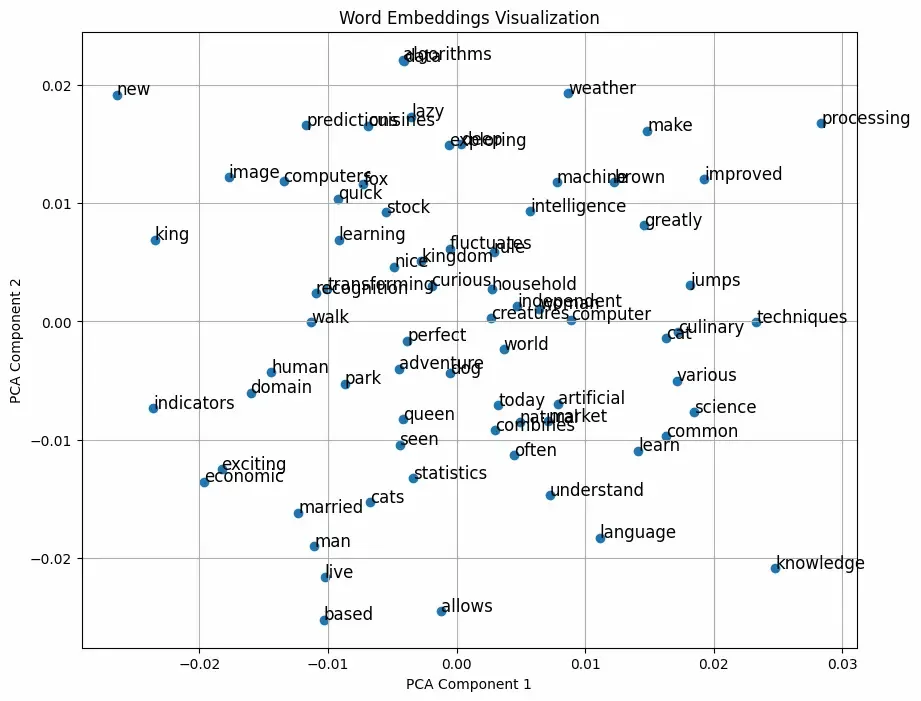
Word2Vec is a technique for learning word embeddings. It is based on the principle that words that appear in similar contexts tend to have similar meanings. For example, the words "king" and "queen" may often appear in similar contexts, and Word2Vec will represent them as vectors that are close to each other in the vector space. Word2Vec operates on two primary models:
Step 1: Installing and Setting Up Gensim for Word2Vec
Before starting, make sure you have Python and the necessary libraries installed. To install Gensim, you can use the following command:
Step 2: Preprocessing Data for Word2Vec Models
Word2Vec requires large datasets of text to be effective, and preprocessing is a crucial step to ensure the model performs well. Preprocessing typically involves the following steps:
Tokenization: Splitting sentences into individual words.
Lowercasing: Converting all words to lowercase to avoid treating "Apple" and "apple" as different words.
Removing Stopwords: Filtering out common words like "the", "is", and "in".
Lemmatization/Stemming: Reducing words to their base or root forms.
Here is an example of how to preprocess a text dataset:
Now that your data is preprocessed, you can start training your Word2Vec model using Gensim. The basic syntax for training a Word2Vec model is as follows:
Fine-tuning can be done in various ways, including adjusting hyperparameters and re-training the model. Here's how you can implement fine-tuning in this context:
Adjust Hyperparameters: Change parameters such as vector_size, window, and min_count based on your understanding of the data and requirements.
Use More Data: If available, you can add more sentences to improve the quality of the learned embeddings.
Training on the Same or New Data: Re-train the model using the same or an expanded dataset.
Step 7: Evaluate the Model
Now we will evaluate our model by checking the similarity score between related terms ,Note that this may still be low because we used a very small corpus to train model.
Build Vocabulary: We call model.build_vocab(additional_preprocessed, update=True) to update the existing vocabulary of the Word2Vec model with new words from additional training sentences.
Continue Training: The model is then trained again using the additional sentences with model.train(), which updates the word vectors based on the new data.
Save Fine-Tuned Model: After fine-tuning, the model is saved as "word2vec_fine_tuned.model".
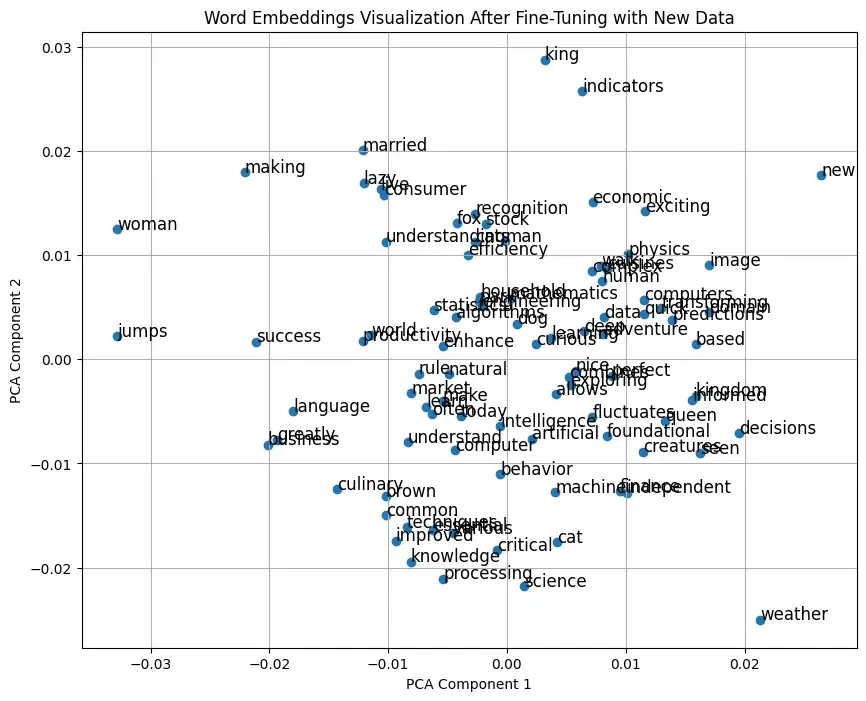
Evaluation and Visualization: Similarity checks, analogy tasks, and visualization steps remain unchanged but will now reflect the adjustments made through fine-tuning.