|
VOOZH | about |
|
VOOZH | about |
Sometimes we need to compare pandas series to perform some comparative analysis. It is possible to compare two pandas Series with help of Relational operators, we can easily compare the corresponding elements of two series at a time. The result will be displayed in form of True or False. And we can also use a function like Pandas Series.equals() to compare two pandas series.
Method 1: Using Relational operator
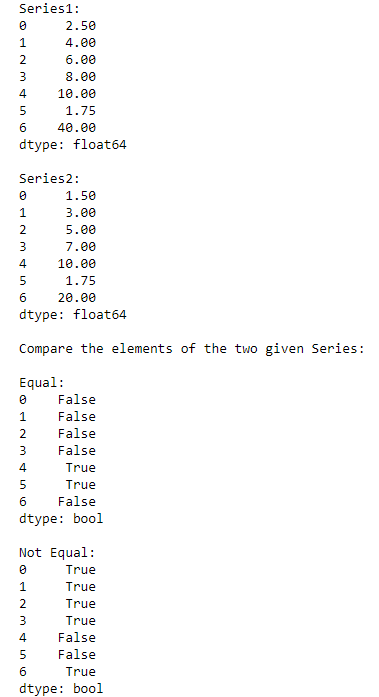
Example 1: Checking if two Series elements are equal or not
Output:
👁 ImageIn the above example, we compare the elements of two series 'ps1' and 'ps2' to check whether they are equal or not.
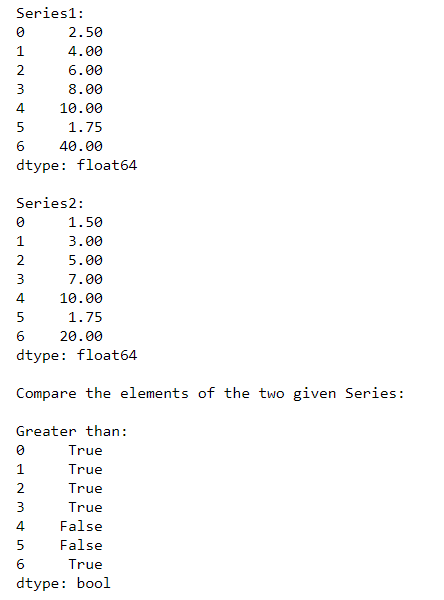
Example 2: Checking if series 1 elements are greater than series 2
Output:
👁 ImageIn the above example, we compare the elements of two series 'ps1' and 'ps2' to check if elements of ps1 are greater than that of ps2.
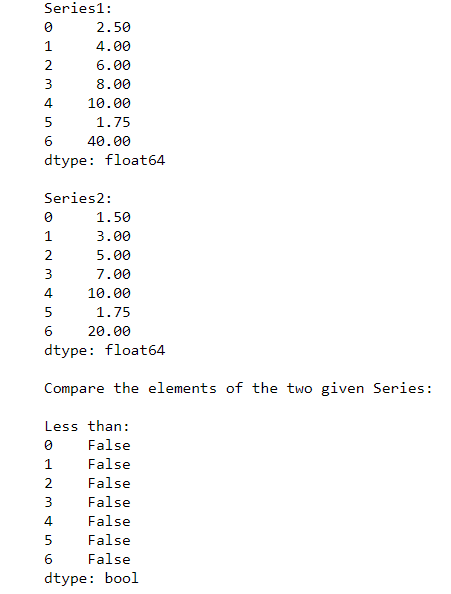
Example 3: Checking if series 1 elements are less than series 2
Output:
👁 ImageIn the above example, we compare the elements of two series 'ps1' and 'ps2' to check if elements of ps1 are less than that of ps2.
Method 2: Using Pandas Series.equals() function
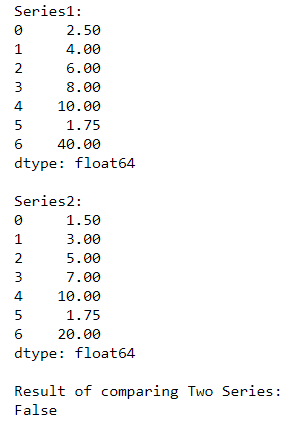
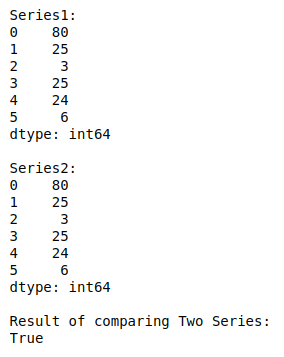
Pandas Series.equals() function test whether two objects contain the same elements. This function allows two Series or DataFrames to be compared against each other to see if they have the same shape and elements.
Syntax:
Series.equals(other)
Example:
Output:
👁 ImageIn the above example, we compare given two pandas series 'ps1' and 'ps2' using function Series.equals().
Example 2:
Output:
👁 Image