|
VOOZH | about |
|
VOOZH | about |
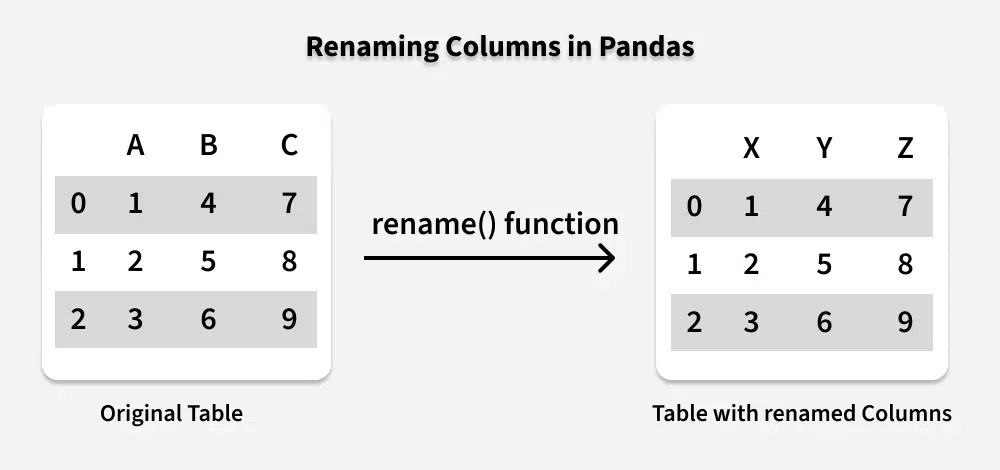
Renaming columns in a Pandas DataFrame allows you to change column names. For example, a DataFrame with columns ['A', 'B', 'C'] and you want to rename them to ['X', 'Y', 'Z']; after renaming, DataFrame will have the new column names ['X', 'Y', 'Z'].
👁 renaming-columns-in-pandasLet's explore different methods to rename columns in a Pandas DataFrame.
The rename() function allows renaming specific columns by passing a dictionary, where keys are the old column names and values are the new column names.
Example: Here we rename only columns 'A' and 'B' in a DataFrame.
 X Y C
0 10 30 50
1 20 40 60
Explanation:
To rename all columns at once, you can assign a new list to df.columns. This is concise and useful when changing multiple column names simultaneously.
Example: This example renames all columns to ['X', 'Y', 'Z'].
 X Y Z
0 5 7 9
1 6 8 10
Explanation:
The set_axis method can be used to rename all columns in a DataFrame. This function takes a list of new column names and an axis (0 for rows, 1 for columns) and returns a DataFrame with renamed columns.
Example: This example renames columns to ['Alpha', 'Beta', 'Gamma'].
 Alpha Beta Gamma
0 1 3 5
1 2 4 6
Explanation:
add_prefix() or add_suffix() adds a prefix or suffix to all column names. Useful for distinguishing columns from multiple datasets or categories.
Example: This example adds 'new_' as prefix and '_val' as suffix.
Prefixed:
 new_A new_B
0 1 3
1 2 4
Suffixed:
 A_val B_val
0 1 3
1 2 4
Explanation:
Use df.columns.str.replace() to replace unwanted characters in column names. Handy for spaces, symbols or standardizing column names.
Example: This example replaces spaces with underscores.
 First_Name Last_Name
0 A C
1 B D
Explanation: