|
VOOZH | about |
|
VOOZH | about |
DataFrame manipulation in Pandas refers to performing operations such as viewing, cleaning, transforming, sorting and filtering tabular data. These operations help organize raw data into a structured and meaningful form that can be easily analyzed.
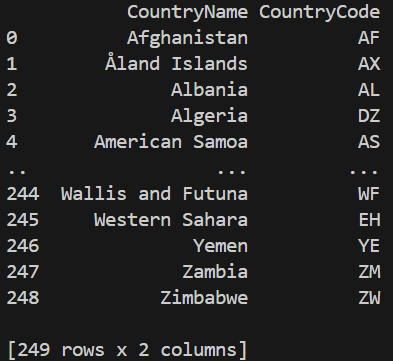
Note: For this article, we will be using a sample dataset "country_code.csv", to download click here.
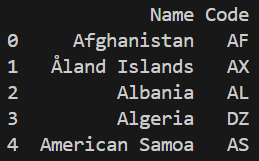
Before manipulating a DataFrame, it is important to first look at the data to understand its structure, columns and values.
Output
Understanding the size of a DataFrame is an important first step before performing any data operations. It helps you know how many records and features you are working with.
Output
(249, 2)
Explanation: shape attribute returns a tuple containing the total number of rows and columns in the DataFrame.
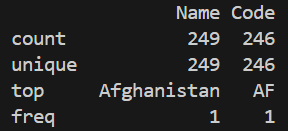
Summary statistics provide a quick numerical overview of the dataset. They help identify data ranges, averages, and possible outliers in numerical columns.
Output
Explanation: describe() computes count, mean, min, max, and quartiles for numerical columns.
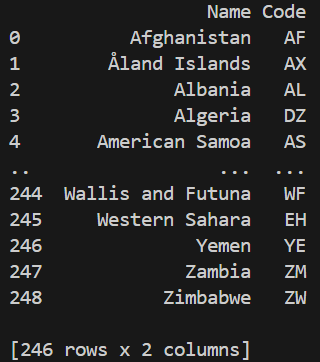
Missing values can negatively impact analysis and lead to incorrect results. Removing such rows ensures cleaner and more reliable data for further processing.
Output
Explanation: dropna() removes rows that contain missing (NaN) values.
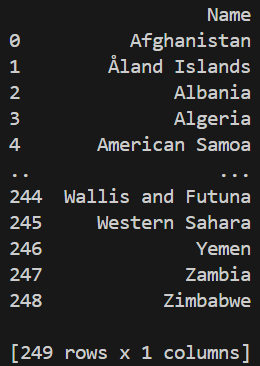
In some cases, entire columns may contain missing data and are not useful for analysis. Such columns can be removed to simplify the DataFrame.
Output
Explanation: Using axis=1 tells Pandas to drop columns instead of rows.
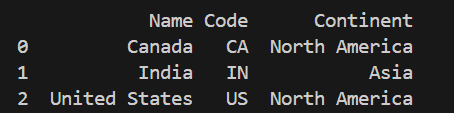
Merging allows to combine data from multiple DataFrames based on a common column. This is especially useful when related data is stored in separate files.
Output
Explanation: country codes are merged with continent information using the "Name" column.
Clear and meaningful column names make a DataFrame easier to understand and work with. Renaming columns improves readability without changing the underlying data.
Output
Explanation: rename() method returns a new DataFrame with updated column names unless inplace=True is specified, in which case the original DataFrame is modified.
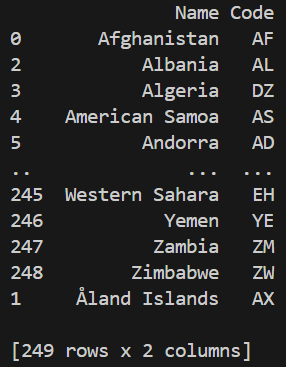
Sorting data helps arrange values in a logical order, making patterns and comparisons easier to observe.
Output
Explanation: method sort_values() arranges rows based on the specified column.
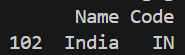
Filtering allows to extract only the rows that satisfy a specific condition. This helps focus analysis on relevant data only.
Output
Explanation: condition inside df[...] filters rows where the column value matches the given condition.