|
VOOZH | about |
|
VOOZH | about |
The dt.month attribute returns a NumPy array containing the month of the DateTime in the underlying data of the given Series object.
Output:
👁 month value of datetimeSyntax: Series.dt.month
Parameter : None
Returns: NumPy array with month values of DateTime object
To extract the month value from the DateTime object we use the Series.dt.month attribute of the Pandas library in Python
Let us understand it better with an example:
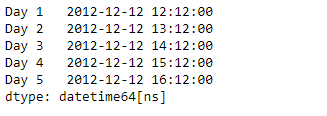
Use the Series.dt.month attribute of Pandas library to return the month of the DateTime in the underlying data of the given Series object.
Output :
Now we will use the Series.dt.month attribute to return the month of the DateTime in the underlying data of the given Series object.
Output :
As we can see in the output, the Series.dt.month attribute has successfully accessed and returned the month of the DateTime in the underlying data of the given series object.