|
VOOZH | about |
|
VOOZH | about |
Transposing a Pandas DataFrame means switching rows and columns. That means row labels become column headers and column headers become row labels. It is useful when we want to change orientation of our data for better readability and analysis. In this article, we will see some examples to understand it better.
Syntax: DataFrame.transpose(*args, **kwargs)
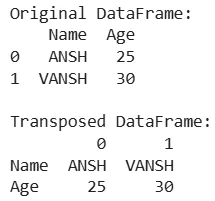
Here we are creating a simple DataFrame and transposing it. We will implement it using Pandas library.
Output:
This example shows how rows become columns and vice versa.
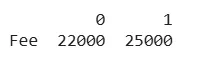
We can also transpose specific columns by specifying them while transposing.
Output:
If the DataFrame contains mixed data types and custom indices transposing works in the same way.
Output:
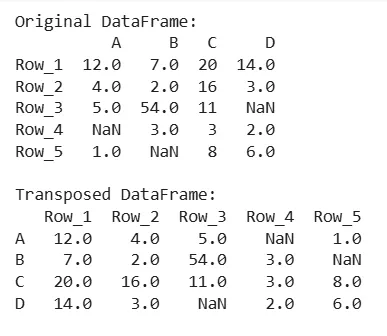
The transpose() function also handles missing values in the same way as other operation.
Output:
Transposing a DataFrame is simple in Pandas library which allows us to quickly change the way our data is structured and helps in exploring it from a different perspective.