|
VOOZH | about |
|
VOOZH | about |
Pandas str.split() method is used for manipulating strings in a DataFrame. This method allows you to split strings based on a specified delimiter and create new columns or lists within a Series.
In this guide, we'll explore how to use the str.split() method with examples, making it easier to handle string data in your Pandas DataFrame.
The str.split() method in Pandas is used to split strings in a column based on a given separator. The split data can then be:
Unlike Python’s built-in split() method, which works on individual strings, Pandas’ str.split() can be applied to an entire Series. To use this method, you need to prefix it with .str, differentiating it from Python’s default split() function.
Syntax: Series.str.split(pat=None, n=-1, expand=False)
Parameters:
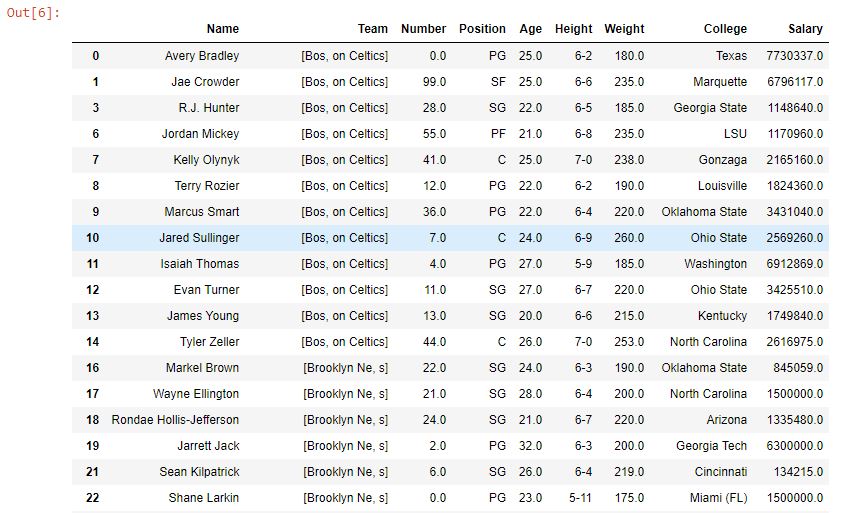
The split function is applied to the Team column, splitting each string at the first occurrence of "t" (as n=1). Since expand=False, it returns a Series of lists instead of a DataFrame. Only the first "t" in each string is used for splitting.
Dataset Link: nba.csv
Output👁 Image
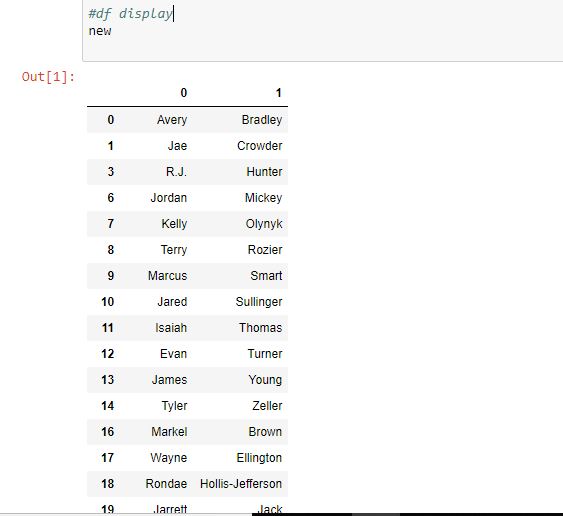
You can split strings into multiple columns by setting expand=True. For instance, let’s split full names into first and last names.
In this example,
Output:
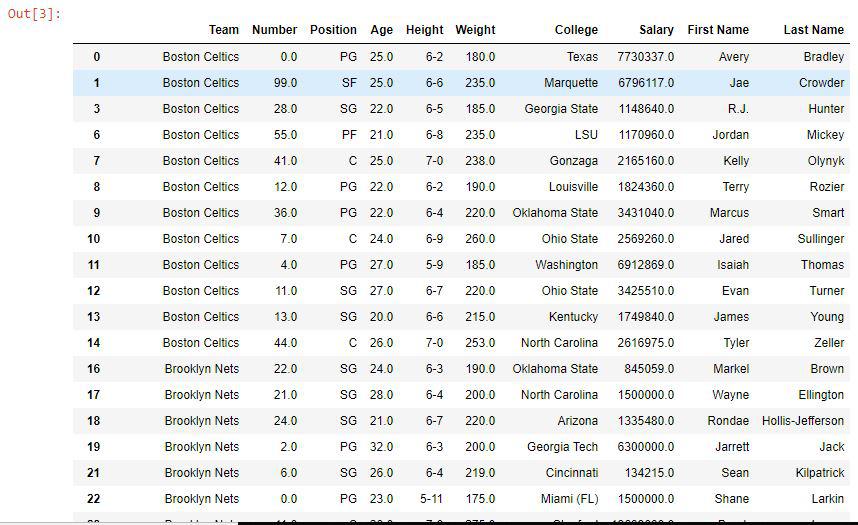
👁 ImageAs shown in the output image, a new data frame was returned by the split() function and it was used to create two new columns ( First Name and Last Name) in the data frame.
Data frame with Added columns👁 out3-15
For more customized splitting, you can combine apply() with str.split() to split strings dynamically and create new columns.
Output:
Key Points to Remember