|
VOOZH | about |
|
VOOZH | about |
Let's learn how to revert a multi-index to a single index DataFrame in Pandas.
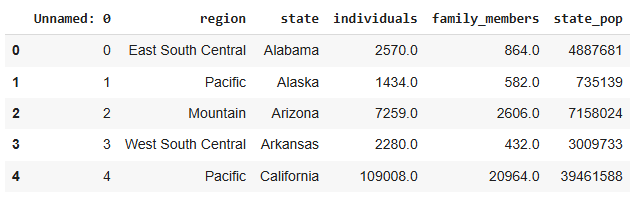
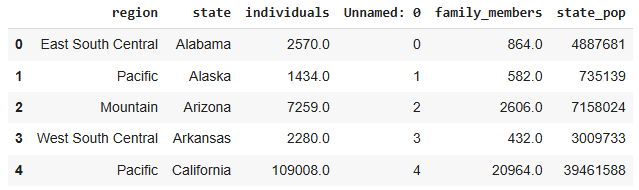
To begin, let's import Pandas and load the data (data.csv):
Output:
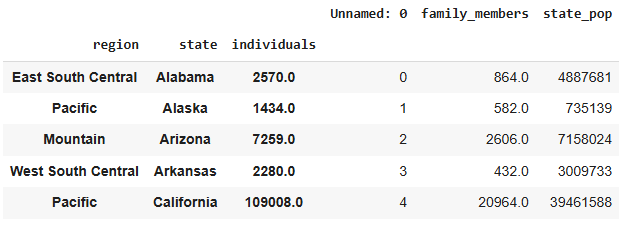
At this point, the DataFrame doesn't have any specific index, but we can create a multi-index using theset_index() method. We'll use the 'region', 'state', and 'individuals' columns as index levels:
Output:
Now, the DataFrame has a hierarchical index, commonly referred to as a multi-index.
Pandas offers several ways to reset a multi-index, depending on your needs. The reset_index() method can be used in different ways to drop or retain certain index levels.
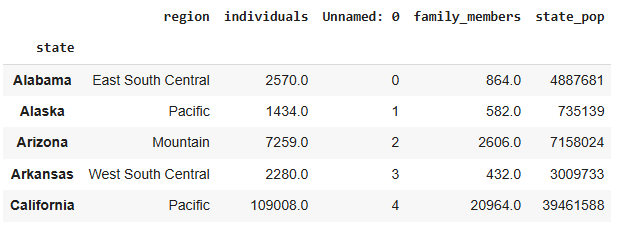
You can specify the index levels you want to remove using the level parameter. In this case, we will remove 'region' (level 0) and 'individuals' (level 2), keeping 'state' (level 1) as the single index.
Output:
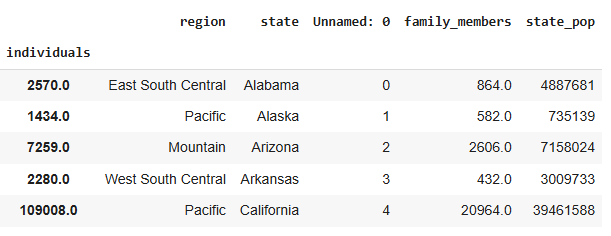
Alternatively, you can specify the index names directly in a list to reset them. Here, we will reset the 'region' and 'state' indexes, leaving 'individuals' as the index:
Output:
If you want to completely remove the index from your DataFrame (i.e., convert it to an index-free DataFrame), you can pass all the index names to the reset_index() function:
Output:
To drop one of the index levels, use the droplevel()method. In this example, we remove the 'number' level while keeping the 'letter' level.
Output: