Categories in WordPress help organize your content, making it easier for readers to find related posts and enhancing your site's SEO. Editing categories can improve your site's structure and user experience, ensuring that your content is organized and easily navigable.
Why Edit Categories in WordPress?
Categories act like filing cabinets for your posts, organizing them into main topics. Properly managing categories can greatly enhance your website’s navigation, help with SEO, and keep your content neatly organized. Here’s why editing categories is essential:
Improved Navigation: Properly categorized content helps visitors find related posts easily, improving their browsing experience.
SEO Benefits: Search engines use categories to understand your site's structure, which can boost your search engine rankings.
Content Organization: Regularly editing categories keeps your site organized, especially as you add more content over time.
Step-by-Step Guide to Editing Categories
Step 1: Access the Categories Section
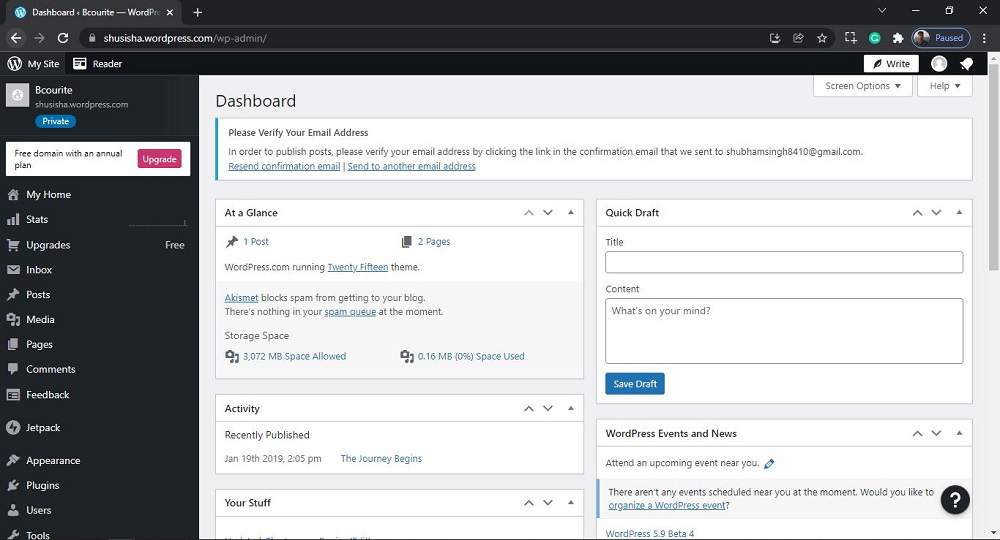
Log in to Your WordPress Dashboard: Use your admin credentials to log in.
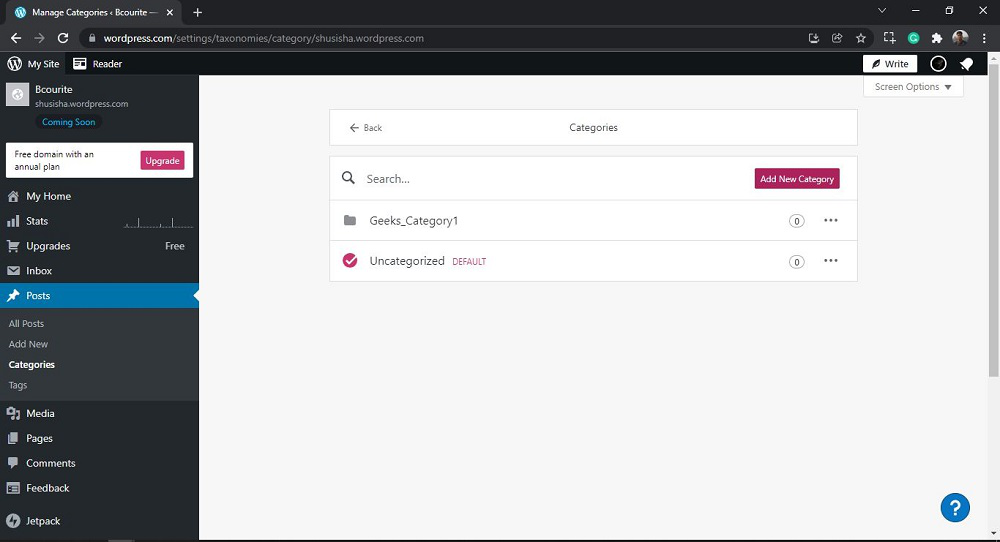
Navigate to Posts On the left-hand menu, hover over “Posts” and click on “Categories”.
Overlapping Categories: Ensure each category is unique and does not overlap with others.
Too Many Categories: Having too many categories can confuse users and dilute your content. Aim for clarity and simplicity.
Neglecting Descriptions: While category descriptions may seem trivial, they can provide additional context to search engines.
Conclusion
Effectively managing and editing categories in WordPress is crucial for both SEO and user experience. By following the steps in this guide, you can optimize your categories to improve navigation and drive more traffic to your site. Regularly review and update your categories to keep your site organized and ensure it continues to meet the needs of your audience and search engines alike.