|
VOOZH | about |
|
VOOZH | about |
When it comes to managing your WordPress website, understanding how to edit pages effectively is key to maintaining fresh and engaging content.
Editing pages in WordPress allows you to update your website's content without needing technical expertise. This flexibility empowers you to keep your site relevant and up-to-date, ensuring visitors always find valuable information.
The basic tasks for managing WordPress content include adding, editing, and deleting pages. You can edit pages in WordPress to update them or organize them. Let's go through the steps to easily and quickly edit WordPress pages:
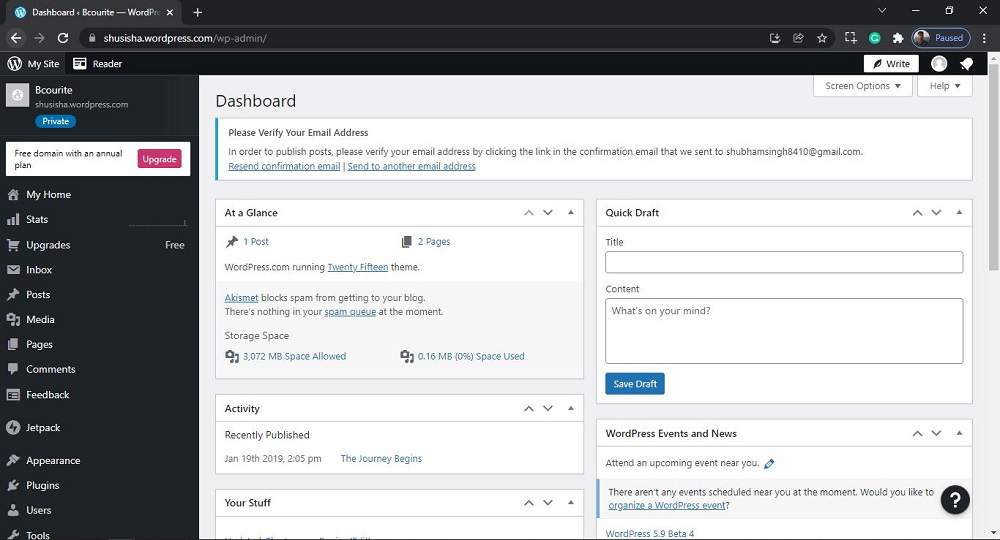
Step 1: To access the WordPress login panel, simply add "/wp-login.php" at the end of your website URL and enter your username and password to log in to the WordPress Dashboard.
After login into WordPress, you will be able to see a dashboard like this:
Step 2: We have to search and open the Pages. For that:
From the menu option on the left side, there are many options. Go to the Pages >> All Pages.
After clicking on All Pages, you will see a similar Page like this:
Step 3: Now you just need to select thepages you want to edit.
Click on the "more horiz" button for the selected page you want to Edit then click on 'Edit' to edit to the Pages. Or Directly Click on the page you want to Edit.
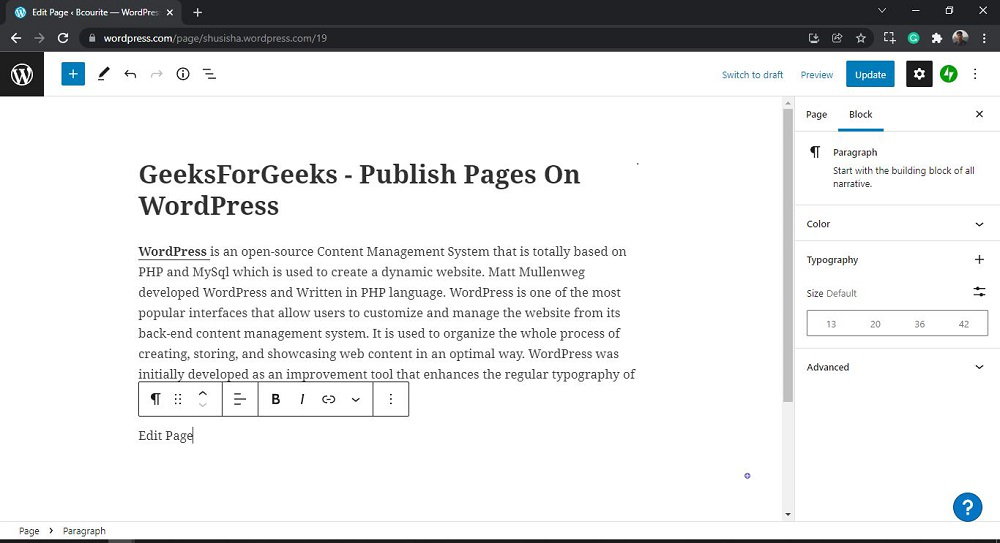
After clicking on Edit, you will see a similar editor as shown in the following screenshot:
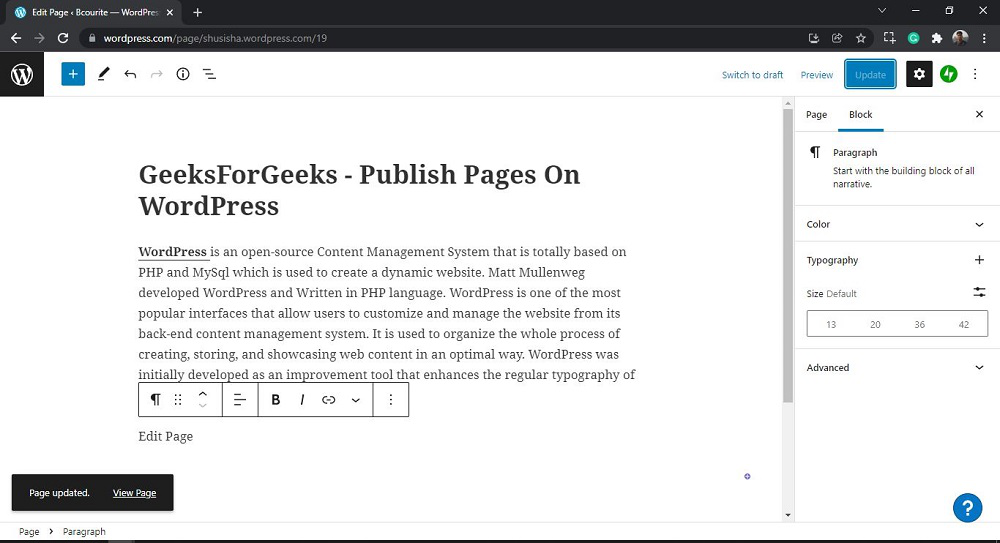
Step 4: Use the WordPress editor to edit the content to your page. Then click on the Update button on the pages to edit the page.
👁 wordpress-edit-pagesYou will get Page updated message with a View page link on the page.
👁 wordpress-edit-pagesThat’s it, you have now successfully learned how to edit the WordPress pages from your WordPress website.
To optimize your page for search engines:
Also Read,
Learning how to edit pages in WordPress empowers you to maintain a dynamic and engaging website effortlessly. By mastering these basics, you can ensure your content remains fresh, relevant, and SEO-friendly, attracting and retaining visitors effectively.
Remember to keep your content fresh and engaging, optimize your images and media, and monitor your performance regularly to stay ahead of the competition.