|
VOOZH | about |
|
VOOZH | about |
WordPress is a robust platform. Whether you manage a small blog or a large e-commerce site, handling user accounts efficiently is important. One of the essential aspects of user management is knowing how to delete users in WordPress. This guide will deal with the details of deleting users in WordPress, the reasons behind it, and the SEO benefits it can offer.
There are several reasons you might need to delete users from your WordPress site:
Roles are created to give permissions to a particular user to access the WordPress site. Each and every user has their own unique role. Allocation of these roles can be done only by the Admin. Let’s see the steps to delete Users on WordPress Easily and Quickly :
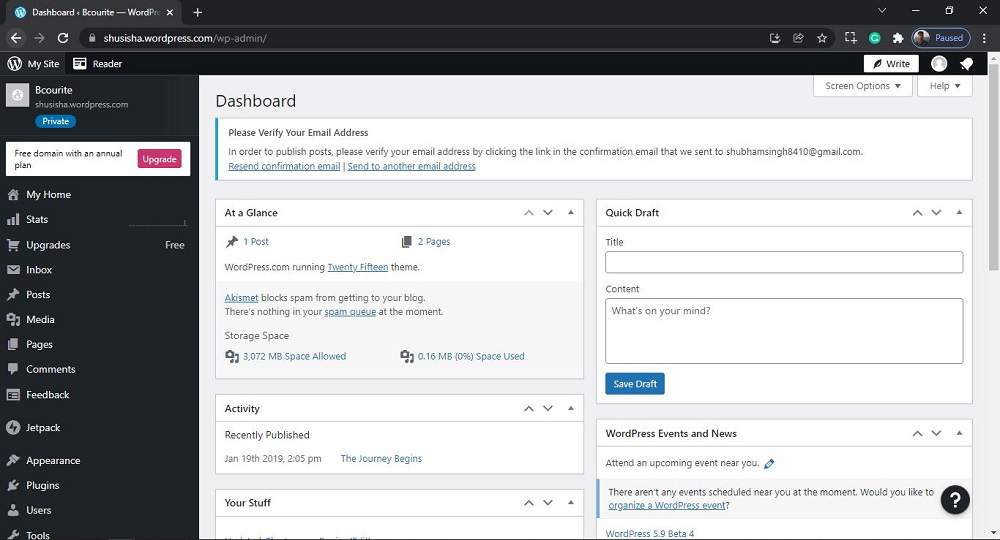
Step 1: Go to the WordPress login panel and enter the username and password to log in to the WordPress Dashboard. You can access the login panel by adding /wp-login.php at the end of your website URL.
After login into WordPress, you will be able to see a dashboard like this:
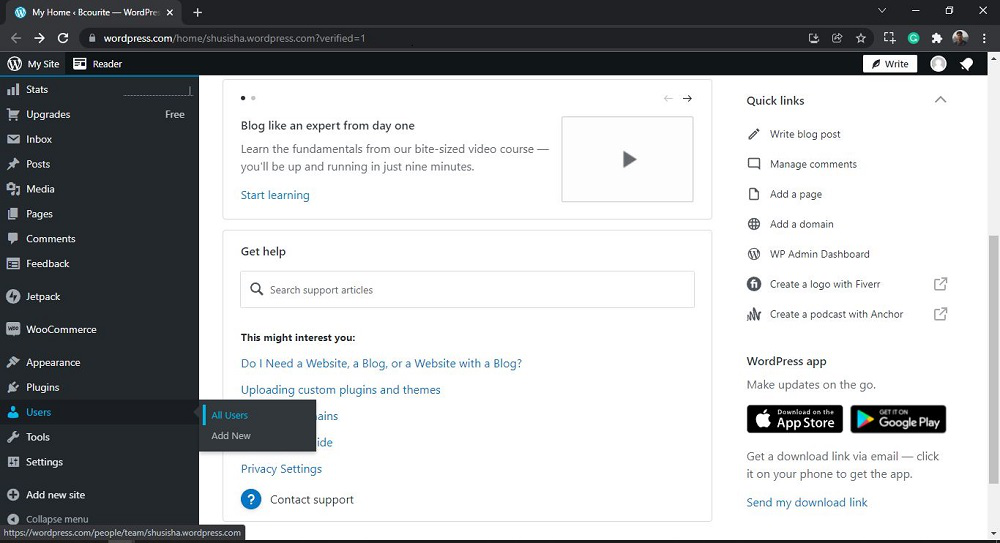
Step 2: We have to search and open the All Users. For that:
From the menu option on the left side, there are many options. Go to the Users >> All Users.
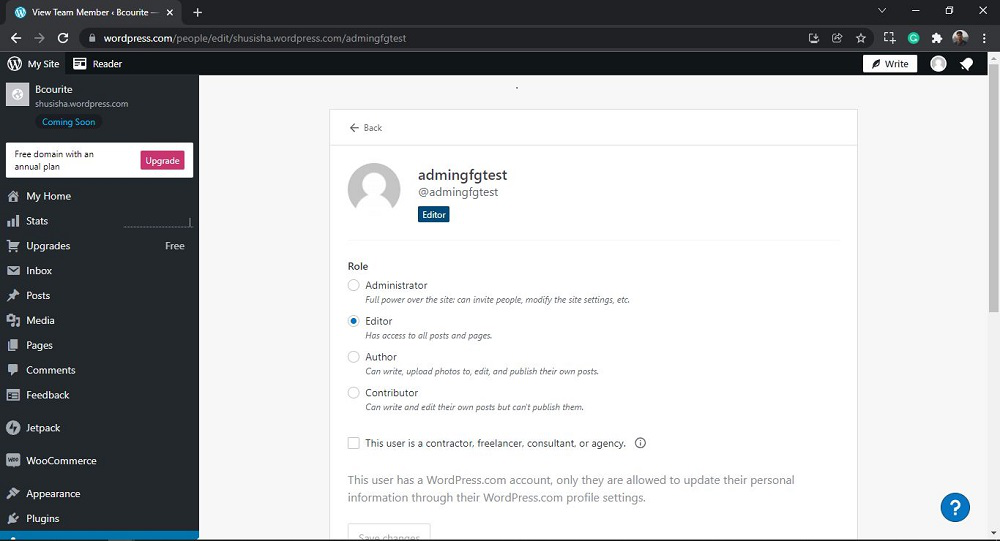
After clicking on All Users, you will see a similar Page like this:
Step 3: Now you just need to select the Users you want to delete.
Click on the "more horiz" button for the selected User you want to delete.
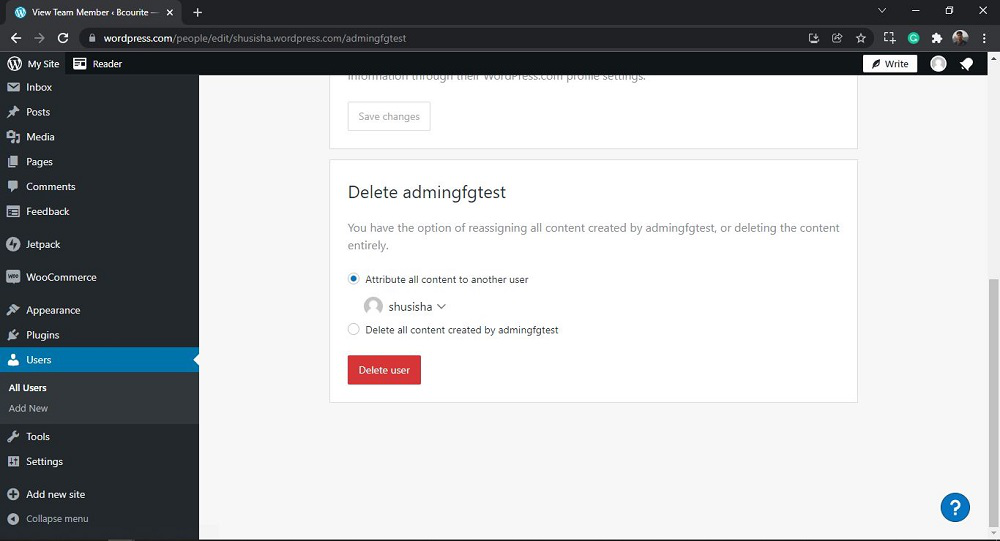
👁 wordpress-delete-usersSelect any option you want to choose and Then click on the 'Delete user' button to delete the User.
Here, I am choosing the first option and selecting the other author.
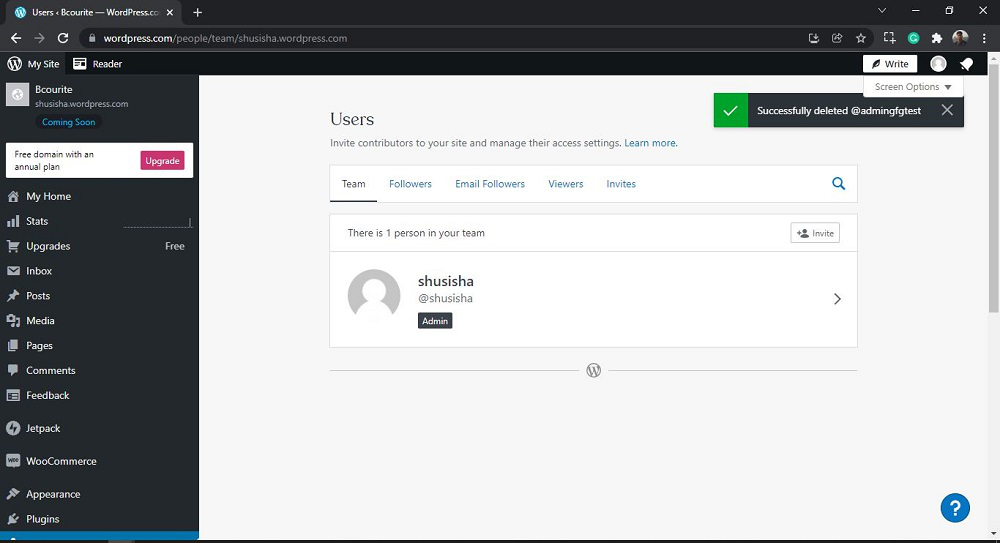
👁 wordpress-delete-usersAfter clicking on 'Delete user', you will see a similar editor as shown in the following screenshot:
👁 wordpress-delete-usersThat’s it, you have now successfully learned how to Delete Users on WordPress.
Also Read:
Before deleting users, always back up your WordPress database. This precaution ensures that you can restore your site if something goes wrong.
When deleting a user, it’s often best to attribute their content to another user rather than deleting it. This preserves the integrity of your site’s content and avoids broken links or missing posts.
Regularly review user roles and permissions. Ensure that users have the appropriate level of access, and delete any unnecessary accounts.
Managing users effectively is a vital aspect of running a successful WordPress site. Deleting unnecessary users not only enhances security and performance. By following the best practices outlined in this guide, you can ensure that your WordPress site remains efficient, secure, and optimized for search engines. Regular maintenance and user management are key to sustaining a healthy and thriving online presence.