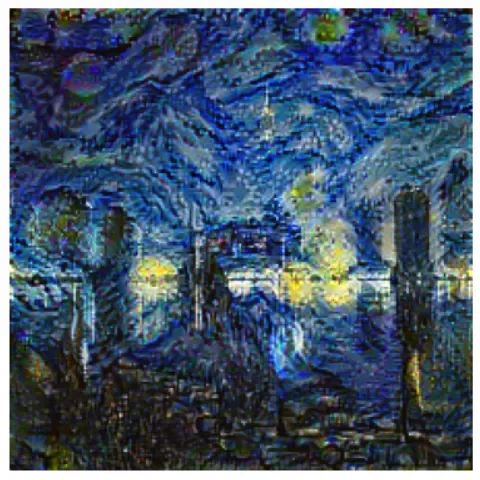
Neural Style Transfer (NST) is a fascinating deep learning technique that blends two images a content image and a style image to create a new, synthesized image that maintains the structure of the content image but adopts the stylistic features of the style image.
Content Loss: The purpose of the content loss is to ensure that the generated image maintains the structural elements or the content of the original content image. Deep convolutional neural networks learn to extract hierarchical features at different layers where early layers detect basic edges and textures while deeper layers capture complex shapes and overall layout. In neural style transfer, one typically selects a deeper convolutional layer to represent content. The feature maps at this layer contain rich structural information about the image.
Style Loss: The style loss captures the texture, patterns, colors and overall artistic style from the style image. Unlike content style is not represented simply by feature activations but by the relationships and correlations between different feature maps at multiple layers in the CNN. These correlations are summarized using the Gram matrix which computes the inner product between the vectorized feature maps effectively measuring how different features occur again in the image.
Total Loss: The total loss used in neural style transfer is a weighted sum of the content loss and the style loss. The weights allow tuning the balance between preserving the content and transferring the style.
Step by step Working
Step 1: Import Necessary Libraries
This step imports all necessary libraries like tensorflow and vgg19 are used for building and loading the neural style transfer model, load_img and img_to_array help with image pre processing, numpy handles numerical operations and matplotlib.pyplot is used to display images.
Step 2: Preprocessing and Deprocessing Functions
preprocess_image(): loads and resizes the image, converts it to a NumPy array, and prepares it for VGG19 by applying specific preprocessing like mean subtraction.
deprocess_image(): reverses the VGG19 pre processing by adding back the mean values and converting the image from BGR to RGB format for proper display.
Step 3: Load and Preprocess Input Images
The content and style image paths are defined then both images are loaded and preprocessed using the preprocess_image() function to make them compatible with the VGG19 model.
Step 4: Load Pre trained VGG16 Model
This function loads the pretrained VGG19 model without the top classification layer and freezes its weights. It extracts outputs from specific layers for style and content returning a new model that outputs both style and content feature maps.
Step 5: Extract Style and Content Features
gram_matrix(): calculates the style representation by computing the correlations between feature maps.
get_features(): uses the model to extract both style and content features from the input images; style features are converted to Gram matrices for comparison.
Step 6: Compute Total Loss
This function computes the total loss used for optimization by combining style loss and content loss. It weights each part according to style_weight and content_weight returning the total and individual losses.
Step 7: Optimization
This function calculates gradients of the total loss with respect to the generated image using TensorFlow's automatic differentiation. These gradients are then used to update the image during optimization to blend style and content.
Step 8: Style Transfer Training Loop
This function performs the neural style transfer. It initializes the model and input image, computes target features and iteratively updates the image using gradients to minimize style and content loss. The best image with lowest loss is saved and returned after training.
Step 9: Display and Save the Resulted Image
This step runs the style transfer, displays the final stylized image using matplotlib and saves it with a timestamped filename using plt.imsave() for easy identification.