|
VOOZH | about |
|
VOOZH | about |
Data gateways in Power BI act as a bridge between on-premises data sources and the Power BI service. They allow secure data refresh and live connections without moving data to the cloud.
The primary goal of Power BI is to build interactive dashboards and reports while ensuring that data remains up to date. Power BI continuously refreshes data from connected sources enabling users to track changes and make informed decisions in near real time. Power BI can connect to various data sources, including:
To securely connect Power BI Service (cloud) with on-premises data sources a Data Gateway is required.
Power BI provides two types of gateways:
The Personal Gateway is designed for individual users who want to refresh their own reports from on-premises data sources. Key Features of Personal Gateway are:
How to Download Personal Gateway
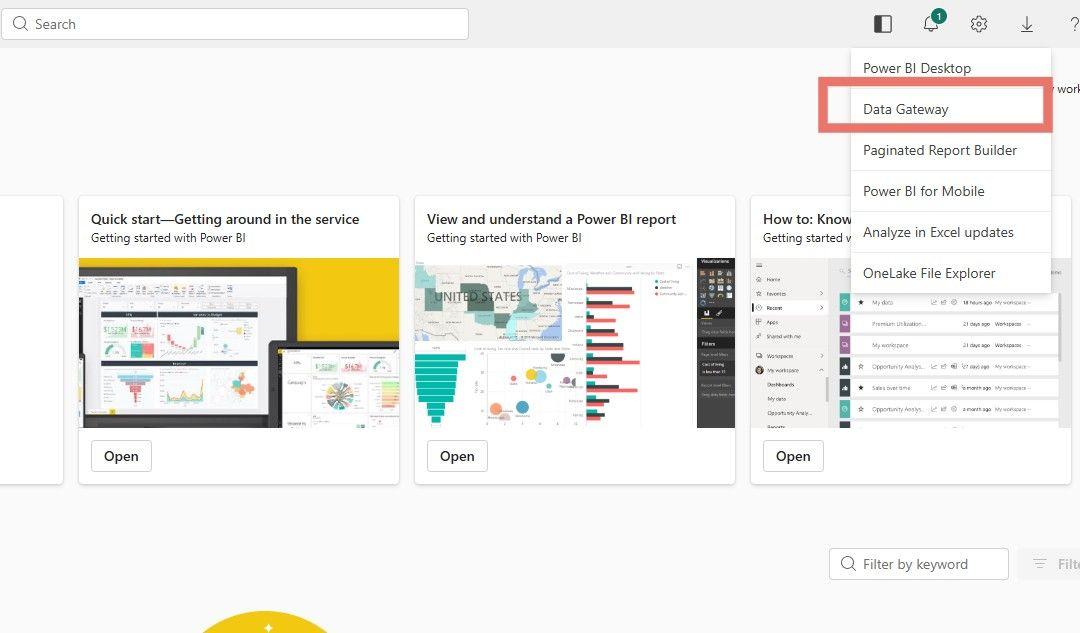
1. Click the Download icon in the top-right corner of Power BI Service
2. Select Data Gateway from the dropdown
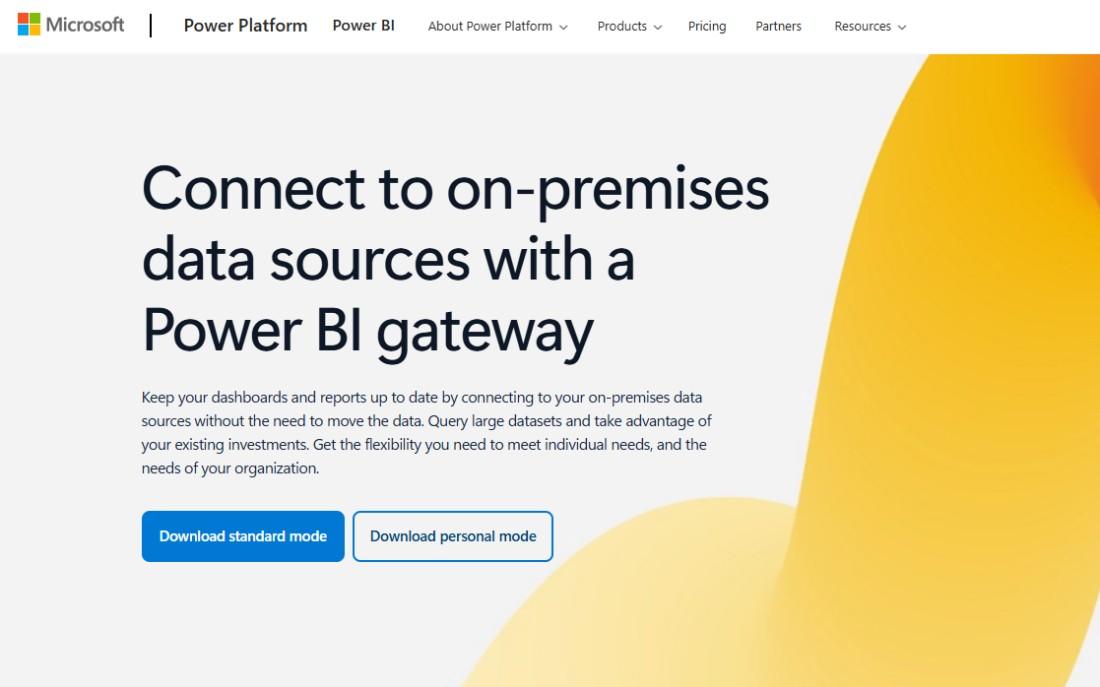
3. A new page opens listing available gateways
4. Click Download Gateway
5. Select Personal Gateway and complete the installation
The On-Premises Data Gateway is intended for organizational use and supports enterprise-grade security, monitoring and scalability. Key Features of On-Premises Data Gateway are:
How to Download On-Premises Data Gateway
Gateway Configuration
Here we compare personal gateway and On-Premises Data Gateway
Feature | Personal Gateway | On-Premises Gateway |
|---|---|---|
Target Users | Individual users | Organizations |
Typical Usage | Analysts | BI Admins and Developers |
Services Supported | Power BI only | Power BI, Power Apps, Power Automate, Azure Logic Apps |
User Access | Single user | Multiple users |
Credential Management | Individual | Centralized |