|
VOOZH | about |
|
VOOZH | about |
Microsoft Power BI uses Data Analysis Expressions (DAX) to create custom calculations including measures, columns and tables. Among the many DAX functions trigonometric functions such as sine, cosine and tangent are important for modeling angles and periodic trends. These functions are used in fields like physics, engineering and data science.
Lets apply DAX Trigonometric Functions to the sample dataset which contains various mathematical values that can be processed using trigonometric functions.
You can download dataset from here.
The SIN function returns the sine of the specified angle.
Note: When working with angles ensure they are in radians. If we have an angle in degrees we can convert it to radians using the RADIANS() function or multiply by π/180. We can also convert the result back to degrees using 180°/π.
Syntax:
SIN(number)
Example: Sine of 45° in radians:
sin = SIN(RADIANS(45))
Output:
The COS function returns the cosine value of the specified angle.
Syntax:
COS(expression)
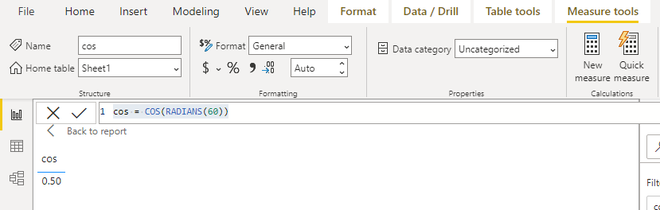
Example: Cosine of 60° in radians:
cos = COS(RADIANS(60))
Output:
The TAN function returns the tangent of an angle.
Syntax:
TAN(number)
Example: Tangent of -3:
tan = TAN(-3)
Output:
The SINH function returns the hyperbolic sine of a number.
Syntax:
SINH(number)
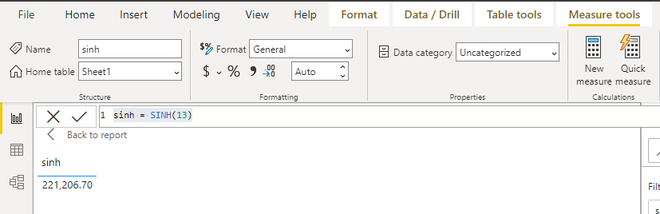
Example: Hyperbolic sine of 13:
sinh = SINH(13)
Output:
The COSH function returns the hyperbolic cosine of any real number equal to or greater than 1.
Syntax:
COSH(number)
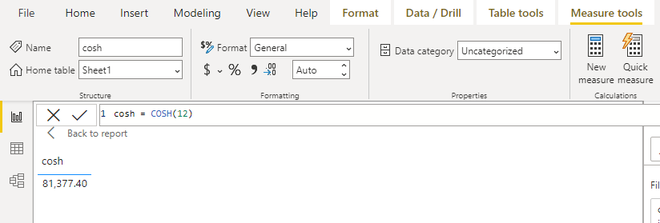
Example: Hyperbolic cosine of 12:
cosh = COSH(12)
Output:
The TANH function returns the hyperbolic tangent of a number.
Syntax:
TANH(number)
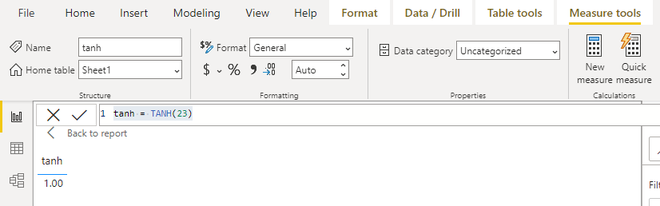
Example: Hyperbolic tangent of 23:
tanh = TANH(23)
Output:
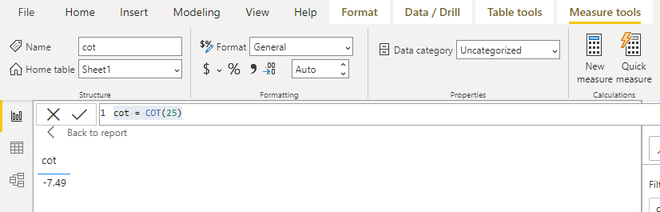
The COT function returns the cotangent of a real angle with a radian value.
Syntax:
COT(number)
Example: Cotangent of 25:
cot = COT(25)
Output:
The COTH function returns the hyperbolic cotangent of a hyperbolic angle whose absolute value must be greater than 1.
Syntax:
COTH(number)
Example: Hyperbolic cotangent of 37:
coth = COTH(37)
Output:
The ASIN function returns the arcsine (inverse sine) of a number. The returned angle is between and in radians and the number must be between and .
Syntax:
ASIN(number)
Example: Inverse sine of 0.8:
asin = ASIN(0.8)
Output:
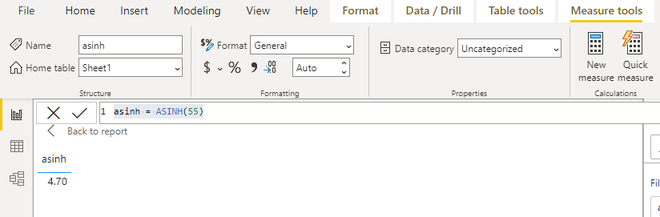
The ASINH function returns the inverse hyperbolic sine of a number.
Syntax:
ASINH(number)
Example: Inverse hyperbolic sine of 55:
asinh = ASINH(55)
Output:
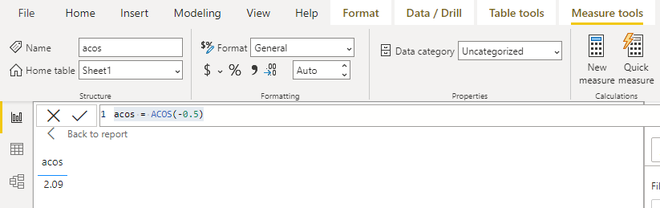
The ACOS function returns the arccosine (inverse cosine) of a number. The returned angle is between and in radians.
Syntax:
ACOS(number)
Example: Inverse cosine of -0.5:
acos = ACOS(-0.5)
Output:
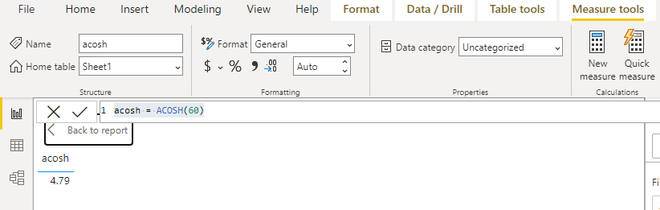
The ACOSH function returns the inverse hyperbolic cosine of a number. Number must be greater than or equal to 1.
Syntax:
ACOSH(number)
Example: Inverse hyperbolic cosine of 60:
acosh = ACOSH(60)
Output:
The ATAN function returns the arctangent (inverse tangent) of a number. Returned angle is between and in radians.
Syntax:
ATAN(number)
Example: Inverse tangent of 48:
atan = ATAN(48)
Output:
The ATANH function returns the inverse hyperbolic tangent of a number where the number must be between -1 and 1 (excluding -1 and 1).
Syntax:
ATNH(number)
Example: Inverse hyperbolic tangent of 0.7:
atanh = ATANH(0.7)
Output:
The ACOT function returns the arccotangent (inverse cotangent) of a number.
Syntax:
ACOT(number)
Example: Inverse cotangent of 60:
acot = ACOT(60)
Output:
The ACOTH function returns the inverse hyperbolic cotangent of a number.
Syntax:
ACOTH(number)
Example: Inverse hyperbolic cotangent of 33:
acoth = ACOTH(33)
Output:
By using these DAX Trigonometric Functions in Power BI we can enhance our data models with advanced calculations which enables more precise insights into angular and periodic data. These functions can be applied across a variety of data analysis tasks from engineering to finance and many more.