|
VOOZH | about |
|
VOOZH | about |
By default, WooCommerce sets the shop page title as “Shop.” However, customizing the title can enhance your brand value and make the page more engaging.
WooCommerce is the most widely used eCommerce platform that is extremely adaptable, cost-effective, and simple to use, even for beginners. However, many beginners are facing trouble setting up WooCommerce on their own.
In this article, we are going to see how to change the WooCommerce shop page title to a custom title step by step.
In WooCommerce by default, the shop page is known as the "Shop". For increasing the brand value and making the page more engaging it is required to change the default page title to a more customized one.
When you install the WooCommerce plugin it will automatically create the shop page, checkout page, and other required pages for the WooCommerce store. To change the WooCommerce shop page to another customized or brand-related title follow these simple steps.
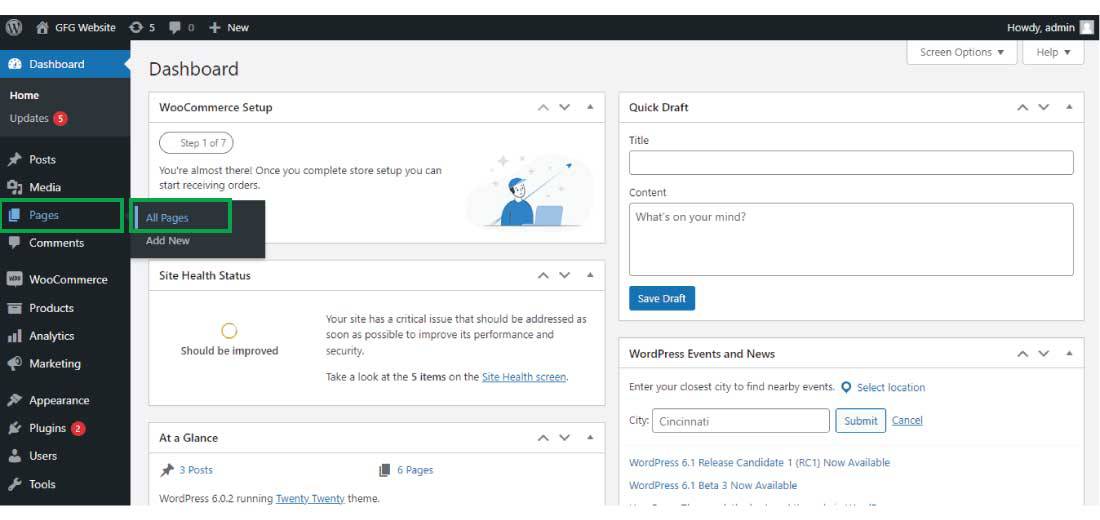
Step 1: Log in to Your WordPress Dashboard
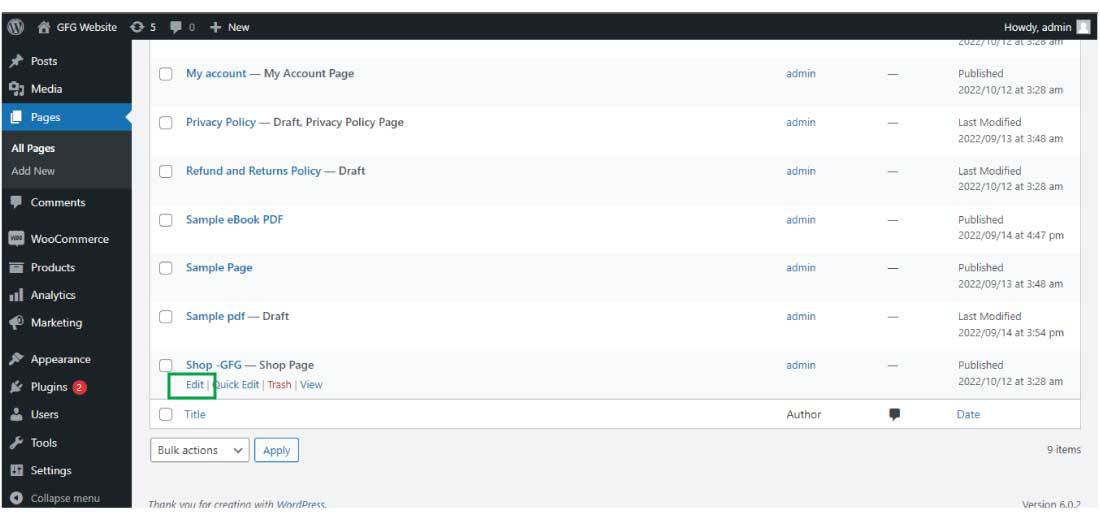
Step 2: Edit the Shop Page
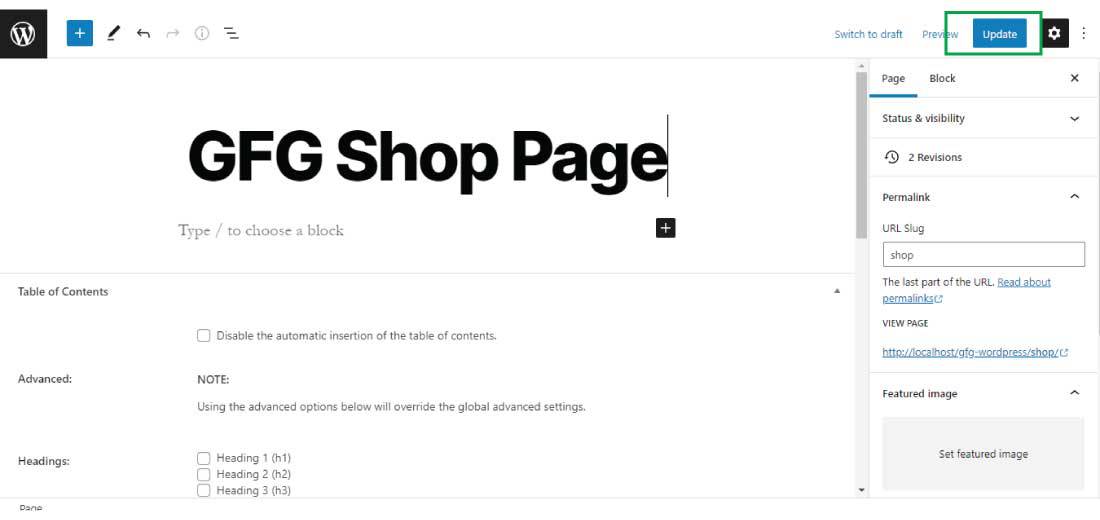
Step 3:Change the Title
Step 4: Update the Page
Step 5: After changing the shop page title click on the "Update" button to successfully change the page title and update it.
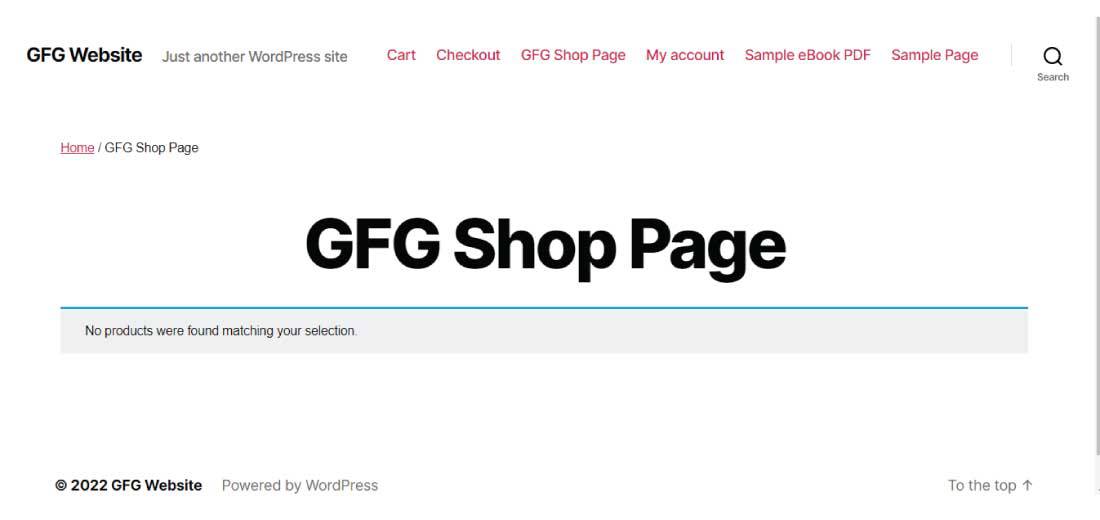
The shop page title gets successfully changed to your customized shop page title.
This is how you can change the shop page title to your customized or more engaging title.