|
VOOZH | about |
|
VOOZH | about |
This article delves into the process of image segmentation using Fuzzy C-Means (FCM) clustering, a powerful technique for partitioning images into meaningful regions. We'll explore the fundamentals of FCM, its advantages over traditional methods, and provide a step-by-step guide to implementing FCM for image segmentation using Python. By the end of this article, you'll understand how to apply FCM clustering to achieve precise and effective image segmentation.
Let us now, introduce you to Fuzzy C-Means Clustering, our superpower for picture segmentation. Consider that you have a variety of marbles some blue and some red. All of the blue marbles would be in one pile and all of the red marbles in another if clustering were done regularly. What happens, though if there's a stone that has a reddish-purple hue ?
Fuzzy C-Means Clustering recognizes this conundrum. With the fuzzy C-Means (FCM) clustering technique, every data point has a degree of membership in a cluster determined by a membership grade. The ambiguity and overlap of image regions are handled by this method, which makes it very helpful for image segmentation. An approach that facilitates image segmentation is known by the fancy name Fuzzy C-Means Clustering. Now let's analyze it:
In other words, fuzzy C-Means clustering is a technique for organizing picture pixels into clusters in which each pixel can, to a certain extent be a part of more than one cluster.
The objective function for FCM is:
where:
Here is a Python implementation of image segmentation using FCM clustering:
We must import all required libraries first. These comprise the GUI creation, clustering, and image processing libraries.
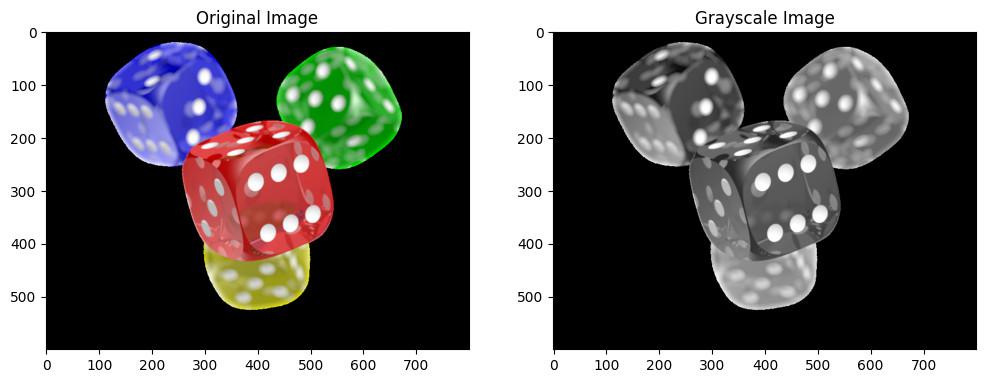
! pip install opencv-python numpy scikit-fuzzy ipywidgets requestsWe'll load a demo image from a public URL and convert it to grayscale. Grayscale images are easier to work with for clustering.
Output:
Next, we reshape the grayscale image into a 1D array of pixel values. This format is required for the clustering algorithm.
We apply the Fuzzy C-Means clustering algorithm to the pixel data. This algorithm groups pixels into clusters based on their similarity.
We then reshape the clustered data back to the original image shape to visualize the segmented image.
Output:
To make the segmentation more visually appealing, we assign different colors to each cluster.
Output:
We can save the segmented image to a file for future use.
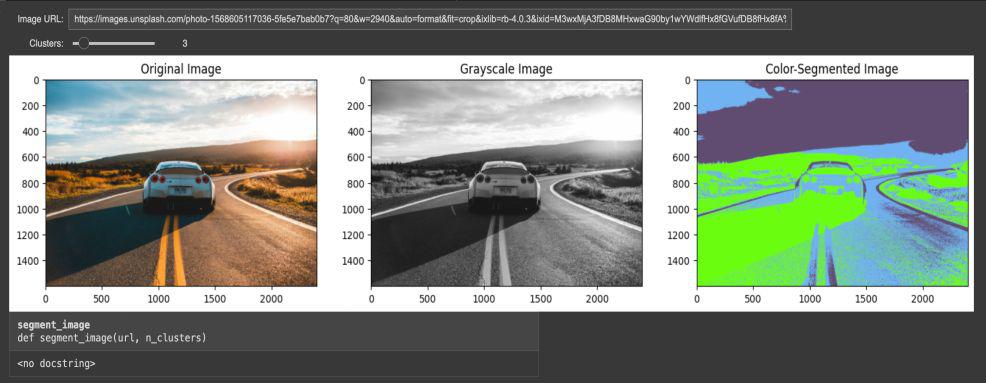
Finally, we create a GUI interface using ipywidgets to allow users to test different images and adjust the number of clusters.
Output:
Technique | Advantages | Disadvantages |
|---|---|---|
FCM | Handles overlapping data effectively | May require careful selection of cluster number (C) and fuzziness coefficient (m) |
Thresholding | Simple and fast | Sensitive to noise and illumination variations |
Edge Detection | Good for isolating objects with distinct edges | May struggle with blurry edges or textured objects |
Region Growing | Can handle complex shapes | Sensitive to initial seed selection and parameter tuning |
Image segmentation using Fuzzy C-Means clustering is a powerful technique that helps in dividing an image into meaningful parts by allowing pixels to belong to multiple clusters. Because of its adaptability it is particularly helpful in situations where borders are ambiguous. You can begin investigating FCM applications in a variety of domains including as object identification, and medical imaging, once you have a fundamental understanding of fuzzy logic, clustering and how it operates.

.png)
.png)