|
VOOZH | about |
|
VOOZH | about |
Iteration simply means going through elements one by one. In a Pandas DataFrame you commonly need to inspect rows (records) or columns (fields) to analyze, clean or transform data. This article shows practical ways to iterate with real dataset to understand how each method behaves on real data.
Iterating over rows is useful when you want to process each record individually. Pandas provides multiple methods for row iteration, each with its own benefits.
iterrows()returns each row as a (index, Series) pair. This means you get the row’s index and a Pandas Series object containing column names and their values. It is easy to use since you can access fields by column name, but it can be slower on very large DataFrames.
We are working with nba.csv dataset in these examples. Download CSV file here.
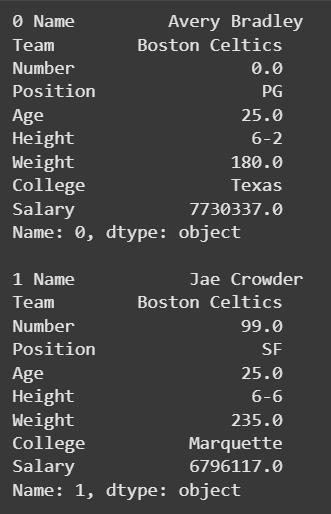
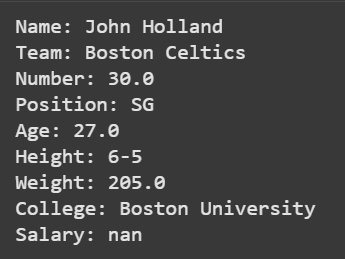
Example 1: This code demonstrates how to loop through a small subset of rows and view all column values in each row.
Output
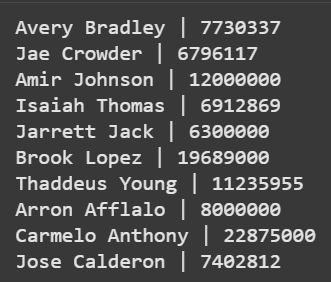
Example 2: This code applies a row-wise condition to filter high-salary players.
Output
itertuples() returns each row as a named tuple. It is faster than iterrows() because it avoids creating Series objects and you can access row values as attributes (e.g., row.Name, row.Salary). This makes it ideal for performance-heavy tasks.
Example 1: This code shows how each row is returned in tuple format.
Output
Example 2: This code demonstrates how to extract values from a specific column using list comprehension.
Output
Iterating columns is useful for column-wise checks or operations (e.g., computing stats, converting dtypes or applying functions). You can iterate columns by using items() or by creating a column-name list.
items() iterates over DataFrame columns, returning each as a (label, Series) pair. The label is column name and Series contains values for that column. This is helpful when you want to check column-level details such as data distribution, types or missing values.
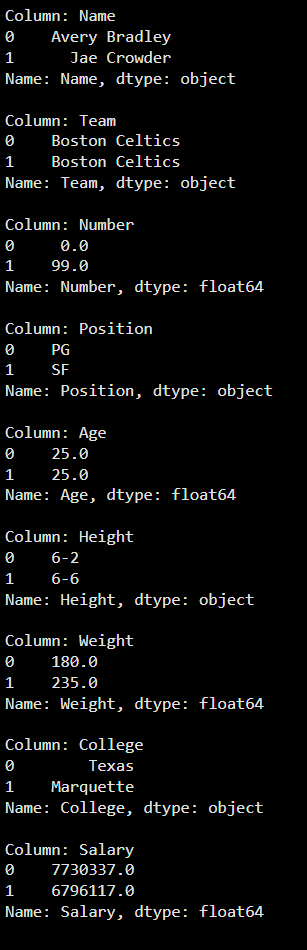
Example 1: This code prints a few values from every column for a quick inspection.
Output
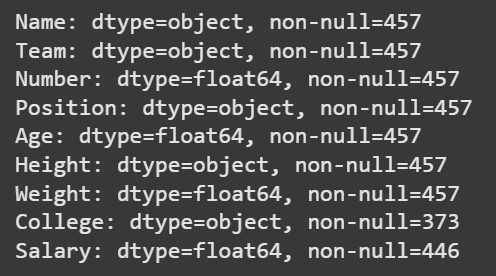
Example 2: This example helps detect data quality issues across columns.
Output
In Pandas, one can also iterate through columns directly without using methods. This is done by looping over list of column names and then accessing their values from DataFrame.
Example 1: This example prints 3rd row’s value for each column, one column at a time.
Output
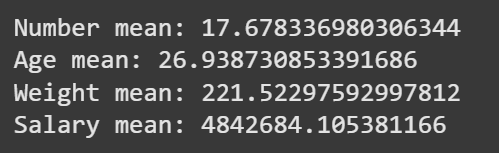
Example 2: This code summarizes numeric columns by calculating their mean values.
Output