|
VOOZH | about |
|
VOOZH | about |
Third-party modules are external libraries installed via npm that extend Node.js functionality, such as handling HTTP requests and other complex tasks.
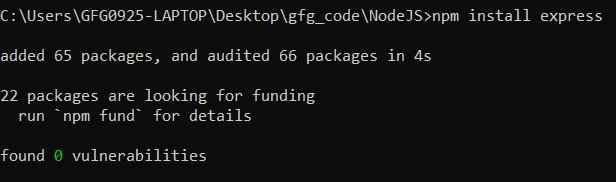
Node.js uses npm, the world’s largest software registry, to manage third-party packages. To install A module is straightforward; you just need to give the command "npm install express".
This command installs the popular express web framework and adds it to the project's node_modules directory. To use the installed module you just simply need to give the "require" command .
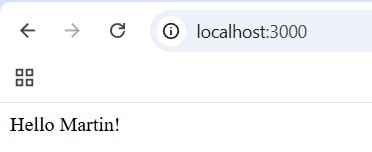
When you start running your server on port no 3000 you will see output Hello Martin!
Output:
Here are some widely adopted third-party modules:
Express is a fast, minimalist web framework for Node.js that simplifies the process of building web applications and APIs. It provides robust routing, middleware support, and HTTP utility methods.
filename: express.js
Output:
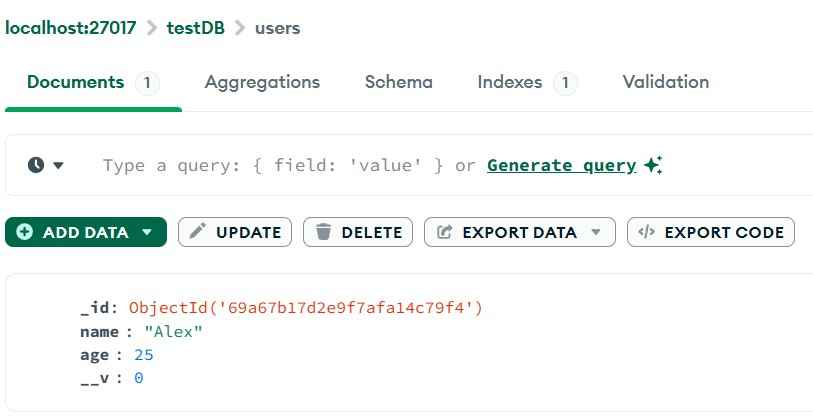
Mongoose is an Object Data Modeling (ODM) library for MongoDB and Node.js. It provides a straightforward way to define schemas and interact with MongoDB using JavaScript objects.
filename:index.js
Output:
You can check the data in the database ie. username , user id, user age etc.
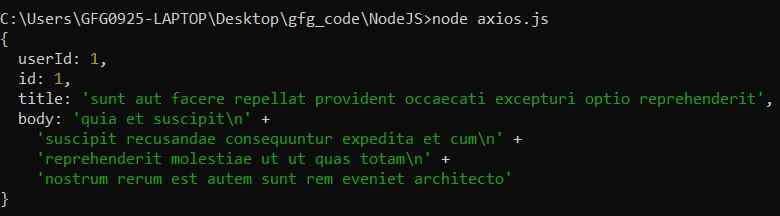
Axios is a promise-based HTTP client for Node.js and the browser. It simplifies making HTTP requests, handling responses, and managing errors.
filename: axios.js
Output:
Lodash is a utility library that provides helpful functions for manipulating arrays, objects,strings, and more—making JavaScript code cleaner and more readable.
filename: lodash.js
Output:
dotenv is a zero-dependency module that loads environment variables from a .env file into process.env. It helps manage configuration settings securely and separately from code.
filename: .env
filename: dotenv.js
Output:
Note: You should have .env file in the same folder have Port no . i.e PORT= 4000
Nodemon is a development utility that automatically restarts your Node.js Application whenever file change. It is very useful during development to avoid manually stopping and restarting the server after every change.
filename: fsappend.js
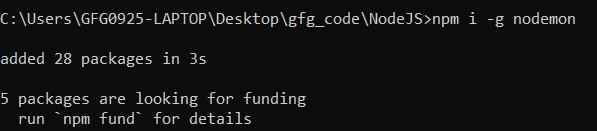
Installation : To install nodemon you need to run this command.
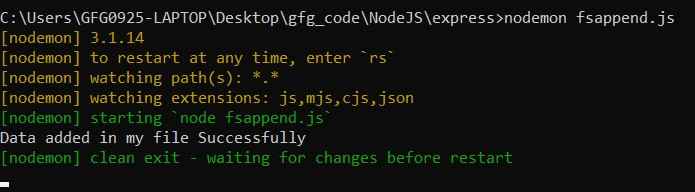
To run the command using nodemon
Jsonwebtoken (or jwt) is a module that enables you to generate and verify JSON Web Tokens, commonly used for implementing secure authentication in APIs.
filename : jsonwebtoken.js
Output:
Third-party modules enhance application functionality by providing reliable, pre-built solutions for common development needs.
Follow these practices to ensure efficient, secure, and maintainable use of third-party modules.