|
VOOZH | about |
|
VOOZH | about |
A Choropleth Map is a thematic map where geographic regions are shaded or colored based on a data value. In Tableau, choropleth maps are commonly used to visualize how a measure such as sales, profit, or population varies across locations like states or countries. Choropleth maps are useful for:
Tableau makes it easy to create a choropleth map using built-in geographic roles. Below are the steps to create a choropleth map using Tableau.
Note: For this article, the dataset used is Sample_Superstore.xls. To download click here.
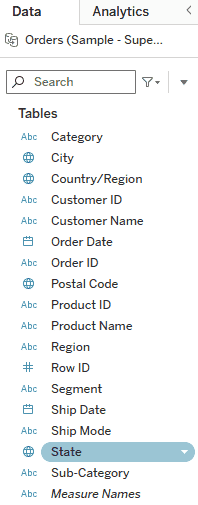
In the Data pane, double-click on the State field. Tableau will automatically recognize the geographic role and generate a map view.
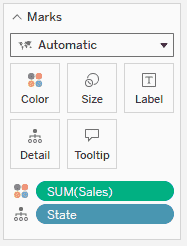
From the Data pane, drag Sales to the Color shelf in the Marks card.
Tableau will now shade each state based on the total sales value, creating a choropleth effect.
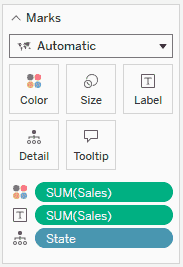
To show exact sales values for each state, drag Sales again to the Label shelf in the Marks card.
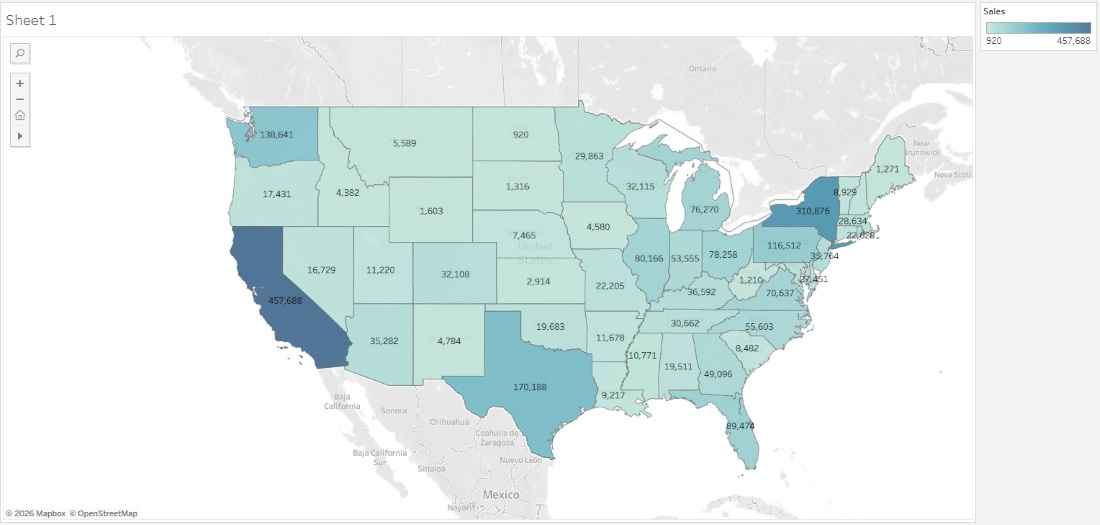
The map will now display SUM(Sales) for each state, making the visualization more informative.
After completing the above steps, you will have a Choropleth Map that visually represents state-wise sales performance.