VOOZH about

URL: https://www.geeksforgeeks.org/tableau/word-cloud-in-tableau/

โ‡ฑ Word Cloud in Tableau - GeeksforGeeks


  • Courses
  • Tutorials
  • Interview Prep

Word Cloud in Tableau

Last Updated : 19 Jan, 2026

A Word Cloud in Tableau is a visual representation of text data where the size of each word reflects its frequency or importance, making it easy to identify the most common or influential terms within a dataset at a glance.

  • Highlights frequently occurring words
  • Uses text size to show importance
  • Helps analyse unstructured text data
  • Quickly reveals key themes
  • Useful for reviews, feedback and social media analysis

Implementation

Steps to illustrate Word Chart in Tableau:

  • Open the Tableau tool and connect a dataset to it.
  • Drag and drop the one sheet of the connected dataset.
  • Click on Sheet1 to open the Tableau worksheet.
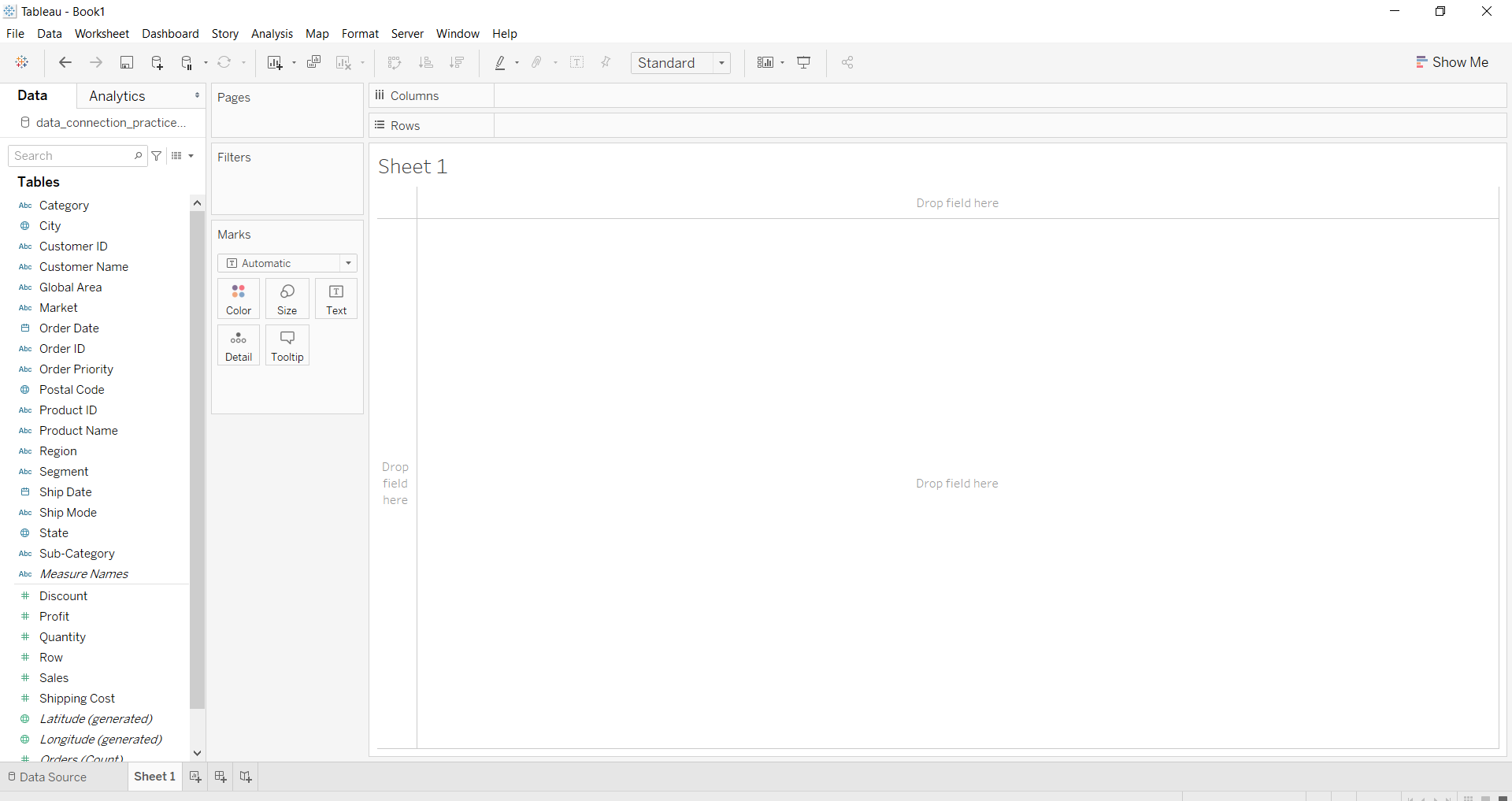
  • On clicking Sheet1, you will get the whole dataset attributes on the left side and a worksheet for work.
๐Ÿ‘ Image
  • To draw a word cloud you have to select minimum one attributes by drag and drop into the sheet area then apply the other parameters for better visualization.

Example 1

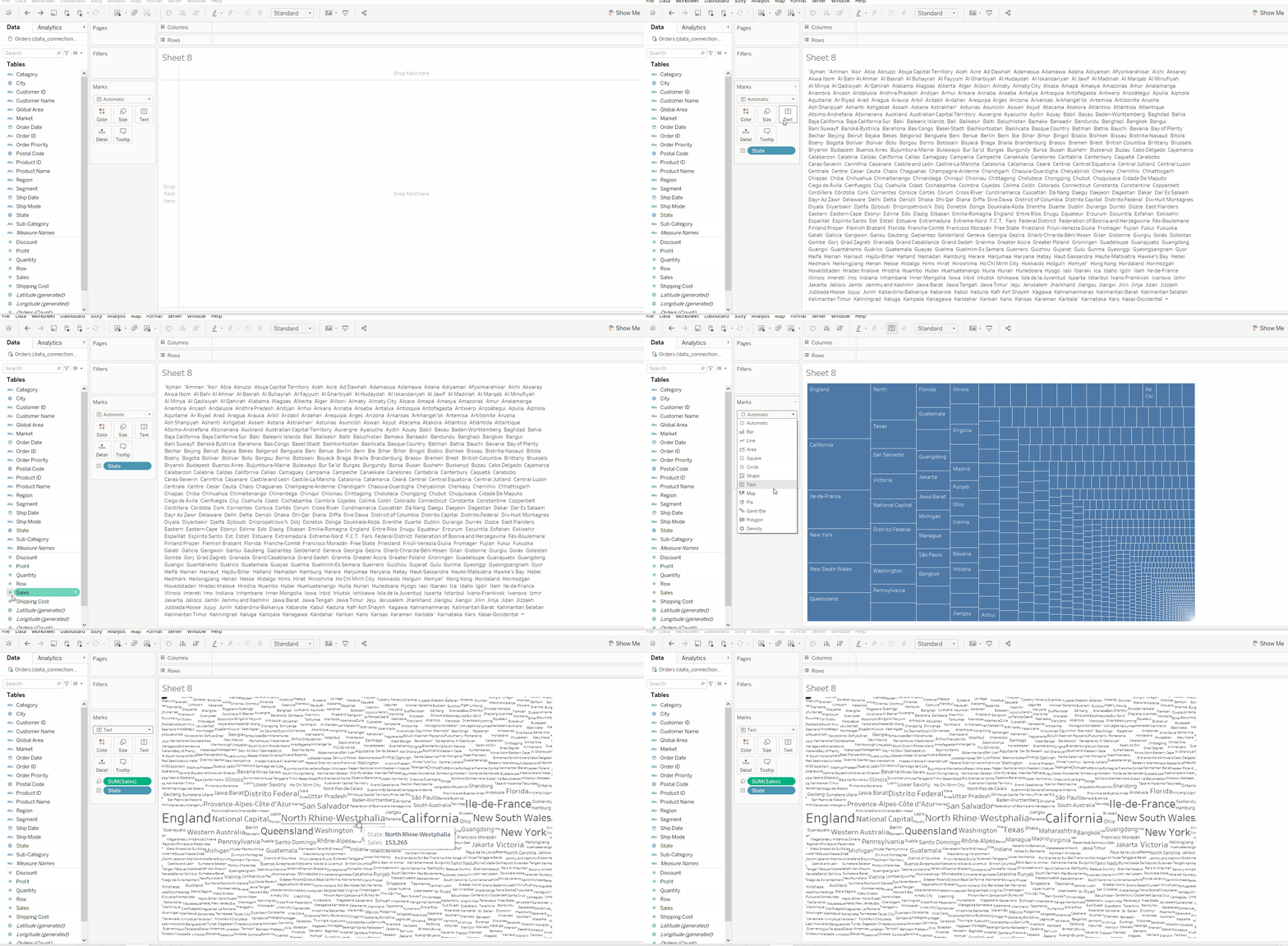
In this example, we simply illustrate a word cloud and apply an attribute by size on it.

๐Ÿ‘ Image

Example 2

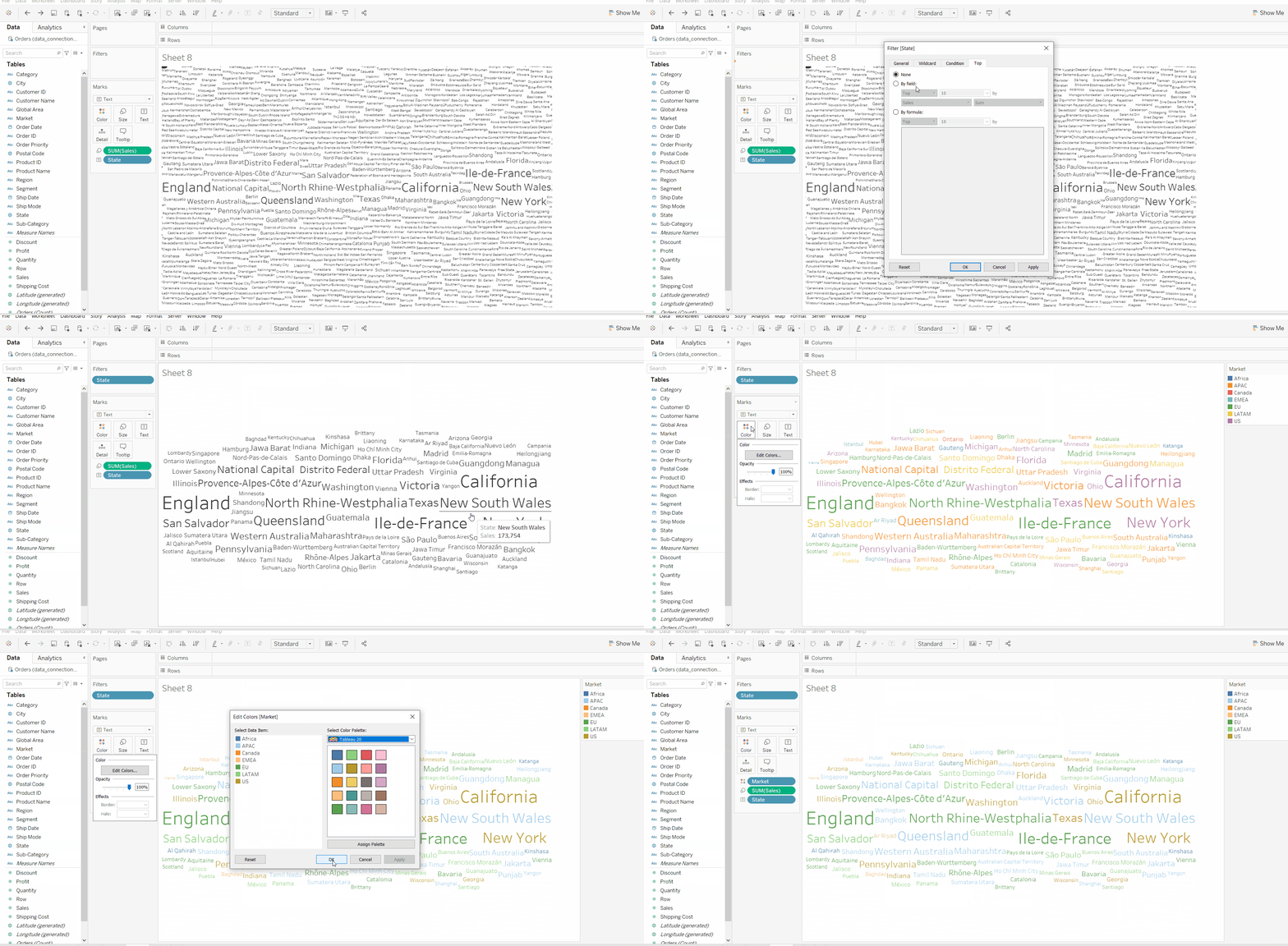
This example uses the above example with some extra marks (apply the filter and color marks) and which are shown easily below.

๐Ÿ‘ Image

Example 3

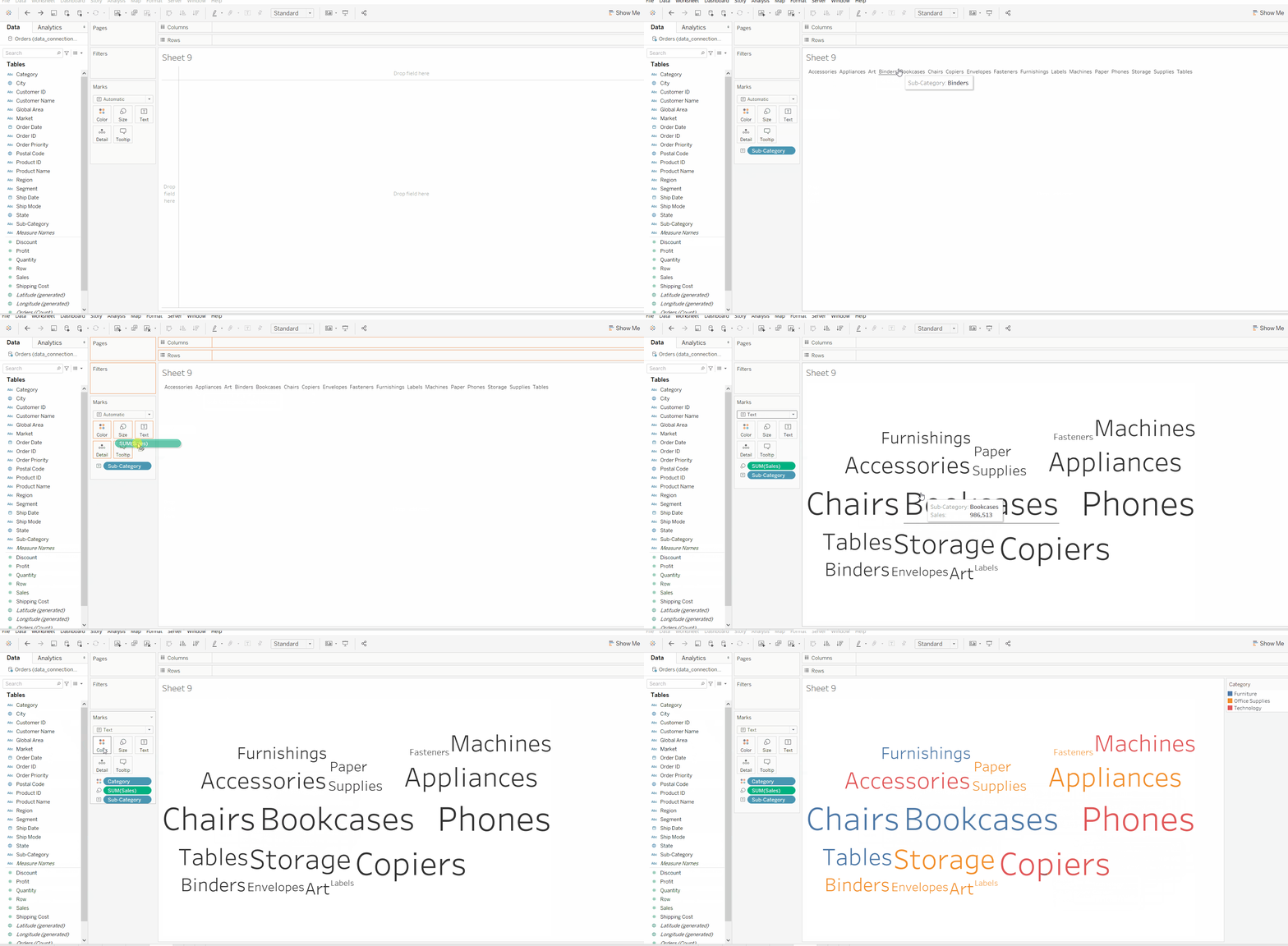
This example is similar to example 1 but uses different fields and visualization features with more clarification of the whole procedure.

๐Ÿ‘ Image
Comment
Article Tags:
Article Tags:

Explore