Bins in Tableau are containers of equal size that group data values into intervals. They are often used with numeric measures to create histograms or distributions, allowing analysts to understand better how data points are spread across ranges.
For example, if we have sales values ranging from 0 to 10,000, we can create bins of size 1,000. This will categorize sales into intervals like 0–999, 1,000–1,999 and so on.
Use of Bins in Tableau
- To create distributions of continuous numeric data.
- To convert measures into discrete groups (intervals).
- To enable histogram visualizations.
Creating Bins in Tableau
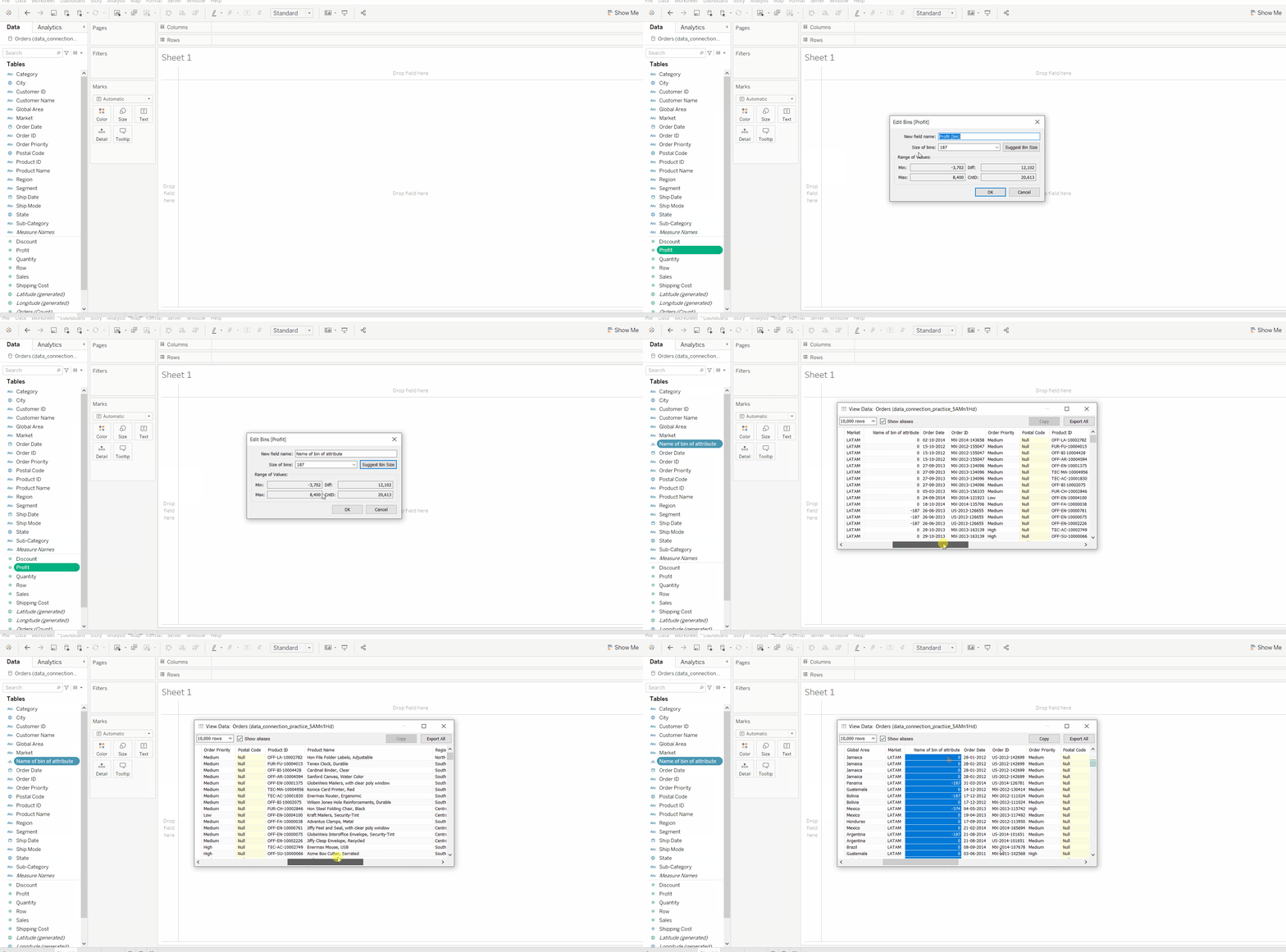
To create bins in tableau follow the given instructions
- Open Tableau and connect to our dataset.
- Drag a sheet from the connected dataset.
- Open a worksheet (e.g., Sheet1).
- On the left panel, we’ll see all dataset attributes.
- Right-click a numeric field (measure).
- Select Create → Bins.
- Modify the suggested bin size (optional).
- Click OK.
👁 ImageNow, a new field representing the bin is created and can be used in the view.
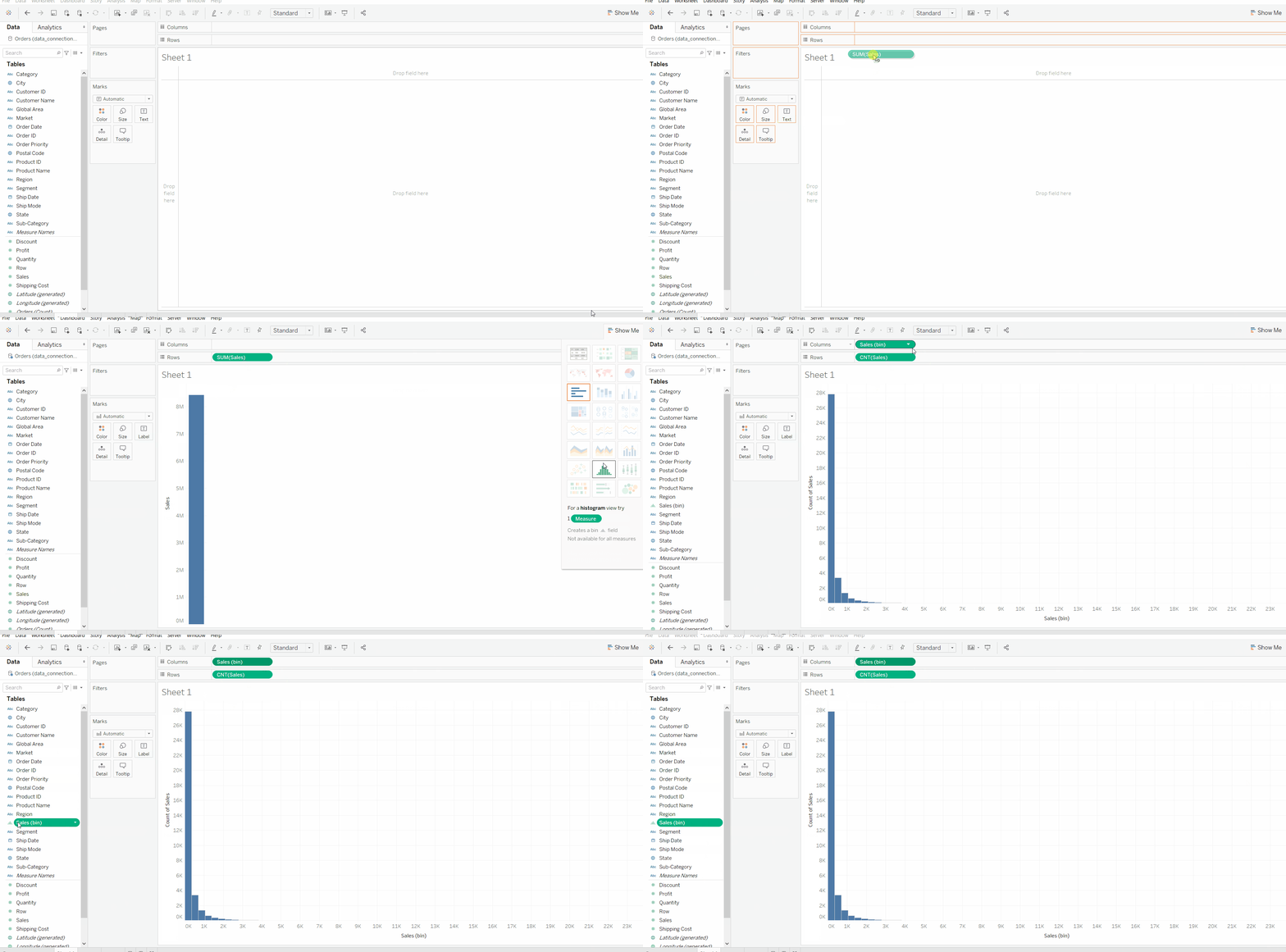
Example 1: Quick Bin Creation via Histogram
- Drag a numeric field (e.g., Sales) into Rows.
- Go to Show Me and select Histogram.
- Tableau automatically creates a bin field for that measure and displays the frequency distribution.
👁 ImageThis is the fastest way to generate bins.
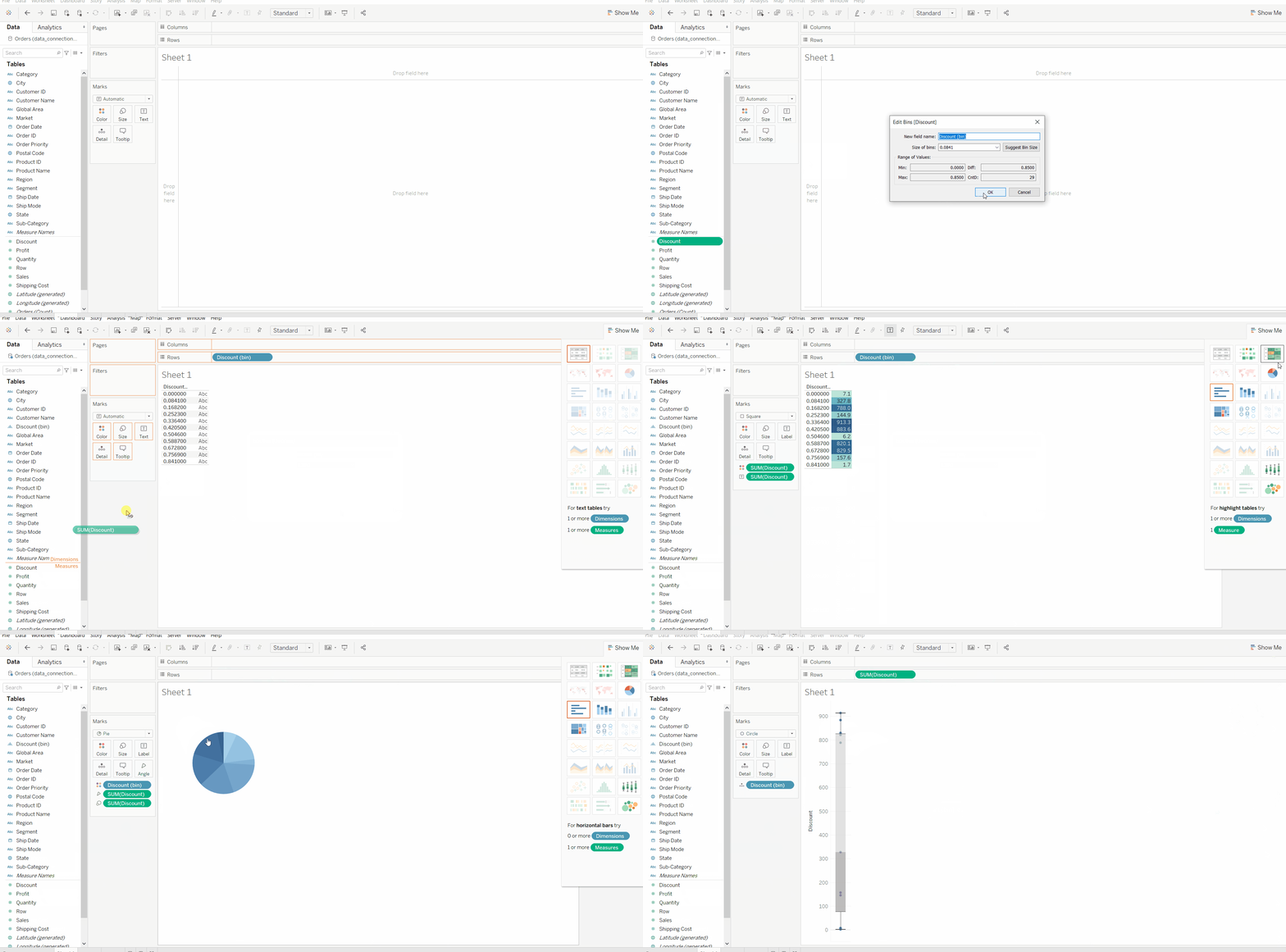
Example 2: Using Bins for Further Analysis
Once a bin is created, we can use it like any other field:
- Drag the bin field into Columns or Rows to see grouped data.
- Combine bins with measures (e.g., Profit, Quantity) to analyze patterns across ranges.
- Apply color, labels or filters to highlight insights.
👁 ImageDeleting a Bin
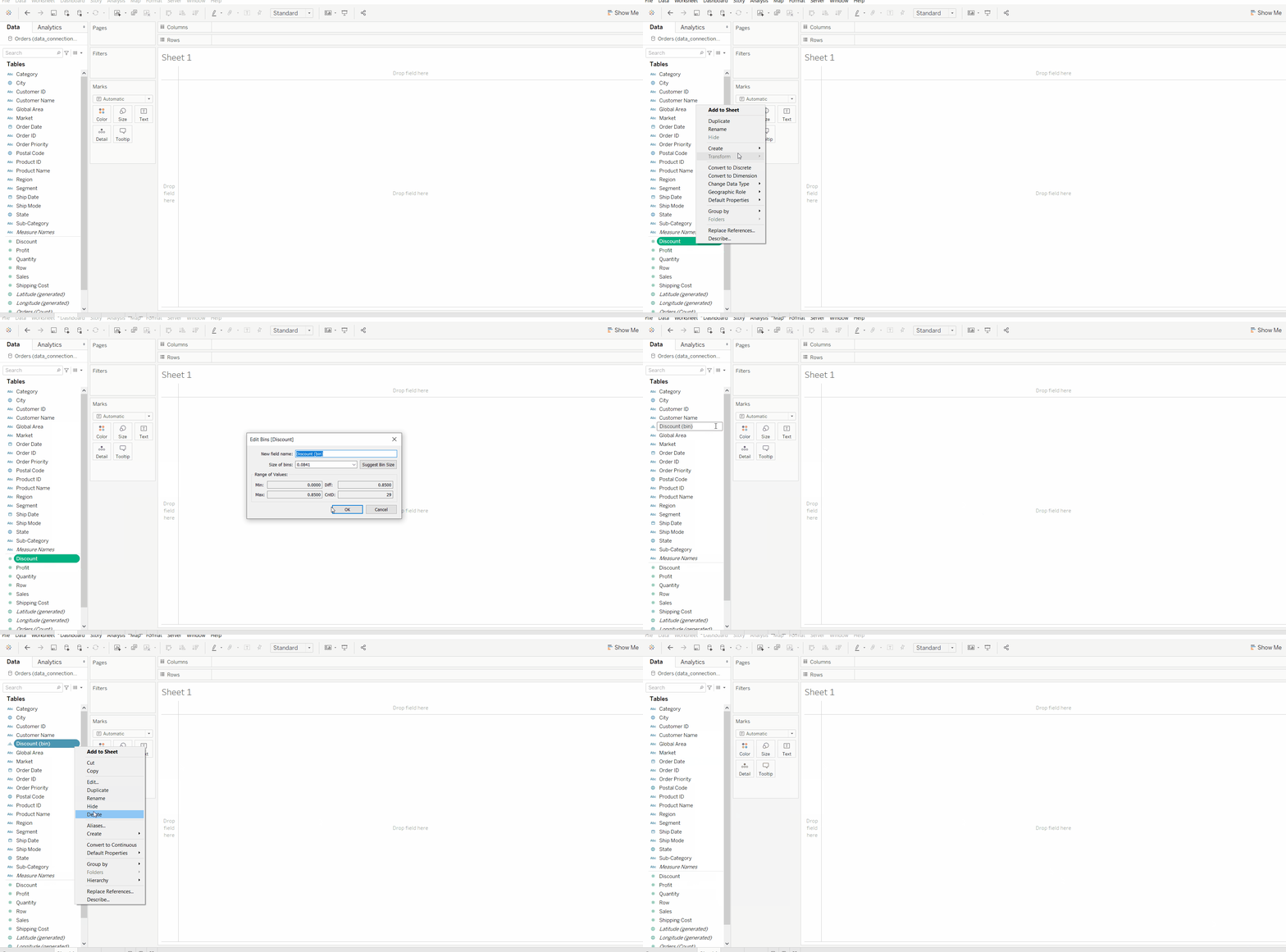
If we no longer need a bin:
- Right-click the bin field.
- Select Delete.
👁 ImageThis removes the bin without affecting our original dataset.