|
VOOZH | about |
|
VOOZH | about |
OpenAI Gym is a toolkit that provides a wide variety of simulated environments (Atari games, board games, 2D and 3D physical simulations, and so on), so you can train agents, compare them, or develop new Machine Learning algorithms (Reinforcement Learning).
OpenAI is an artificial intelligence research company, funded in part by Elon Musk. Its stated goal is to promote and develop friendly AIs that will benefit humanity (rather than exterminate it).
In this article, I will be using the OpenAI gym, a great toolkit for developing and comparing Reinforcement Learning algorithms. It provides many environments for your learning agents to interact with.
Before installing the toolkit, if you created an isolated environment using virtualenv, you first need to activate it:
$ cd $ML_PATH # Your ML working directory (e.g., $HOME/ml)
$ source my_env/bin/activate # on Linux or MacOS
$ .my_envScriptsactivate # on Windows
Next, install OpenAI Gym (if you are not using a virtual environment, you will need to add the –user option, or have administrator rights):
$ python3 -m pip install -U gym
Depending on your system, you may also need to install the Mesa OpenGL Utility (GLU) library (e.g., on Ubuntu 18.04 you need to run apt install libglu1-mesa). This library will be needed to render the first environment.
Next, open up a Python shell or a Jupyter notebook or Google Colab and I will first import all the necessary libraries and then I will create an environment with make():
# Python ≥3.5 is required
import sys
assert sys.version_info >= (3, 5)# Scikit-Learn ≥0.20 is required
import sklearn
assert sklearn.__version__ >= "0.20"try:
 # %tensorflow_version only exists in Colab.
 %tensorflow_version 2.x
 !apt update && apt install -y libpq-dev libsdl2-dev swig xorg-dev xvfb
 !pip install -q -U tf-agents-nightly pyvirtualdisplay gym[atari]
 IS_COLAB = True
except Exception:
 IS_COLAB = False# TensorFlow ≥2.0 is required
import tensorflow as tf
from tensorflow import keras
assert tf.__version__ >= "2.0"if not tf.config.list_physical_devices('GPU'):
 print("No GPU was detected. CNNs can be very slow without a GPU.")
 if IS_COLAB:
 print("Go to Runtime > Change runtime and select a GPU hardware accelerator.")# Common imports
import numpy as np
import os# to make this notebook's output stable across runs
np.random.seed(42)
tf.random.set_seed(42)# To plot pretty figures
%matplotlib inline
import matplotlib as mpl
import matplotlib.pyplot as plt
mpl.rc('axes', labelsize=14)
mpl.rc('xtick', labelsize=12)
mpl.rc('ytick', labelsize=12)# To get smooth animations
import matplotlib.animation as animation
mpl.rc('animation', html='jshtml')import gym
Let’s list all the available environments:
gym.envs.registry.all()
The Cart-Pole is a very simple environment composed of a cart that can move left or right, and a pole placed vertically on top of it. The agent must move the cart left or right to keep the pole upright.
env = gym.make('CartPole-v1')
Let’s initialize the environment by calling is a reset() method. This returns an observation:
env.seed(42)
obs = env.reset()
Observations vary depending on the environment. In this case, it is a 1D NumPy array composed of 4 floats: they represent the cart’s horizontal position, its velocity, the angle of the pole (0 = vertical), and the angular velocity.
obs
An environment can be visualized by calling its render() method, and you can pick the rendering mode (the rendering options depend on the environment).
env.render()
In this example, we will set mode=”rgb_array” to get an image of the environment as a NumPy array:
img = env.render(mode="rgb_array")
img.shape
def plot_environment(env, figsize=(5,4)):
 plt.figure(figsize=figsize)
 img = env.render(mode="rgb_array")
 plt.imshow(img)
 plt.axis("off")
 return img
plot_environment(env)
plt.show()
Let’s see how to interact with the OpenAI Gym environment. Your agent will need to select an action from an “action space” (the set of possible actions). Let’s see what this environment’s action space looks like:
env.action_space
Discrete(2)
Discrete(2) means that the possible actions are integers 0 and 1, which represent accelerating left (0) or right (1). Other environments may have additional discrete actions, or other kinds of actions (e.g., continuous). Since the pole is leaning toward the right (obs[2] > 0), let’s accelerate the cart toward the right:
action = 1 # accelerate right
obs, reward, done, info = env.step(action)
obs
array([-0.01261699, 0.19292789, 0.04204097, -0.28092127])
Notice that the cart is now moving toward the right (obs[1] > 0). The pole is still tilted toward the right (obs[2] > 0), but its angular velocity is now negative (obs[3] < 0), so it will likely be tilted toward the left after the next step.
plot_environment(env)
Looks like it’s doing what we’re telling it to do! The environment also tells the agent how much reward it got during the last step:
reward
1.0
When the game is over, the environment returns done=True:
done
False
Finally, info is an environment-specific dictionary that can provide some extra information that you may find useful for debugging or for training. For example, in some games, it may indicate how many lives the agent has.
info
{}
The sequence of steps between the moment the environment is reset until it is done is called an “episode”. At the end of an episode (i.e., when step() returns done=True), you should reset the environment before you continue to use it.
if done:
 obs = env.reset()
Let’s hardcode a simple policy that accelerates left when the pole is leaning toward the left and accelerates right when the pole is leaning toward the right. We will run this policy to see the average rewards it gets over 500 episodes:
env.seed(42)def basic_policy(obs):
 angle = obs[2]
 return 0 if angle < 0 else 1totals = []
for episode in range(500):
 episode_rewards = 0
 obs = env.reset()
 for step in range(200):
 action = basic_policy(obs)
 obs, reward, done, info = env.step(action)
 episode_rewards += reward
 if done:
 break
 totals.append(episode_rewards)
This code is hopefully self-explanatory. Let’s look at the result:
np.mean(totals), np.std(totals), np.min(totals), np.max(totals)
(41.718, 8.858356280936096, 24.0, 68.0)
Well, as expected, this strategy is a bit too basic: the best it did was to keep the poll up for only 68 steps. This environment is considered solved when the agent keeps the poll up for 200 steps.
env.seed(42)frames = []obs = env.reset()
for step in range(200):
 img = env.render(mode="rgb_array")
 frames.append(img)
 action = basic_policy(obs) obs, reward, done, info = env.step(action)
 if done:
 break
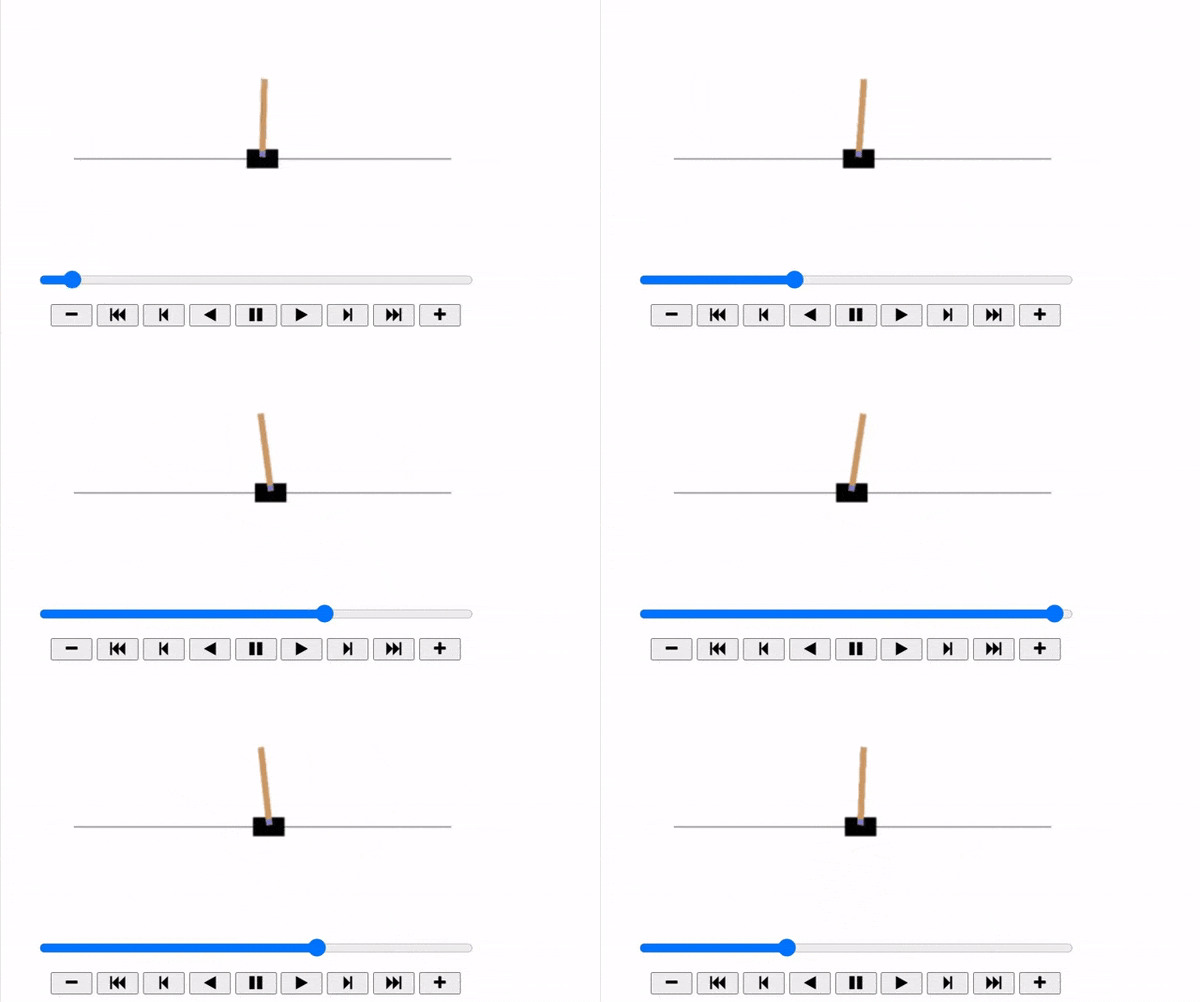
Now show the animation:
def update_scene(num, frames, patch):
 patch.set_data(frames[num])
 return patch,def plot_animation(frames, repeat=False, interval=40):
 fig = plt.figure()
 patch = plt.imshow(frames[0])
 plt.axis('off')
 anim = animation.FuncAnimation(
 fig, update_scene, fargs=(frames, patch),
 frames=len(frames), repeat=repeat, interval=interval)
 plt.close()
 return anim
plot_animation(frames)
I hope you liked this article on OpenAI Gym. If you want me to explore this topic more for you then just mention it in the comments section.
Aman Kharwal
I am a programmer from India, and I am here to guide you with Machine Learning for free. I hope you will learn a lot in your journey towards ML and AI with me.
GPT-4 vs. Llama 3.1 – Which Model is Better?
Llama-3.1-Storm-8B: The 8B LLM Powerhouse Surpa...
A Comprehensive Guide to Building Agentic RAG S...
Top 10 Machine Learning Algorithms in 2026
45 Questions to Test a Data Scientist on Basics...
90+ Python Interview Questions and Answers (202...
8 Easy Ways to Access ChatGPT for Free
Prompt Engineering: Definition, Examples, Tips ...
What is LangChain?
What is Retrieval-Augmented Generation (RAG)?
Thanks for this great explanation. Please also put some code out for Q learning.
Edit
Resend OTP
Resend OTP in 45s