|
VOOZH | about |
|
VOOZH | about |
This article was published as a part of the Data Science Blogathon
“Data is the new oil” is a famous saying nowadays. So, How we can use this data to solve our business problems??
THINK!!
I hope you’re right 🙂
Yes, we can get some useful insights from the data to improve and solve our business problems. So again, HOW CAN WE GET USEFUL INSIGHT FROM DATA??
Yeah, by analyzing the data. So in this article, we are going to discuss the essential Statistical Data analysis techniques in Machine Learning.
After reading this article you will be able to draw valuable insights from your dataset by using statistical techniques.
Let’s get started.
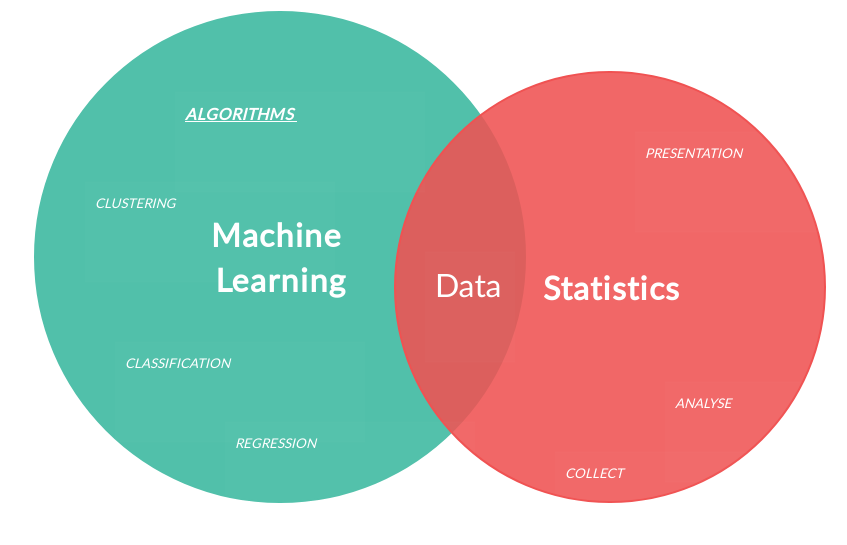
In Machine Learning, Data Analysis is the process of inspecting, cleansing, transforming, and modeling data with the goal of discovering useful information by informing conclusions and supporting decision making. It is used in many interdisciplinary fields such as Artificial Intelligence, Pattern Recognition, Neural Networks, etc…
Source: hub.packtpub.com
The machine learning pipeline is nothing but the workflow of the Machine Learning process starting from Defining our business problem to Deployment of the model. In the Machine Learning pipeline, the data preparation part is the most difficult and time-consuming one as the data is present in an unstructured format and it needs some cleaning. In this blog, we are going to dive deeper into the Data Analysis part using statistics!
As we all know 21th century is the known as ” Age of Data Abundance”. The collection of data is the collection of mosaic pieces. HOW WE ARRANGE THIS DATA TO GET USEFUL INSIGHTS IS WHAT MACHINE LEARNING PROVIDES US!!
Data can be obtained from various data sources such as
Comma Separated Values are in the form of text files. It used to represent the data in tabular format. Here, each line is a record and each record has multiple columns separated by Comma(delimiter).
Refer here to know how to convert comma-separated text file into excel format!!
import pandas as pd
dataset = pd.read_csv("filename.csv")
dataset.head(5)
#importing numpy package
import numpy as np
#creating array
arr = np.array([0,1,2,3,"hi"])
print(arr)
#type of arr
print(type(arr))
#dimension of arr
print(arr.ndim)
#length of arr
print(len(arr))
#importing matplotlib library
import matplotlib.pyplot as plt
#plotting values
plt.plot([1,2,3],[5,10,15])
#title
plt.title("Linear Relation", fontsize= 16)
#naming x and y axis
plt.xlabel("X axis", fontsize = 12)
plt.ylabel("Y axis", fontsize = 12)
plt.show()
#importing pandas library
import pandas as pd
dataset = pd.read_csv("filename.csv")
#defining dataframe from 2 series
data = { 'cars' : [5,2,3], 'bus':[3,4,0]}
#assigning indecies to row specific dataframe element
vehicles = pd.DataFrame(data, index = ['Sam','Rose', 'Bob'])
#getting information about the data
print(vehicles.info())
print(vehicles.loc['Bob'])
Source: import.io
EDA is the approach for analyzing the dataset to summarise its main features. The dataset summaries can be of 2 types,
1. Numerical Summary: Numerical summaries are summaries in terms of Numbers. Ex: Mean( Average), Median, etc…It can be either
2. Graphical Summary: Graphical summaries will be in the form of graphs. Ex: Histogram, Box-plot, etc…
We need to analyze the data for the following reasons:
Mean is defined as the ratio of the sum of all values to the total number of values. Mean is also called as Average of the dataset
Mean = SUM OF ALL VALUES / TOTAL NUMBER OF VALUES
| PROS | CONS |
| Consider all values | Mean is sensitive for extreme values |
#import library
import pandas as pd
#reading dataset
dataset = pd.read_csv("bank_dataset.csv")
#calculating mean
def mean(df):
 return sum(dataset.age)/len(dataset)
print(mean(dataset))
DO NOT TRUST Mean!!
Median is the value separating the lower half from the upper half of the data.
1. Arrange the data in Ascending order
2. If the total number of values is :
| PROS | CONS |
| Insensitive to Extreme Values | Does not consider dataset distribution |
def median(dataset):
 median = sorted(dataset) [len(dataset)// 2]
 return median
Percentile is the measure indicating a certain percentage of the dataset is below the value!
25%, 50% (median), 75%
| PROS | CONS |
| More expensive | Multiple measures |
data = [13,14,15,16,20,95,66,88]
#25th percentile
sort_data = sorted(data)
index1 = len(sort_data)*.25
print(index1)
#50th percentile
sort_data = sorted(data)
index2 = len(sort_data)*.50
print(index2)
#75th percentile
sort_data = sorted(data)
index3 = len(sort_data)*.75
print(index3)
Since all the above methods do have some pros and cons. These methods do not give us the exact result we are looking for. SO WHAT TO DO THEN??? LET’S SEE.
SD tells us the average difference between actual values and mean.
CASE(i) – High standard deviation indicates high dispersion
CASE(ii) – Low standard deviation indicates Low dispersion
| PROS | CONS |
| Consider all elements in the dataset. | Hard to calculate |
| Consider all the distribution | – |
import numpy as np
array = [1,2,3,4,5,6]
print(numpy.std(array))
Bivariate Numerical Analysis is defined as the way to identify the relationship between 2 variables.
Among various methods of correlation, PEARSONS CORRELATION is mostly used for analysis.
import pandas as pd
#import dataset
df = pd.read_csv("filename.csv")
print(df.corr(method = "pearson"))
I hope you enjoyed my article and understood the essential statistical techniques for data analysis in Machine Learning!
If you have any doubts/suggestions please feel free to contact me on Linkedin / Email.
Once again, THANKS FOR READING 🙂
Hello! This is Priyadharshini, I am currently pursuing M.Sc. in Decision and Computing Sciences. I am very much passionate about Data Science and Statistics. I love exploring and analyzing things!!
The media shown in this article are not owned by Analytics Vidhya and are used at the Author’s discretion.
GPT-4 vs. Llama 3.1 – Which Model is Better?
Llama-3.1-Storm-8B: The 8B LLM Powerhouse Surpa...
A Comprehensive Guide to Building Agentic RAG S...
Top 10 Machine Learning Algorithms in 2026
45 Questions to Test a Data Scientist on Basics...
90+ Python Interview Questions and Answers (202...
8 Easy Ways to Access ChatGPT for Free
Prompt Engineering: Definition, Examples, Tips ...
What is LangChain?
What is Retrieval-Augmented Generation (RAG)?
if i am doing a ML project can you tell exactly what are the steps i have to look into the preprocessing of my dataset
Edit
Resend OTP
Resend OTP in 45s