|
VOOZH | about |
|
VOOZH | about |
This article was published as a part of the Data Science Blogathon.
In this article, we are going to introduce you to Docker tutorial and will further learn the basic commands as well from installing docker, Pulling images from the hub to running Linux machines in docker.
Let’s first understand the challenges we face while deploying an application or server and then how docker solved this problem
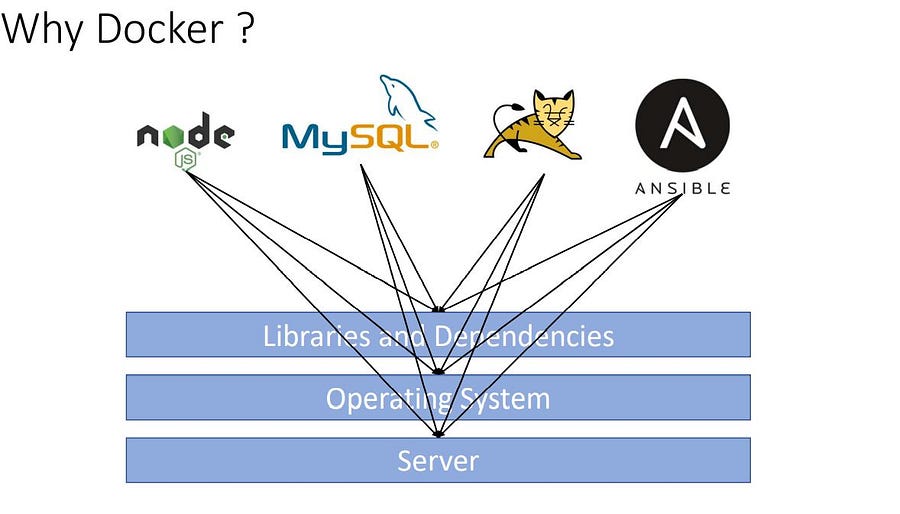
When we run and deploy any application or a machine learning model or application or a database or some third parties package they need some libraries and dependencies, Working on multiple applications requires different versions of dependencies can lead to a dependencies conflict.
Using separate machines or packaging all the dependencies with their application could solve this problem.
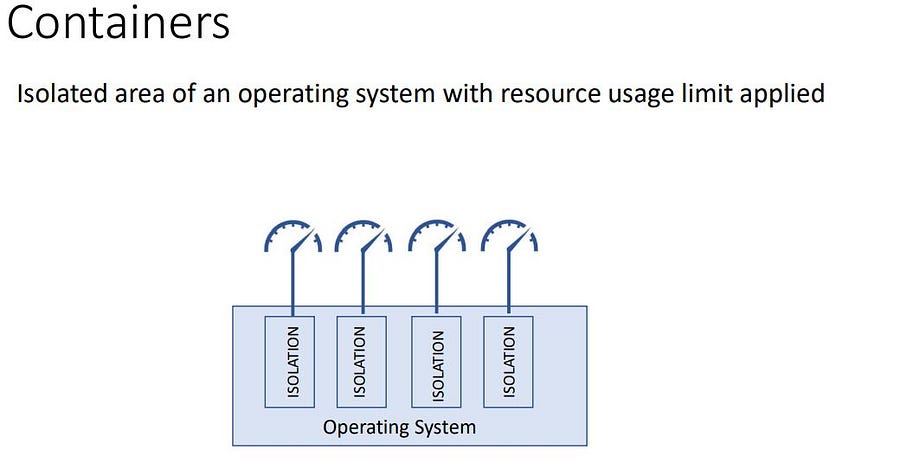
Docker is a containerization and manager tool, Docker means Develop, Ship, and Run anywhere no matter what operating system we are using and the environment. Docker is a kind of isolated space where an application runs by using system resources.
Note: In this article, I have used the word Capsule for the word Container. Containers are often called Capsules.
Docker is a full package solution for an app migration. It comes with the following features:
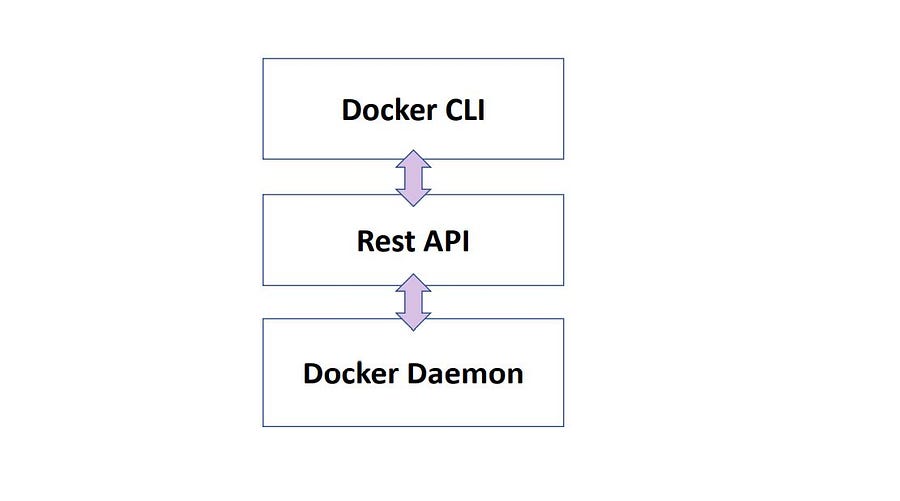
Docker is made up of 3 components, these components are responsible for their own tasks from building, and running to creating capsules.
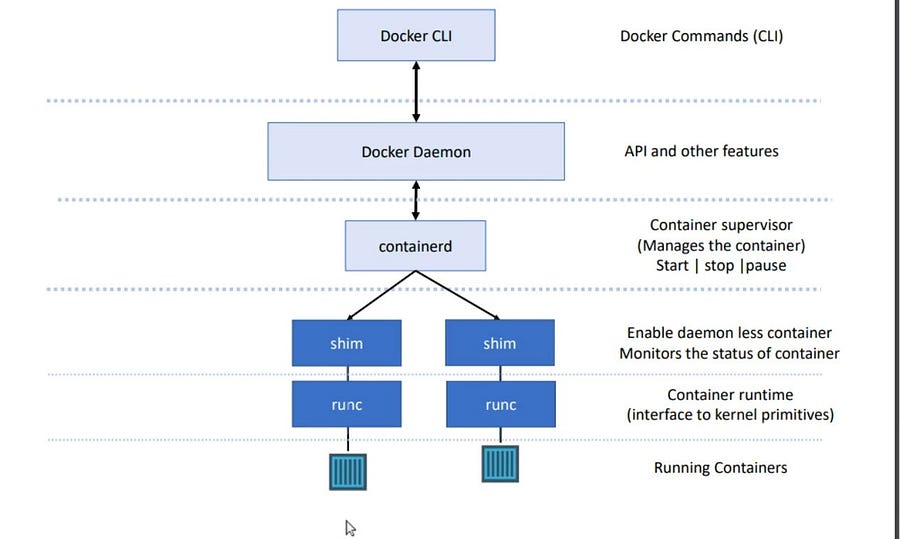
Docker Architecture consists of the Units that the docker is made up of these units are responsible for their own pre-defined tasks.
After 2015, Docker redesigned itself according to standardization and ensured support for the Runtime Specification and Image Specification.
runc (Container Runtime) is responsible for spinning the Image. In Container orchestration tools like Kubernetes, we only need to install a container runtime to spin a container on its pod.shim runc + shim makes docker daemon less.Shim monitors the running capsules.The complexity of docker installation depends on the operating system. Use this link for installing docker in your system.
For this article, I’ll be using docker on my Linux machine.
After installing verify if docker is installed by typing the code
$ docker --versionGetting the Status of Docker-Engine if it’s up or not.
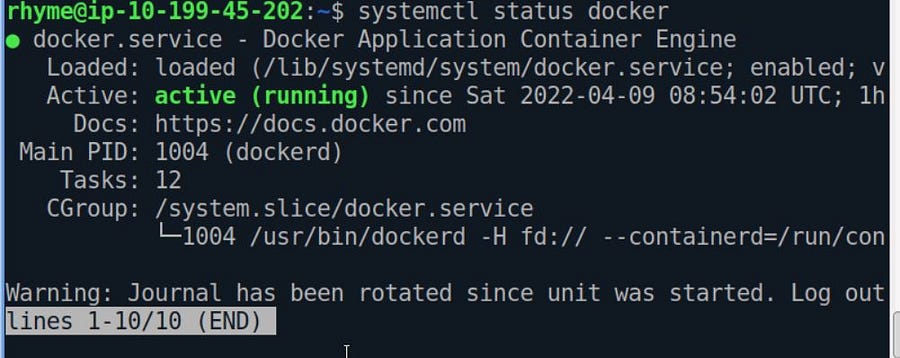
$ systemctl status dockerAs you see our docker engine is up and active. It can be easily stopped by the command
# stops the docker engine
$ systemctl stop docker
#Starts the docker engine
$ systemctl start docker
Starting the docker in debug mode if the docker service is facing errors.
$ sudo dockerd --debugA docker image contains all the dependencies, source files, and tools needed to run an application. A Docker image is a source file that creates a capsule.
A capsule is a running instance created by a docker image.
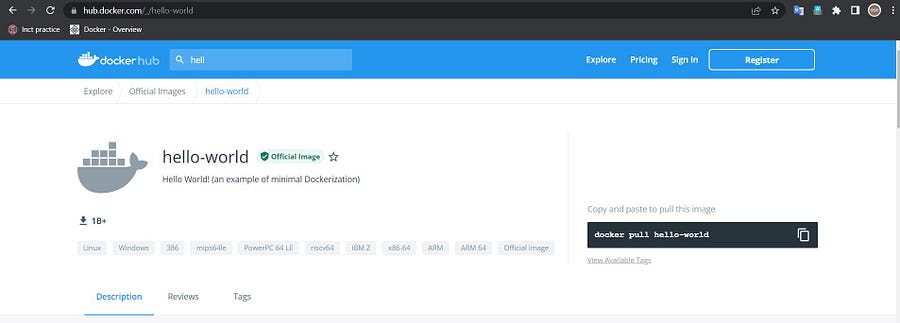
Docker hello-world is an image file that makes a docker capsule and that prints hello world.
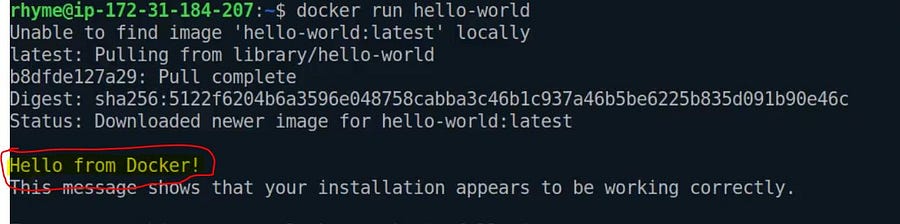
docker run hello-world
It will first check the hello-world image file in its local registry. If not found, it pulls the image file from the docker hub ( default public registry) and runs the capsule.
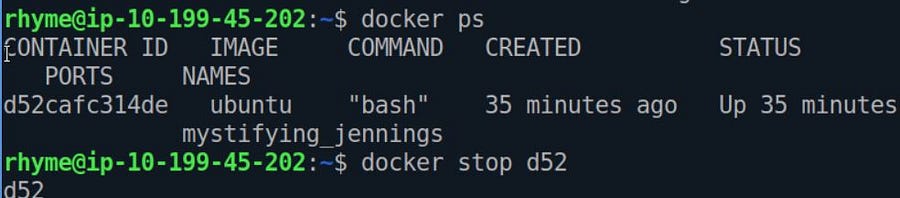
List only already running capsules
docker psList down all the docker-capsules
docker ps -aThe highlighted part with the yellow colour is the Capsule ID/Container ID, and whenever we want to select a specific capsule, we use its Container ID.
Note: We don’t need to write the whole container-ID, if the container-ID is unique we can only provide its first few starting characters.
docker rm 70This command will remove the Capsules whose container ID starts with 70.
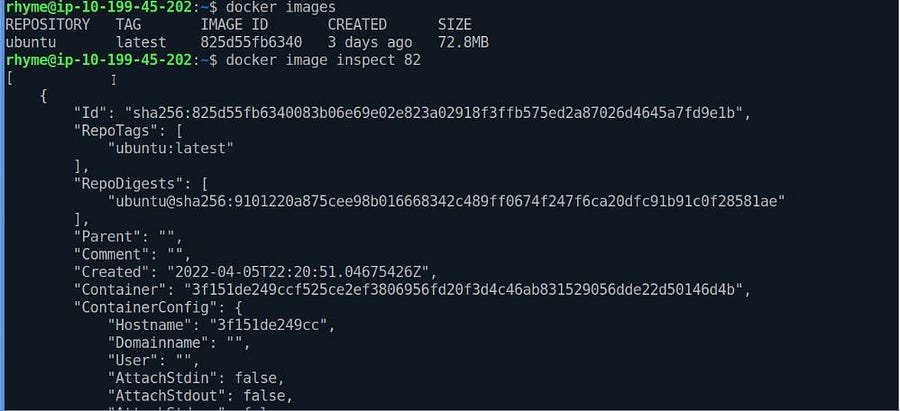
This lists all the docker images available in our local registry.
docker images
If you want to delete an image from our local repository, we need to execute the following commands.
docker image rm ID_OF_CONTAINER
#---OR----
docker image rm Image_NameAny Image file available on the docker hub or from other sources can be pulled in the local docker registry using the pull command.
The command docker pull only download the image file; it won’t make any capsule using the image file unless we ask docker to do that.
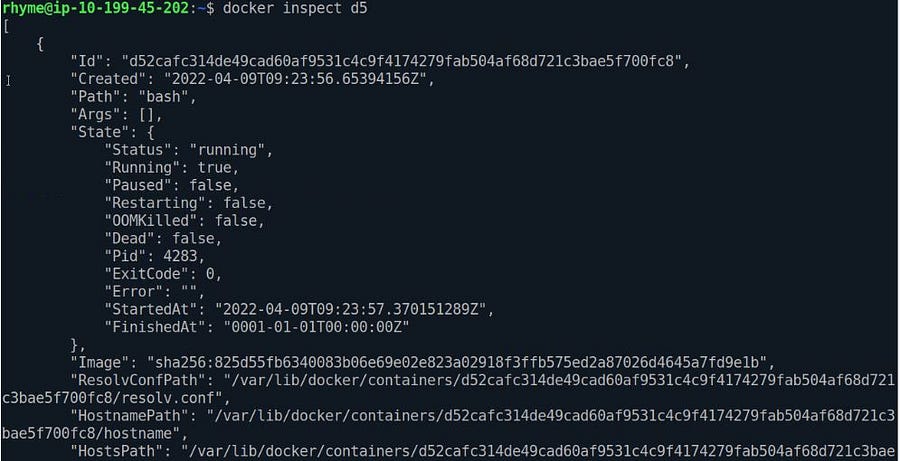
The Docker inspect is a powerful command that lets us examine a container’s information, exposed ports, and network properties.
Inspect command can be used to inspect an image file or a capsule.
#Inspecting docker image
docker image inspect IMAGE_ID# Docker Container Inspect
docker container inspect ID_OF_CONTAINER
# --- OR----
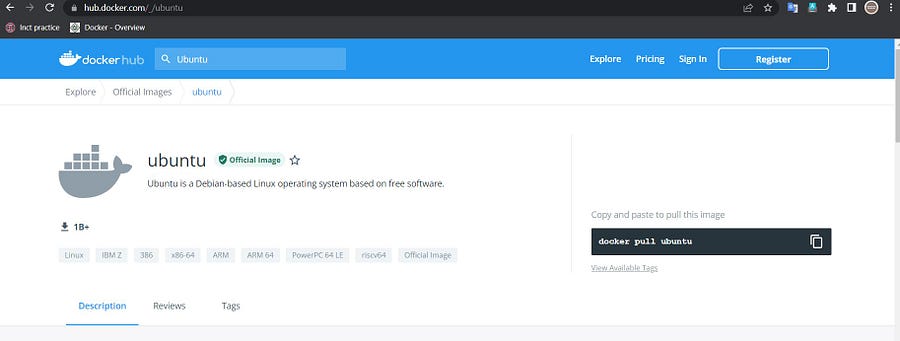
docker inspect ID_OF_CONTAINERTo run a Linux as a docker capsule, we first need to pull the ubuntu image file.
docker pull ubuntu
docker imagesNow we have an ubuntu image file in our local registry. It’s time to spin the capsule using the image file.
docker run -it ubuntu-it signifies that we want our capsule to run in interactive mode. It will wait for our response.docker exec This command runs a new command in already spinning capsules.We need its id to stop a Running capsule and run this command.
ˆdocker stop ID_OF_CONTAINERIn this article, we learned some basics codes of docker to manage docker services and performed some Linux-based docker commands.
Docker became daemon-less since a capsule no longer needs docker daemon to run. Docker provides storage layers where the capsules keep their files, and even if the tablet crashes, it won’t delete the stored files.
Feel Free to Connect with me on LinkedIn.
The media shown in this article is not owned by Analytics Vidhya and is used at the Author’s discretion.
A data enthusiast exploring the leading technologies related to the data
GPT-4 vs. Llama 3.1 – Which Model is Better?
Llama-3.1-Storm-8B: The 8B LLM Powerhouse Surpa...
A Comprehensive Guide to Building Agentic RAG S...
Top 10 Machine Learning Algorithms in 2026
45 Questions to Test a Data Scientist on Basics...
90+ Python Interview Questions and Answers (202...
8 Easy Ways to Access ChatGPT for Free
Prompt Engineering: Definition, Examples, Tips ...
What is LangChain?
What is Retrieval-Augmented Generation (RAG)?
Edit
Resend OTP
Resend OTP in 45s