|
VOOZH | about |
|
VOOZH | about |
This article was published as a part of the Data Science Blogathon.
Ever Wondered how Netflix gets to know your choice and shows the movie of your interest? Or have you ever think how Amazon shows your the recommended product based on your search item? So the magic behind these technologies is called the “Recommendation Engine“.
So in the article let’s build one using GCP (Google Cloud Platform).
https://www.cloudskillsboost.google/
Google BigQuery is a serve-less, cost-effective, and highly scalable data warehouse system, BigQuery ML allows you to create and execute machine learning models in BigQuery using only standard SQL queries.
BigQuery ML allows data scientists, ML Engineers, and Data Engineers to quickly build and analyze Machine learning models directly using SQL
What kind of models BigQuery ML Supports?
Regression Models
Linear Regression, Binary Logistic Regression, Multiclass Logistic Regression Clustering
K-means clustering
Matrix Factorization for creating products like Recommendation Systems
Time Series model for forecasting
Boosted Tree model -> XGBoost (Classification and Regression)
Deep Neural Network (DNN) -> Classification and Regression
https://cloud.google.com/bigquery-ml/docs/introduction
What big query does Behind the scene?
Leverage BigQuery’s processing power to build a model
Auto-tunes learning rate
Auto-split data into training and test
L1/L2 regularization
Data Splitting training/test split: Random, Sequential, Custom
Set Learning Rate
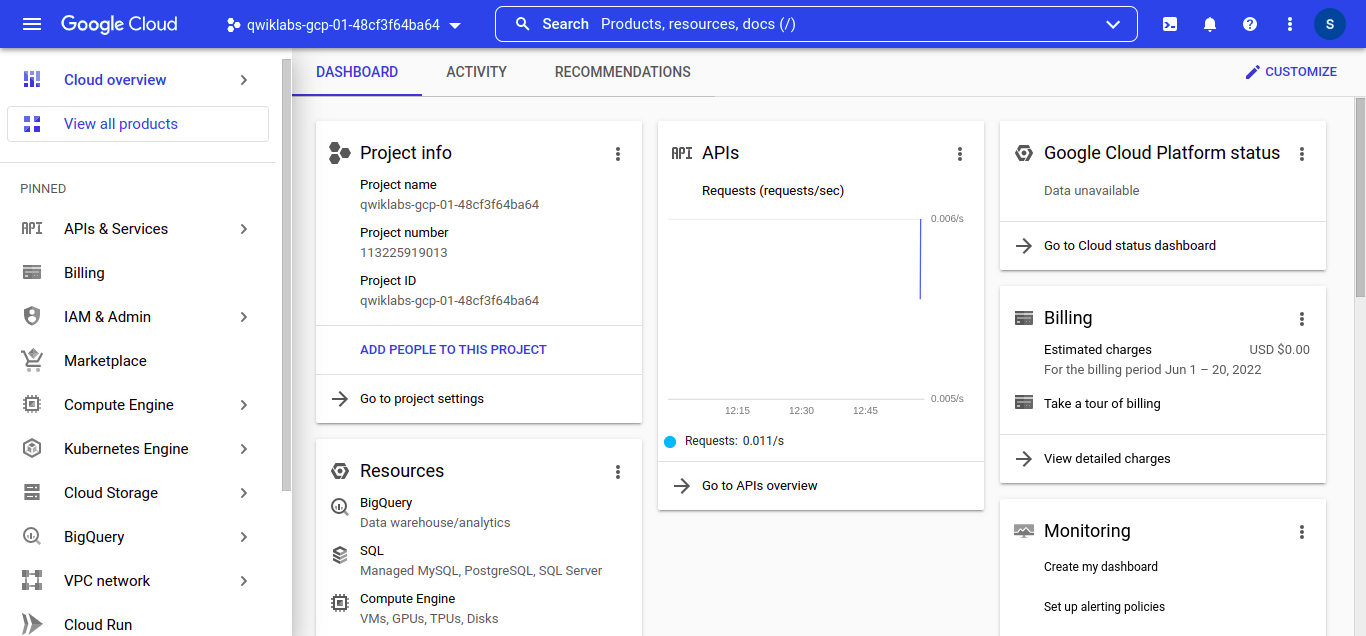
Go to your GCP account, Navigation to -> BigQuery, accept the terms and conditions and click Done.
We have 2 options to create and load our dataset
We can use UI to create and load our dataset
We can use simple BigQuery Commands in order to create and load our dataset
I’ll be showing you the 2nd way only because I prefer the second one.
Run this command to create a BigQuery dataset named movies:
bq - - location=EU mk - - dataset movies
What we are doing here is that we’re choosing a location and creating a dataset
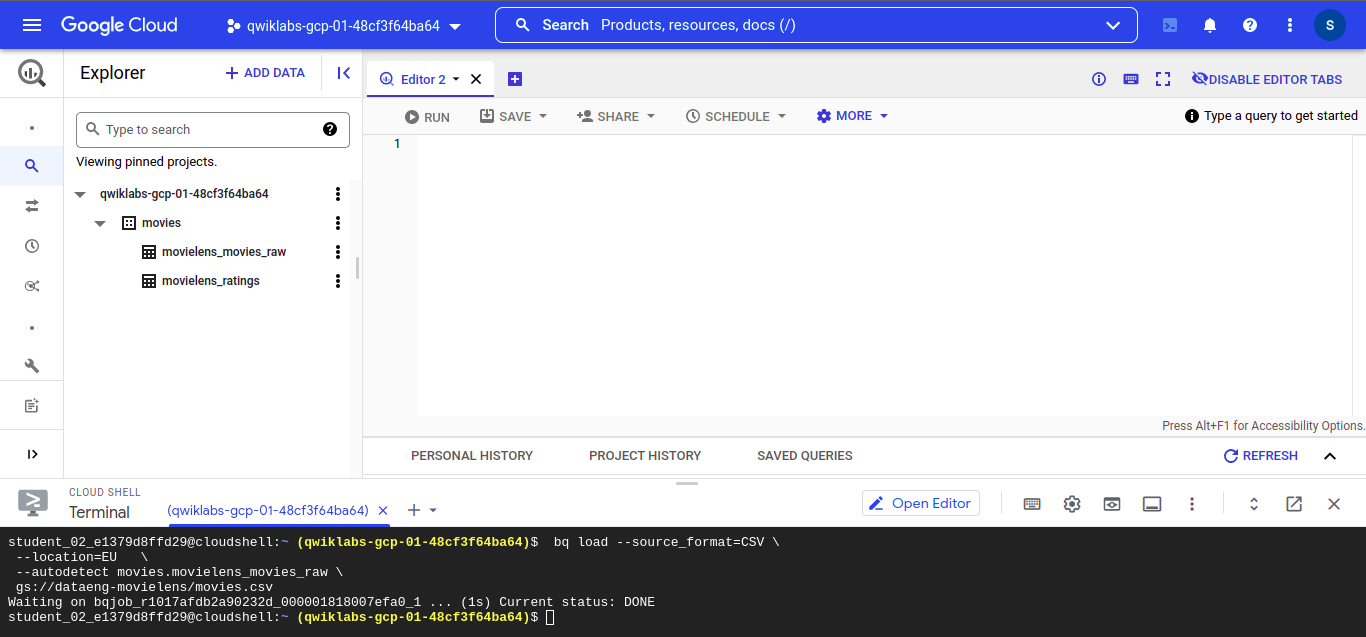
Run the following command to load the dataset in the CSV format, We can upload our own dataset too for model creation but I’ll be going to use open datasets provided by BigQuery.
# for loading ratings
bq load --source_format=CSV
 --location=EU
 --autodetect movies.movielens_ratings
 gs://dataeng-movielens/ratings.csv
# for loading movies
bq load --source_format=CSV
 --location=EU
 --autodetect movies.movielens_movies_raw
 gs://dataeng-movielens/movies.csv
After running all the commands on the GCP console you should see movie data
Let’s Have a quick the look at our dataset:
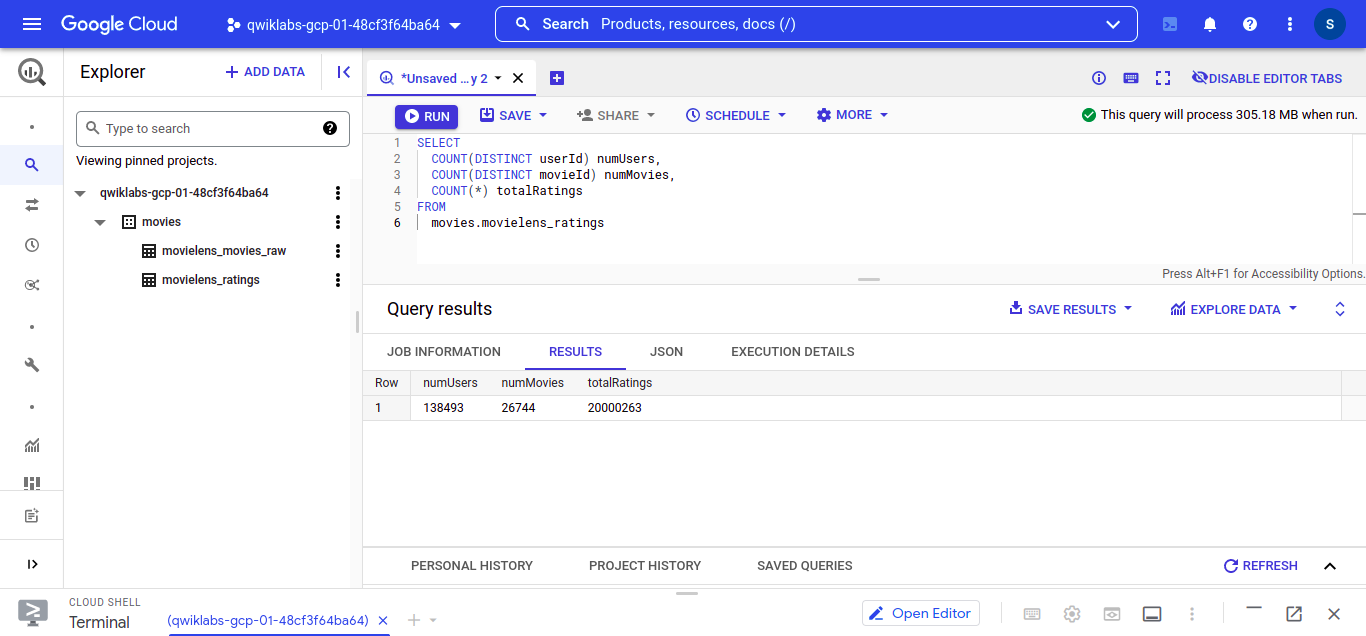
So we can see that we have a folder called “movies” which contains “movielens_movies” and “movielens_ratings” ignore “movielens_movies_raw” for now
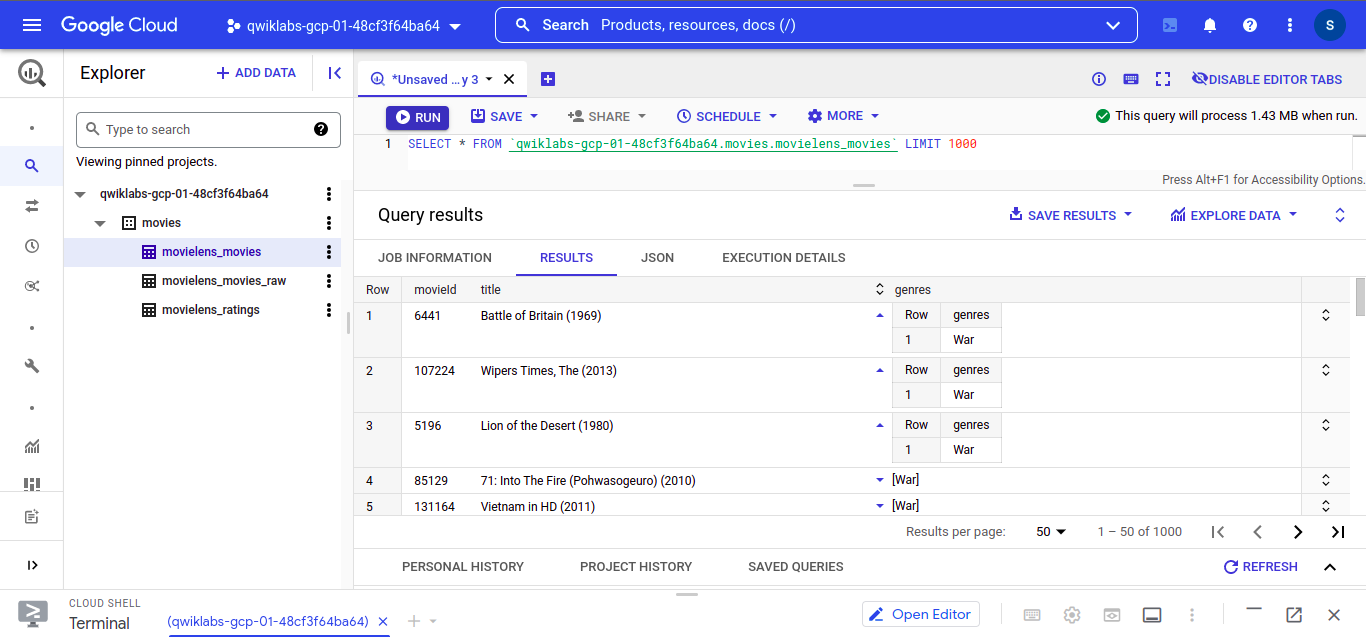
Let’s check what kind of data we have in our “movielens_movies” dataset, as you can see we have “movieId”, “title” and “genres” which we are going to use in our model building part.
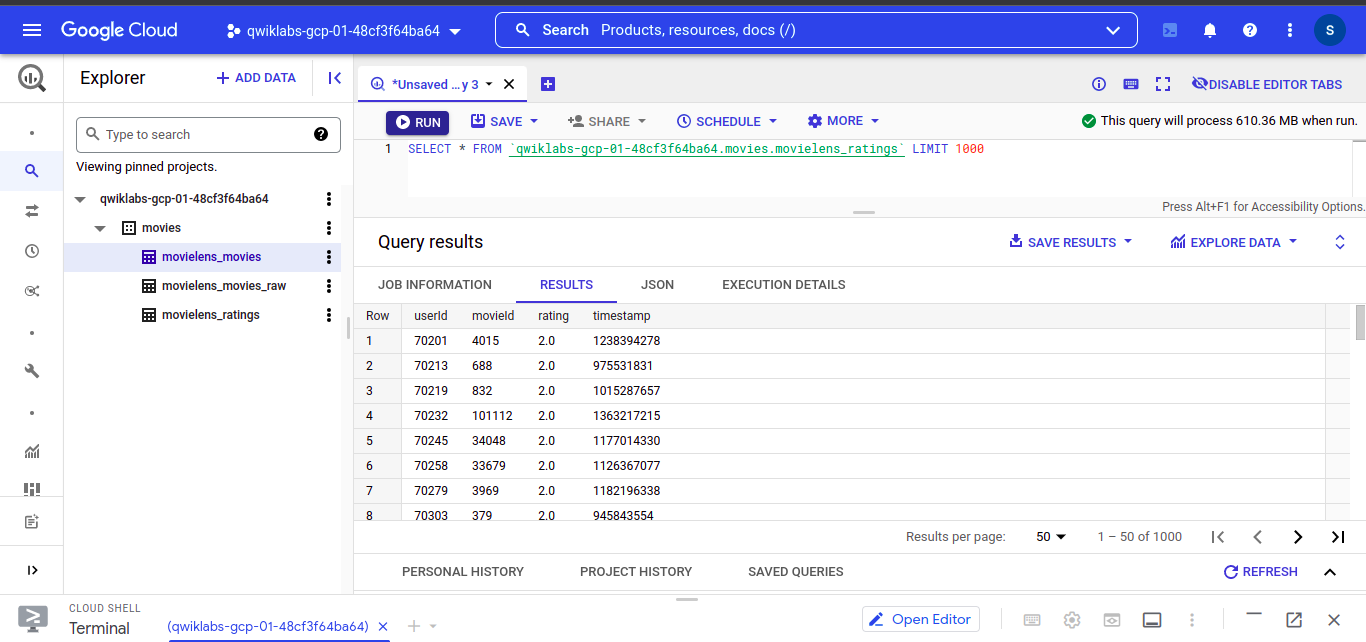
Let’s see our “movielens_ratings” dataset
In which we have “userId”, “movieId” , “rating” and timestamp
Check total data size
On BigQuery Query Editor write this query and execute :
```
SELECT
 COUNT(DISTINCT userId) numUsers,
 COUNT(DISTINCT movieId) numMovies,
 COUNT(*) totalRatings
FROM
 movies.movielens_ratings
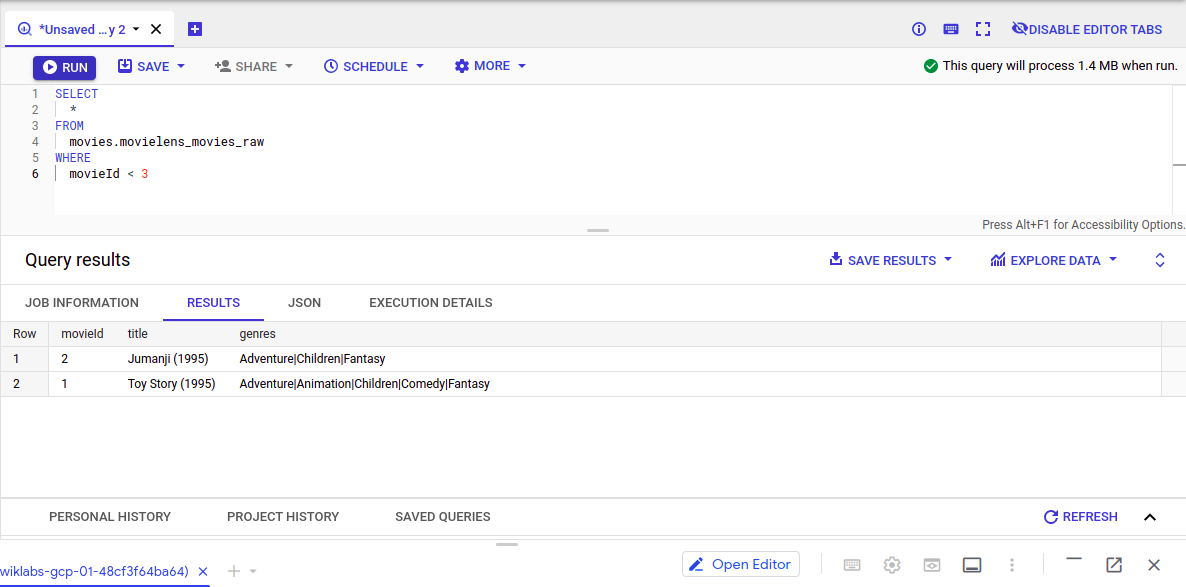
Examine the movies with ratings < 3:
```
SELECT
 *
FROM
 movies.movielens_movies_raw
WHERE
 movieId < 3
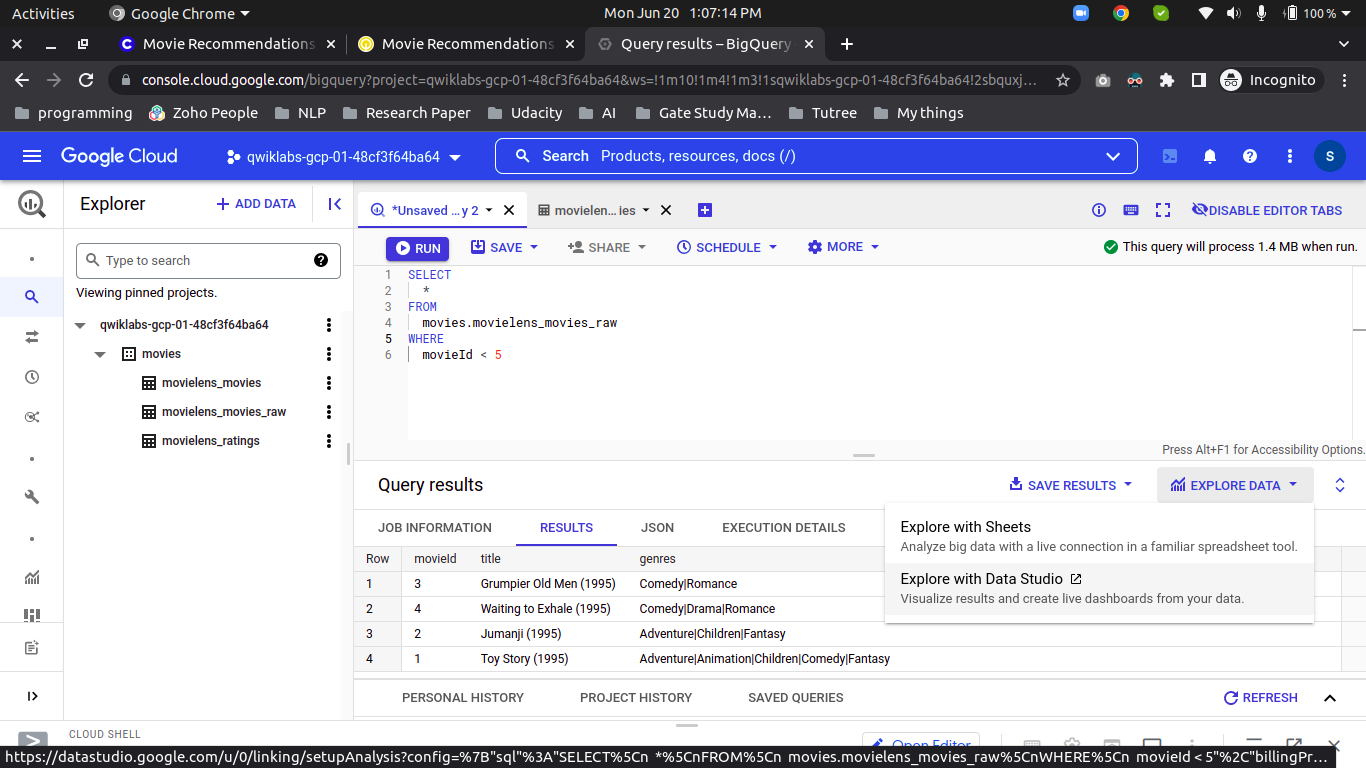
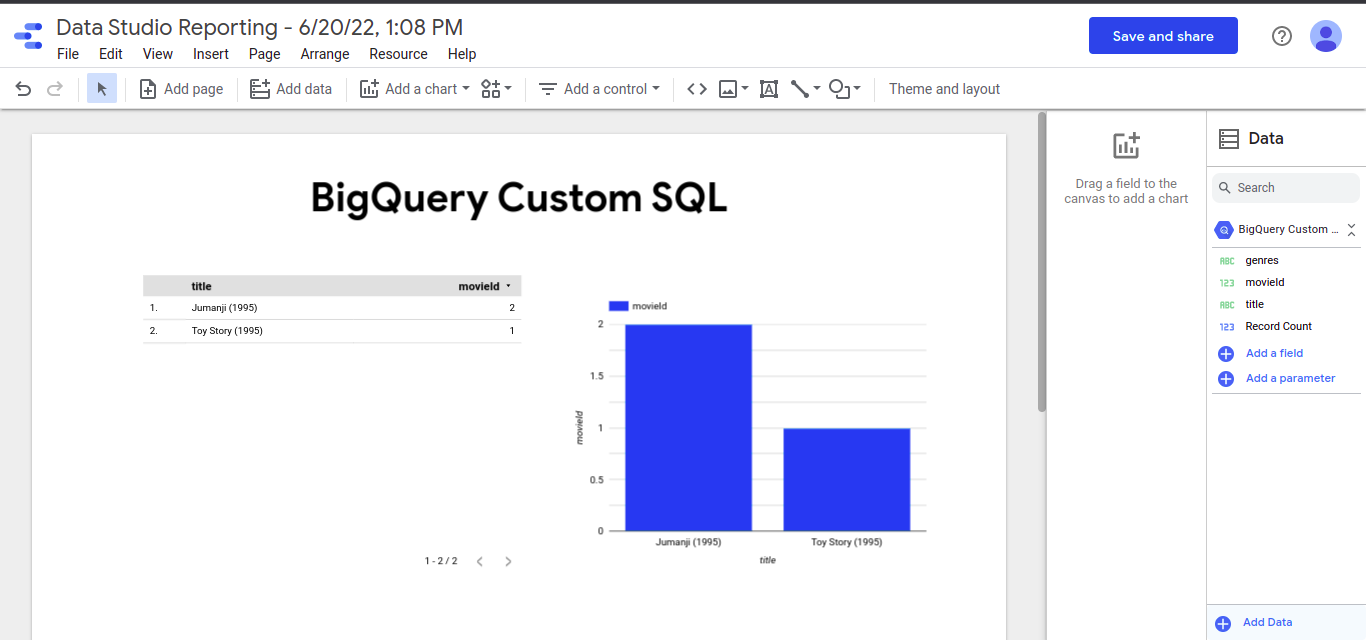
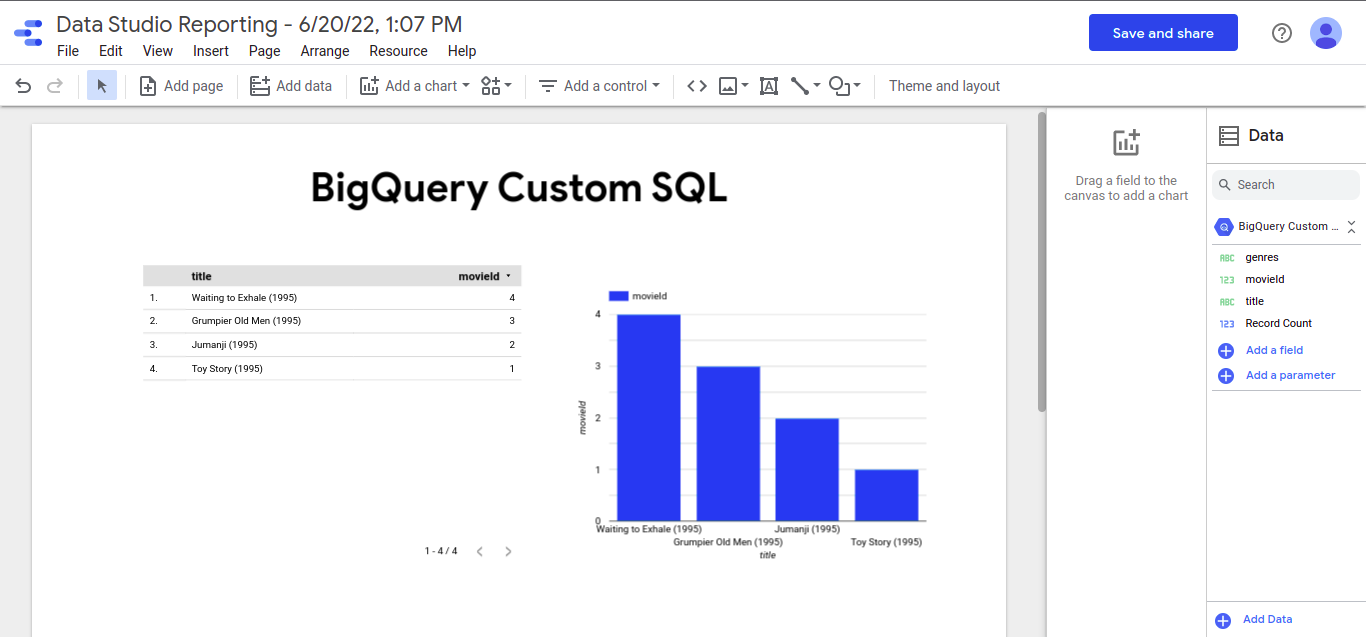
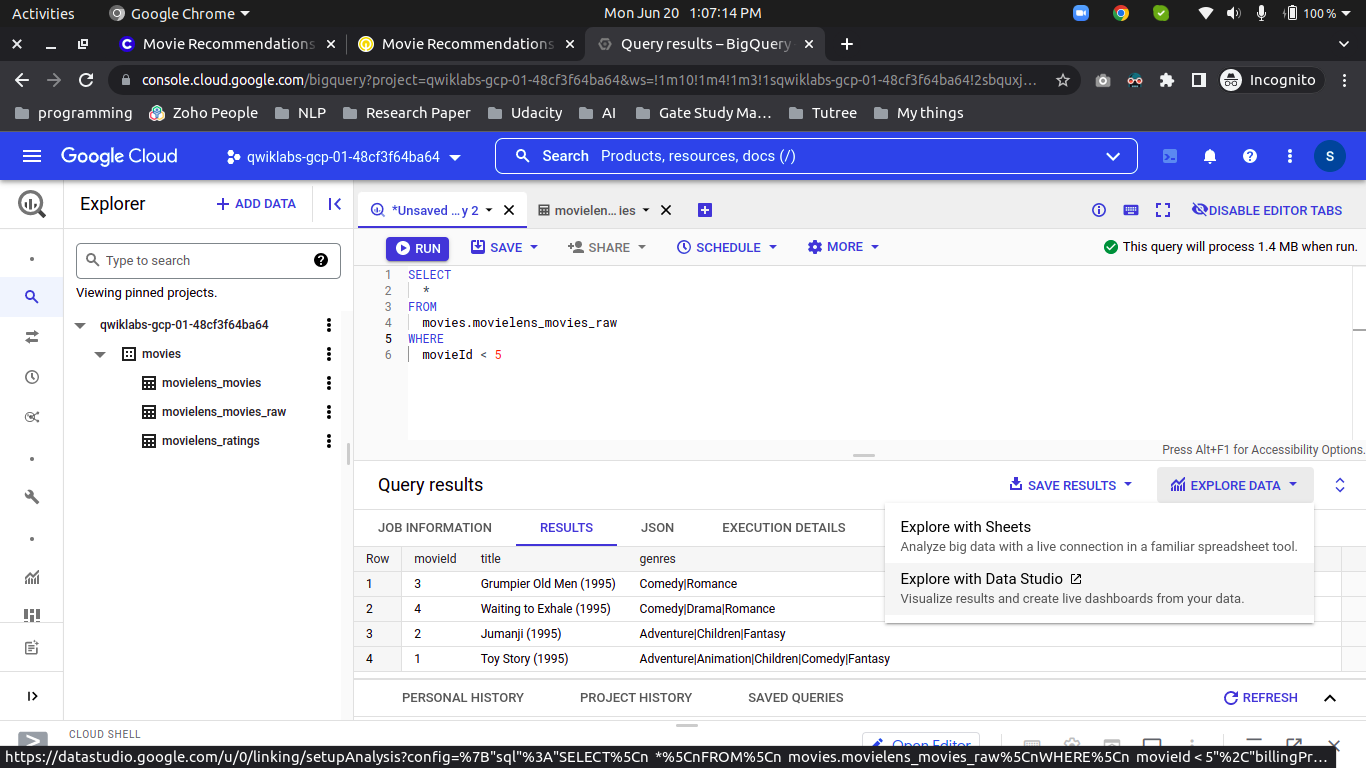
We Can also visualize our ratings using Google Data Studio, click on “Explore Data” and then “Visualize on Data Studio”
Examine the movies with ratings < 5:
```
SELECT
 *
FROM
 movies.movielens_movies_raw
WHERE
 movieId < 5
“`
As you can see the column name ‘genres’ have a formatted string, so let’s split on (|) and save it into the new table.
```
CREATE OR REPLACE TABLE
 movies.movielens_movies AS
SELECT
 * REPLACE(SPLIT(genres, "|") AS genres)
FROM
 movies.movielens_movies_raw
```
We can do other additional data argumentation to make our model good.
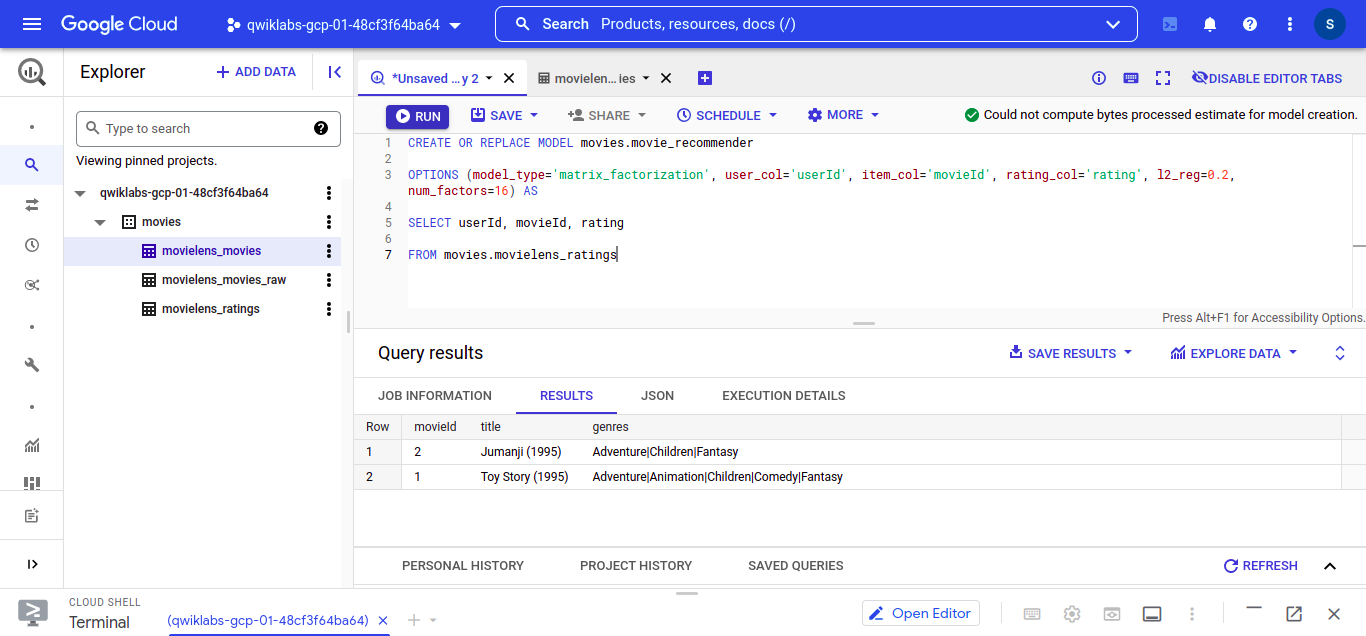
To build our recommendation system in BigQueryML we need to pass model_type and we need to identify which columns are important for collaborative filtering.
Create Model:
```
CREATE OR REPLACE MODEL movies.movie_recommender
OPTIONS (model_type='matrix_factorization',
 user_col='userId', item_col='movieId', rating_col='rating', l2_reg=0.2, num_factors=16) AS
SELECT userId, movieId, rating FROM movies.movielens_ratings
```
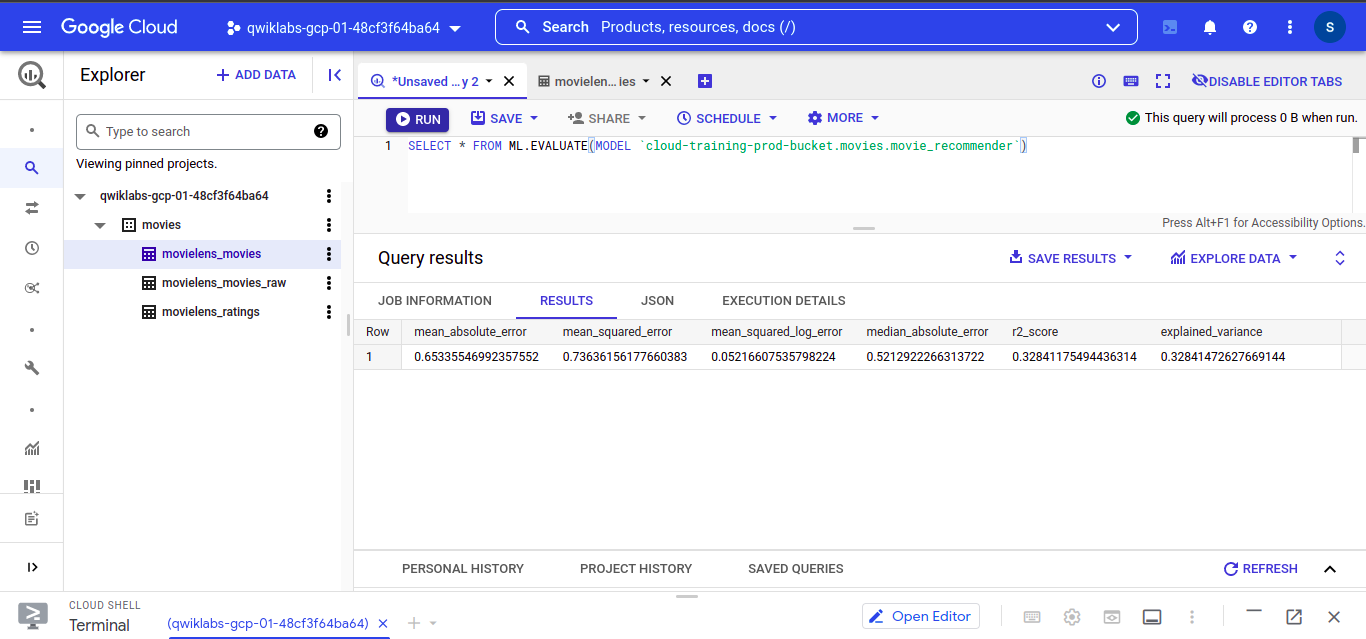
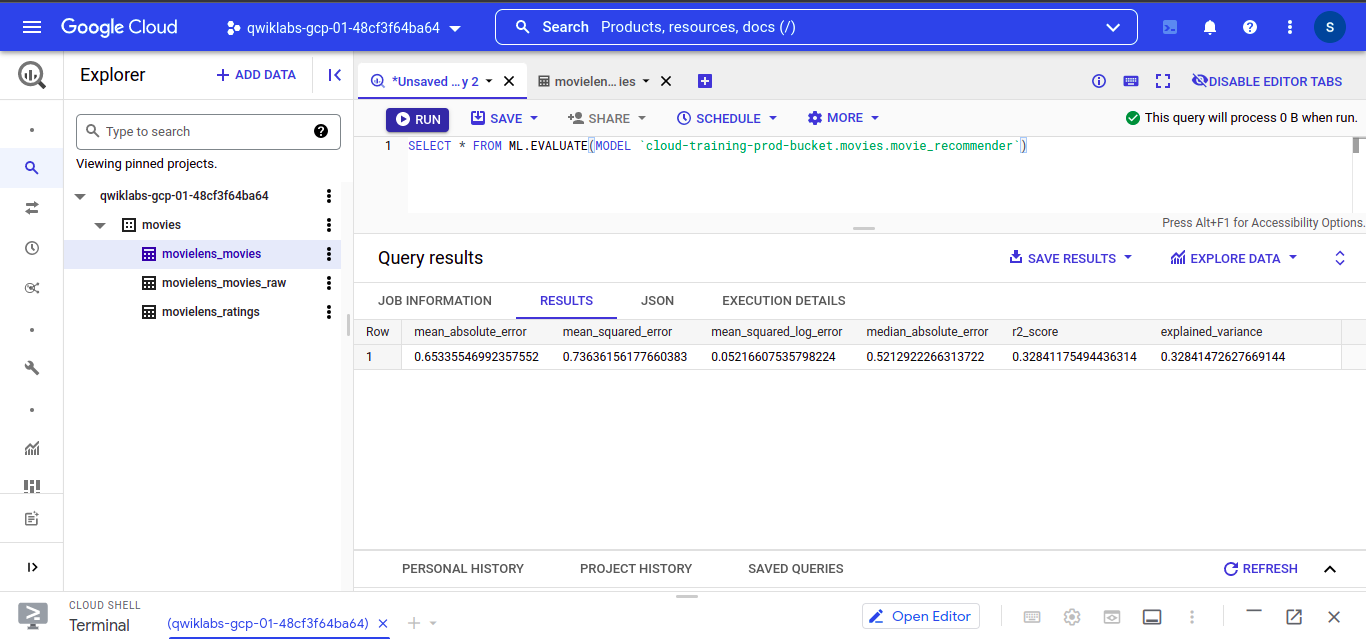
To View our trained model. Run this query into the BigQuery editor
SELECT * FROM ML.EVALUATE(
MODEL `path_to_your_model.movies.movie_recommender`)
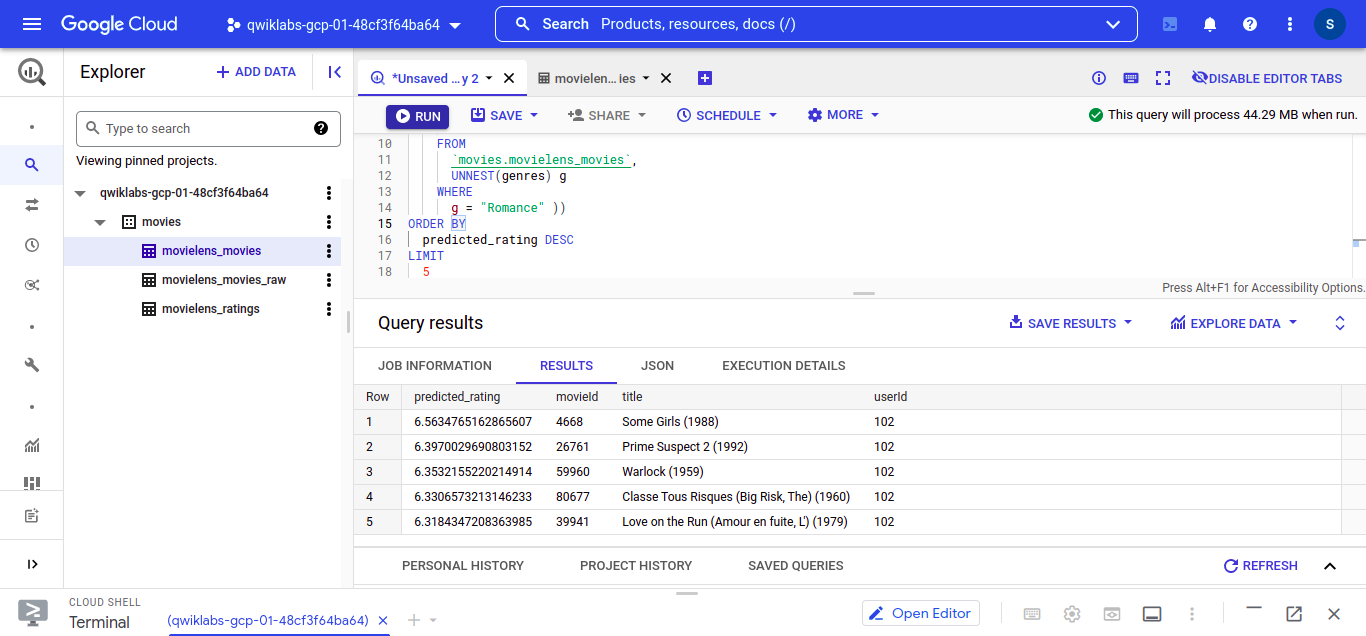
Let’s find the best Romance movie for the userID 102.
Execute this query into the BigQuery editor
```
SELECT
 *
FROM
 ML.PREDICT(MODEL `path_to_your_model.movie_recommender`,
 (
 SELECT
 movieId,
 title,
 102 AS userId
 FROM
 `movies.movielens_movies`,
 UNNEST(genres) g
 WHERE
 g = "Romance" ))
ORDER BY
 predicted_rating DESC
LIMIT
 5
```
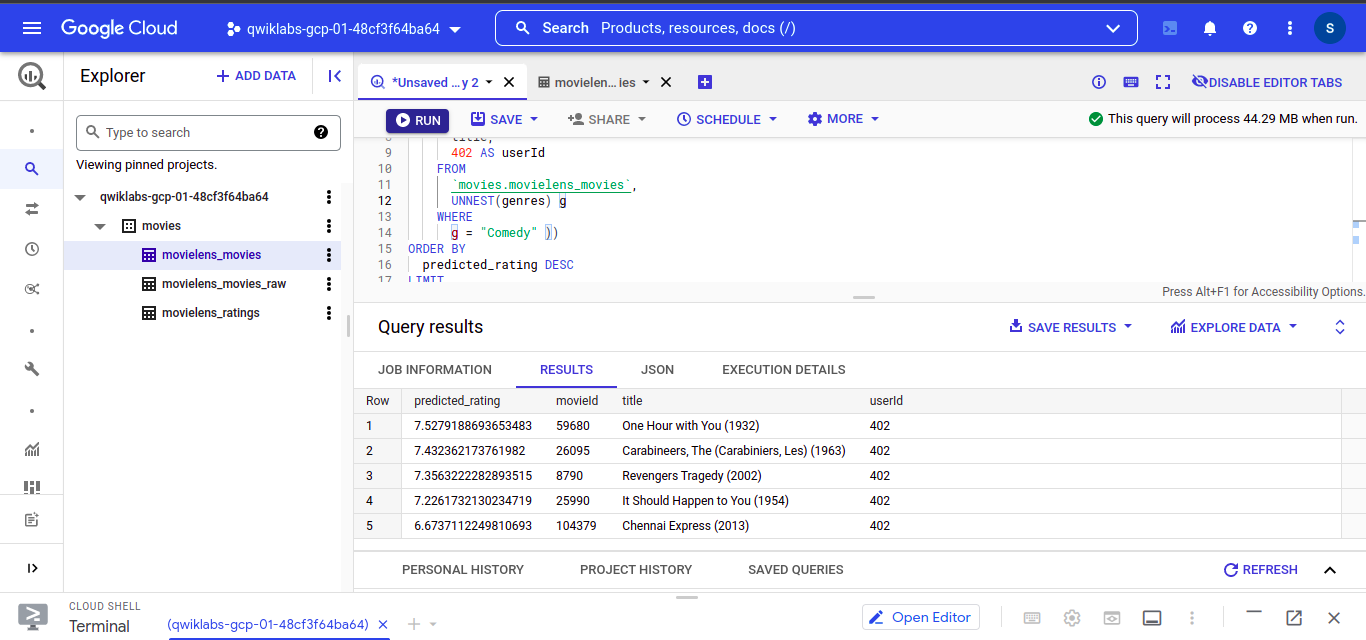
– Let’s find the best Romance movie for the userID 402.
Execute this query into the BigQuery editor
```
SELECT
 *
FROM
 ML.PREDICT(MODEL `path_to_your_model.movie_recommender`,
 (
 SELECT
 movieId,
 title,
 402 AS userId
 FROM
 `movies.movielens_movies`,
 UNNEST(genres) g
 WHERE
 g = "Comedy" ))
ORDER BY
 predicted_rating DESC
LIMIT
 5
```
In this article, we learned how to use BigQueryML to create ML Models using SQL. The key takeaways from the article are:
That’s it for now I hope you learned something from this article, see you in the next article.
If you want to know how to build and run a Machine Learning model with SQL check out my Machine Learning with SQL blog:- https://iamhimanshutripathi0.medium.com/machine-learning-with-sql-30e942c75240
I’ve provided the image links for those images which are not mine.
Let’s get connected on Linkedin, Twitter, Instagram, Github, and Facebook.
The media shown in this article is not owned by Analytics Vidhya and is used at the Author’s discretion.
I'm passionated about Machine learning, NLP HealthCare, AI, Audio processing, Maths, Cloud, JavaScript, UI/UX, and Android development and i love to play guitar and i also have your channel where is upload videos releted to my pojects and also releted to guitar songs..
GPT-4 vs. Llama 3.1 – Which Model is Better?
Llama-3.1-Storm-8B: The 8B LLM Powerhouse Surpa...
A Comprehensive Guide to Building Agentic RAG S...
Top 10 Machine Learning Algorithms in 2026
45 Questions to Test a Data Scientist on Basics...
90+ Python Interview Questions and Answers (202...
8 Easy Ways to Access ChatGPT for Free
Prompt Engineering: Definition, Examples, Tips ...
What is LangChain?
What is Retrieval-Augmented Generation (RAG)?
Edit
Resend OTP
Resend OTP in 45s