VOOZH about

URL: https://www.geeksforgeeks.org/nextjs/controlling-the-specificity-of-css-modules-in-a-next-js-app/

โ‡ฑ Controlling the specificity of CSS Modules in a Next.js App - GeeksforGeeks


  • Courses
  • Tutorials
  • Interview Prep

Controlling the specificity of CSS Modules in a Next.js App

Last Updated : 10 Jan, 2026

CSS Modules in Next.js provide locally scoped styling with better control over CSS specificity, helping prevent style conflicts in component-based applications.

  • Generate unique class names for component-level styling.
  • Avoid conflicts with other components or third-party libraries.
  • Improve control over CSS specificity in large applications.
  • Can be combined with component hierarchies for better style organization.
  • Support dynamic styling using scoped variables.

Steps to Create Next.js application

Create the New Next.js Application by following the below commands in the VS code terminal.

npx create-next-app css-module-hierarchy
cd css-module-hierarchy

Project Structure

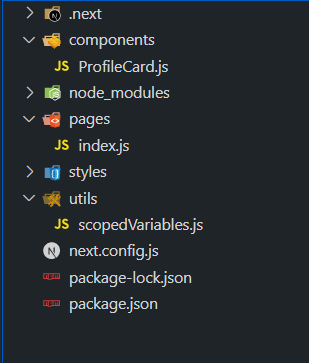
This project structure organizes a Next.js application into clear, purpose-driven folders to improve scalability, maintainability, and code clarity.

๐Ÿ‘ Image
  • .next/ : Auto-generated build output by Next.js.
  • components/ : Reusable UI components (e.g., ProfileCard.js).
  • pages/ : Defines application routes (e.g., index.js).
  • styles/ : Contains global styles and CSS Modules.
  • utils/ : Utility/helper files (e.g., scopedVariables.js for shared logic).
  • node_modules/ : Installed project dependencies.
  • next.config.js : Next.js configuration file.
  • package.json / package-lock.json : Project metadata and dependency versions.

[Approach 1]: Combining CSS Modules and Component Hierarchies

This approach controls CSS Module specificity by leveraging the natural component hierarchy in a Next.js application.

  • Each component is paired with its own CSS Module.
  • Styles are scoped to the component, preventing leakage.
  • Parentโ€“child structure helps manage layout and styling clearly.
  • Ensures better specificity and isolated styling across the app.

Run the application by executing the below command in the terminal

npm run dev

Output:


๐Ÿ‘ Screenshot-2023-08-22-at-19-15-21-Screenshot-768


Syntax

.button {
/* Button styling */
}
const Button = ({ children }) => {
return <button className={styles.button}>
{children}
</button>;
};

[Approach 2]: Using Dynamic Styling with Scoped Variables

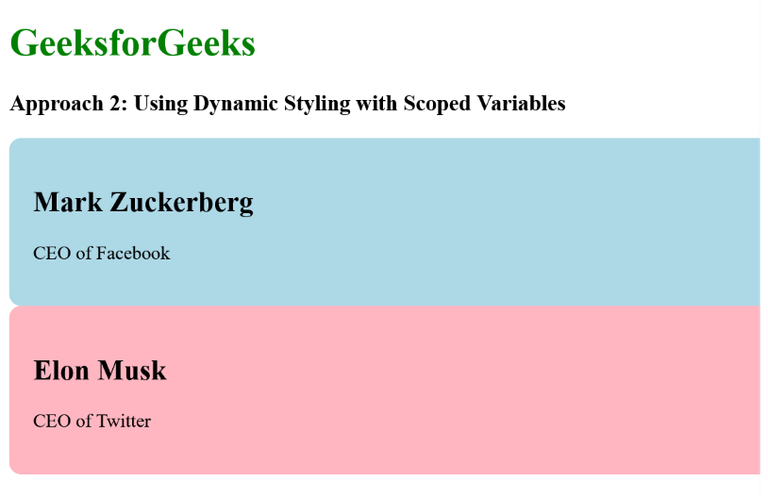
This approach uses dynamic styling with scoped variables to create flexible and isolated component styles in a Next.js application.

  • Styles are defined in a JavaScript utility (scopedVariables.js) using CSS variables.
  • Component styles (e.g., ProfileCard) are controlled dynamically through props.
  • CSS variables enable dynamic color and style changes.
  • Ensures component-specific, isolated styling without conflicts.

Run the application by executing the below command in the terminal

npm run dev

Output:

๐Ÿ‘ file

Syntax

const generateScopedStyles = (componentName, variableValue) => {
return `
.${componentName} {
--custom-variable: ${variableValue};
/* Other styles using the custom variable */
}
`;
};
export default generateScopedStyles;
Comment
Article Tags:

Explore