|
VOOZH | about |
|
VOOZH | about |
Contributing to open-source projects is a fantastic way to enhance your coding skills, collaborate with a large community, and give back to the tech world. However, navigating Git can be challenging for many. This advanced Git cheat sheet aims to equip open-source contributors with essential commands and best practices to simplify their workflow, resolve conflicts, and manage complex version control tasks efficiently.
To set up a git environment you have to first download it, you can download it from git official.
git config --global user.name "your git username"
git config --global user.email "githubemail.com"
git config --global alias.co checkout
git config --global alias.br branch
git config --global alias.ci commit
git config --global alias.st status
after setting up your GitHub configurations is time to make open-source contributions!
Efficient branch management is crucial for open source contributions.
git checkout -b new-branch-namegit checkout branch-namegit branch -agit branch -d branch-nameHandling merges and rebases can help maintain a clean project history.
git checkout main
git merge feature-branch
git checkout feature-branch
git rebase main
When conflicts occur, manually resolve them in the affected files and then:
git add resolved-file
git rebase --continue
Stashing is useful for temporarily shelving changes you aren’t ready to commit.
git stashgit stash applygit stash listCherry-picking allows you to apply specific commits from one branch to another.
git checkout target-branch
git cherry-pick commit-hash
Managing remotes is essential for collaboration on open source projects.
git remote add origin https://github.com/user/repogit fetch origingit push origin branch-nameGit hooks automate tasks and enhance your workflow.
Navigate to your Git hooks directory and create a pre-commit file:
#!/bin/sh
# Pre-commit hook script
chmod +x .git/hooks/pre-commitTo get starting with first opensource contributions first you have to find a project to contribute to. There are various open-source beginner-friendly projects available search for them and get settled with any one of them. Follow the below steps to make your first open source contribution.
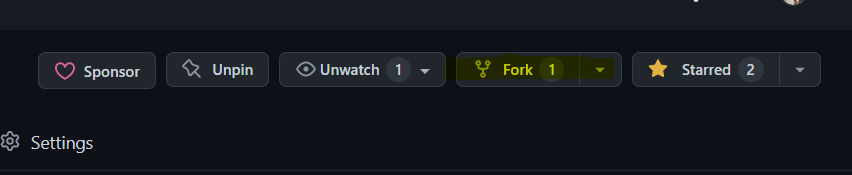
Step 1: Fork the project from the right corner icon. We fork project for making it available on our local machine and we can test and add new features to it.
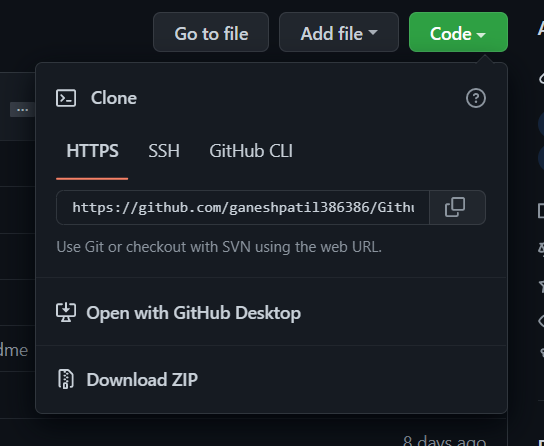
Step 2: Clone the project to your local machine. The cloning project is simple and it set up the project on our local machine.
Step 3: Set up upstream for the project. Upstream helps you to keep track of the difference between the clone project and the original repository. Open a pull request.
Step 4: Create the branch for an open-source project to contribute. Creating a branch is like working on the idea we want to implement or the bug we want to solve for the project.
git checkout -b <your branch name>Step 5: Commit contributions
Committing your contributions is important and easy. It keeps track of your contributions and code which you add to the branch and while making a commit try to give a specific message because next time you can directly work on previous code as well.
git add .
git commit -m 'Commit message'
Step 6: Pull from upstream to the branch.
git pull upstream <branch name>Step 7: Push on your working branch.
git push origin <branch-name>Step 8: Open a pull request. After adding changes to the project create a pull request to compare with the original repository.
After creating your first pull request successfully the next step is to explain the changes you did, The dialogue box will open and you have to explain specific details about the changes.