|
VOOZH | about |
|
VOOZH | about |
Git branching lets developers work on features or fixes independently from the main codebase, enabling parallel development and safer experimentation.
A branch in Git is an independent line of development that lets you work on changes without affecting the main codebase. Branches are lightweight and easy to create, making them central to modern development workflows.
Branches help manage parallel development while keeping the main codebase stable and organized.
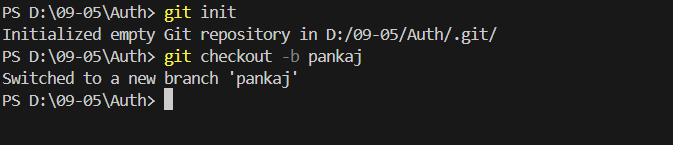
To create a new branch based on the current HEAD, use the following command. This is the most common way to create a new branch as it starts from your current position in the project.
git checkout -b new-branch-name

//Replace new-branch-name with your desired branch name.To create a new branch based on an existing branch, first, switch to that branch, then create the new branch. Replace existing-branch with the name of the branch you want to base your new branch on, and new-branch-name with the desired new branch name.
git checkout existing-branch
git checkout -b new-branch-nameCreate a new branch from any point in history using a commit hash: replace new-branch-name and commit-hash with your values.
git checkout -b new-branch-name commit-hashTo create a new branch from a specific tag, you can use the tag name. This is useful when you want to branch out from a specific release or version. Replace new-branch-name with your desired branch name and tag-name with the name of the tag.
git checkout -b new-branch-name tag-nameCreate a new branch from a remote branch by fetching first, then tracking the remote branch using your chosen local branch name.
git fetch origin
git checkout -b new-branch-name origin/remote-branch-nameAfter creating a new branch locally, you need to push it to the remote repository to share it with others. Replace new-branch-name with the name of the branch you created.
git push origin new-branch-name