|
VOOZH | about |
|
VOOZH | about |
If you're working with Git and you come across the message "Another Git process seems to be running in this repository," don't worry. This is a common issue, and it's usually easy to fix. Understanding what causes this problem and how to resolve it will not only save you time but also enhance your Git skills, making your development workflow smoother.
This guide will walk you through simple steps to identify and fix the issue. We'll cover why this error happens, how to troubleshoot it, and best practices to prevent it from occurring in the future.
When you see this message, it means that Git thinks another Git process (like a commit, pull, or push) is already running in the same repository. This can happen for a few reasons:
1. A Previous Git Command Didn't Finish Properly: If a previous Git operation was interrupted, it might leave behind temporary files that make Git think the process is still running.
2. Multiple Git Commands at Once: Trying to run multiple Git commands at the same time can cause this issue.
3. Background Processes: Sometimes, background processes or scripts that use Git can trigger this message.
Sometimes, the issue resolves itself after a few seconds. Simply waiting and then retrying your Git command might work.
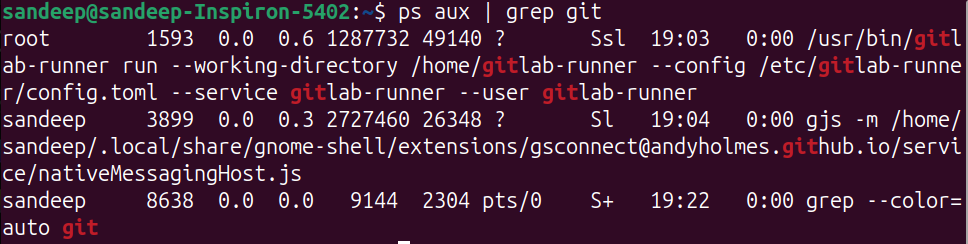
If you have a terminal or command prompt open, type the following command to see if there are any running Git processes:
ps aux | grep gitOn Windows, you can use:
tasklist /FI "IMAGENAME eq git.exe"If you find any Git processes, wait for them to finish or terminate them if you are sure they are stuck.
Git uses a lock file to manage processes. If this lock file isn't removed properly, it can cause the error. To remove it:
rm -f .git/index.lockdel .git\index.lock