|
VOOZH | about |
|
VOOZH | about |
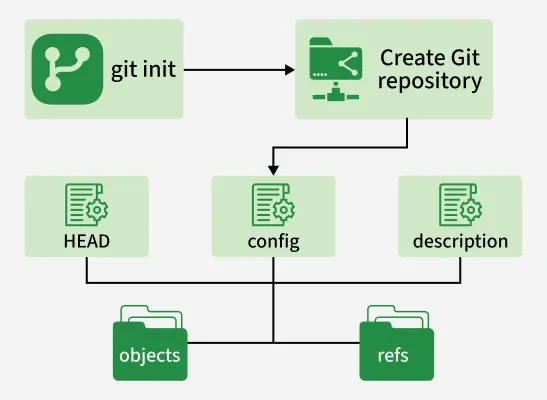
Git init is a command used to initialize a new Git repository. It creates a hidden .git folder in your project directory, which allows Git to start tracking changes, manage versions, and support collaboration.
git init prepares a directory to be tracked by Git by creating the necessary repository structure and configuration.
git init sets up a new Git repository by creating the necessary files and directories required for version control.
Use the terminal to move to the folder where you want the repository:
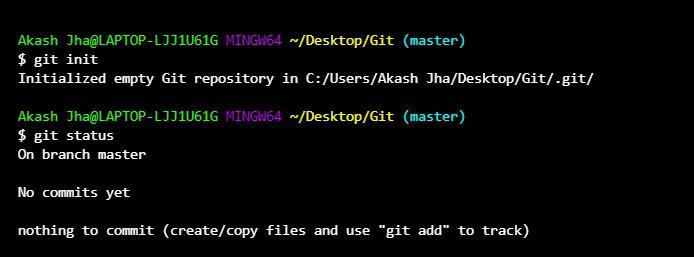
cd path/to/your/projectRun the following command:
git initThis creates a .git folder in your project directory. You can check its presence with:
ls -aAfter initializing, you can start adding files:
git add .
git commit -m "Initial commit"
If you want to push your project to GitHub or another Git host, add the remote repository:
git remote add origin <repository_url>
git push -u origin main
The following are some commonly used options with the git init command.
Initialize in a specific directory:
git init <directory>Create a bare repository:
git init --bare <repository>Quiet mode:
git init -qShared repository:
git init --sharedAllows multiple users to access and collaborate on the repository.
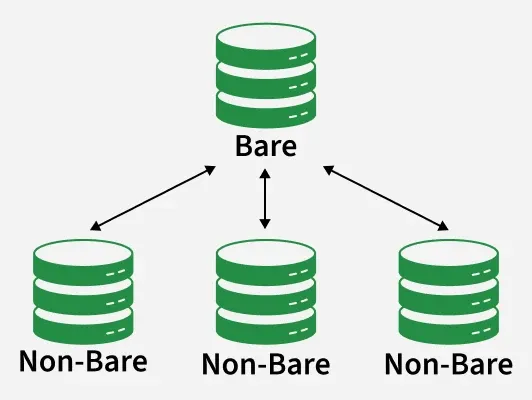
A bare repository does not contain a working directory. It only stores Git metadata and version history.
Syntax:
git init --bare <Name of the repository> Git bare repositories are mainly used as the central repository from where the other developers can push and pull the repositories.
👁 bareUse Case: Bare repositories are commonly used as central repositories where developers push and pull changes.
Git init templates allow predefined files and settings to be automatically added when a new Git repository is initialized. They help maintain a consistent repository setup.
Here are the differences between git init and git clone.
Git init | Git clone |
|---|---|
Initializes a new Git repository in a local directory. | Creates a copy of an existing remote repository on the local machine. |
Used when starting a new project locally. | Used to download an existing project from a remote repository. |
Creates a .git directory containing Git configuration and metadata. | Copies all files, commits, branches, and history from the remote repository. |
Repository starts empty and files must be added and committed manually. | Repository is ready to use immediately after cloning. |
Command: git init | Command: git clone <repository_url> |