|
VOOZH | about |
|
VOOZH | about |
Git is a popular version control system that allows developers to track changes in their code and collaborate with others. Cloning a branch in Git involves creating a copy of a specific branch from a remote repository. This article will guide you through the process of cloning a branch in Git.
Table of Content
Branches in Git represent parallel lines of development. By using branches, you can work on multiple features or bug fixes simultaneously without affecting the main codebase. Each branch can be cloned independently, allowing you to work on a specific line of development.
Cloning a branch in Git involves several steps:
git clone command followed by the URL of the remote repository and the -b flag to specify the branch.# Open your terminal and navigate to your desired directorycd /path/to/your/directory# Clone the specific branch using git clone with the -b flaggit clone -b branch_name https://github.com/username/repository
In this example, replace branch_name with the name of the branch you want to clone, and https://github.com/username/repository with the URL of the remote repository.
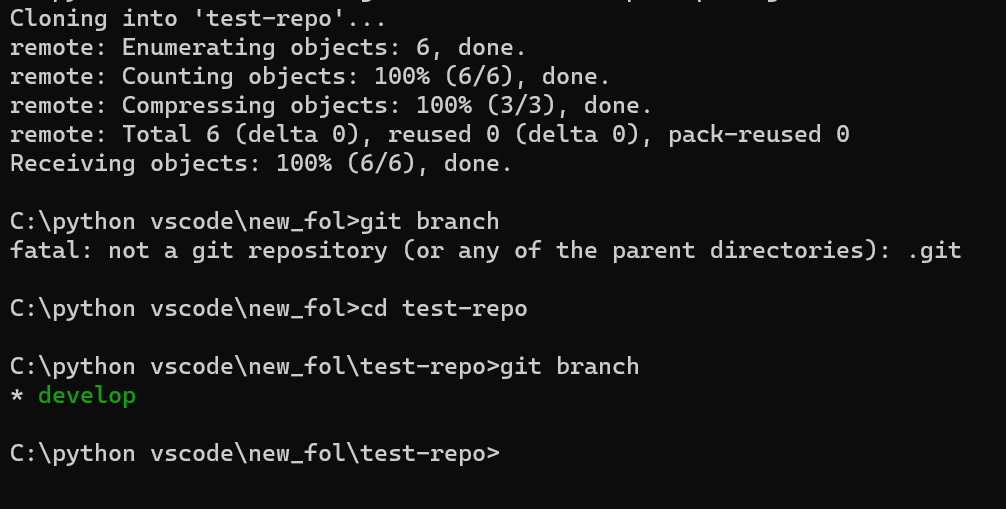
Output:
# Clone the repositorygit clone https://github.com/username/repository# Navigate to the cloned repositorycd repository# Fetch all branchesgit fetch# Check out the desired branchgit checkout branch_name
This approach involves cloning the entire repository and then checking out the specific branch you need.
Output:
Cloning a branch in Git is useful in various scenarios:
When cloning a branch in Git, keep the following best practices in mind:
To clone a branch in Git, begin by using the git clone command followed by the URL of the repository. Once cloned, navigate into the repository directory. Then, utilize the git checkout command with the -b flag followed by the desired branch name and origin/<branch_name> to create and switch to a new local branch tracking the remote branch. With these steps, you successfully clone a specific branch, enabling further development or experimentation within its context.