A branching strategy defines how developers create, manage and merge branches in a version control system like Git to ensure smooth collaboration and organized code development.
Provides clear rules for writing, merging and deploying code.
Helps keep the repository structured and maintainable.
Reduces merge conflicts when multiple developers work simultaneously.
Steps for Creating a Branch in Git
Step 1: Create a Branch
Create a branch with the name you want to specify. Here, we are naming the branch "new-feature".
git branch new-feature
We
Now navigate to the new feature branch from the current branch with the following command:
git checkout new-feature
or
We can use the following command that will create the branch and switch to it at the same time:
git checkout -b new-feature
Step 3: Check Current Branch
Execute the following command to check the current branch that you are currently on.
git branch
Step 4: Delete a Branch
Ensure you are on a different branch than the one you want to delete. Then run:
git branch -d <branch-to-delete>
Common Git Branching Strategies
1. GitFlow Workflow
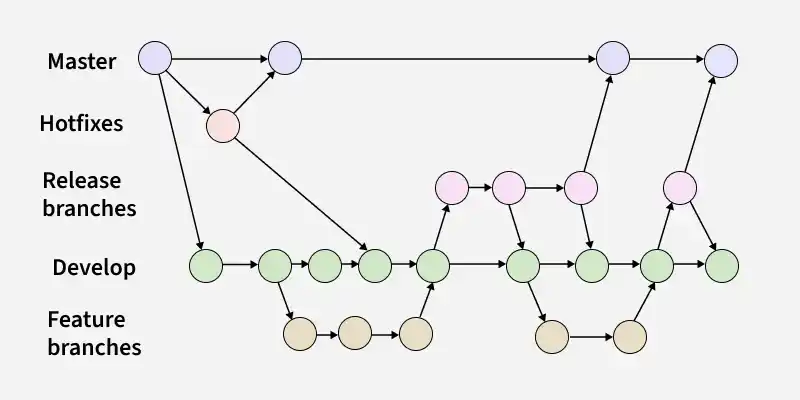
GitFlow enables parallel development, allowing developers to work separately on feature branches. A feature branch is created from a master branch and after completion of changes the feature branch is merged with the master branch.
Feature Branches: Created from the develop branch to work on specific features.
ReleaseBranches: Created from the develop branch to prepare for production releases and bug fixes
HotfixBranches: Created from the master branch to address urgent issues directly in production. It helps in addressing discovered bugs smoothly, allowing developers to continue their work on the develop branch while the issue is resolved.
Note: The Master and Develop branches are the main branches that remain throughout the journey of the software. The other branches are supporting branches and are short-lived that serving specific purposes.
2. GitHub Flow
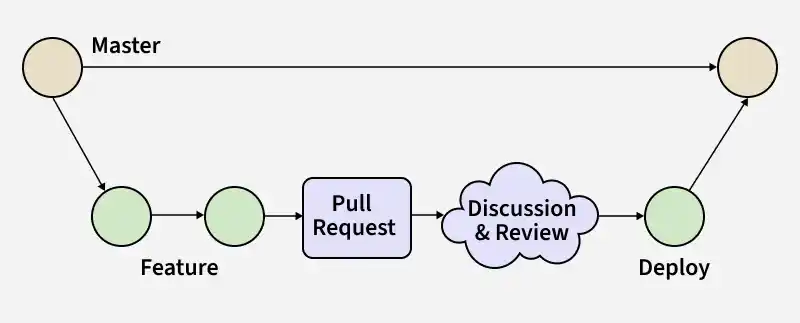
GitHub Flow is a lightweight branching strategy that keeps the main branch always deployable and supports fast, continuous development.
Uses only short-lived feature branches created from and merged back into the main branch.
No separate release branches, making the workflow simple and easy to manage.
Ideal for fast releases with continuous integration and delivery.
The types of branches that are present in GitHub Flow are:
Master: The GitHub Flow starts with the master branch, which contains the most recent stable code ready for release.
Feature: Developers create feature branches from the main branch to work on features or fixes, then merge them back after completion, resolving any conflicts before finalizing the merge.
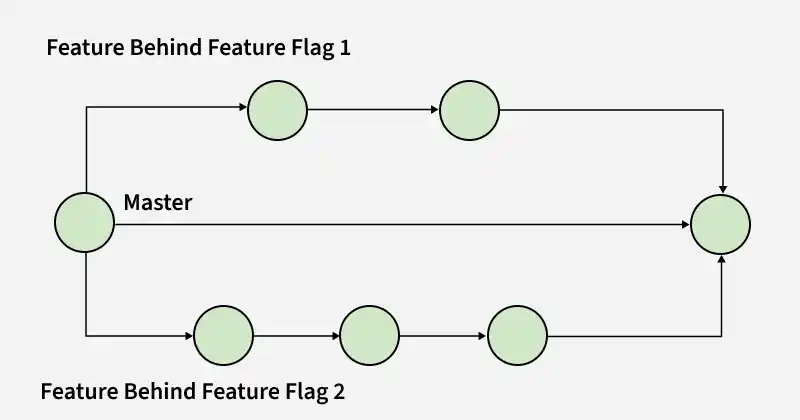
Trunk-Based Development is a branching strategy where all developers work directly on a single main branch, keeping it always in a release-ready state.
Development happens on one primary branch (usually main or master) without long-lived branches.
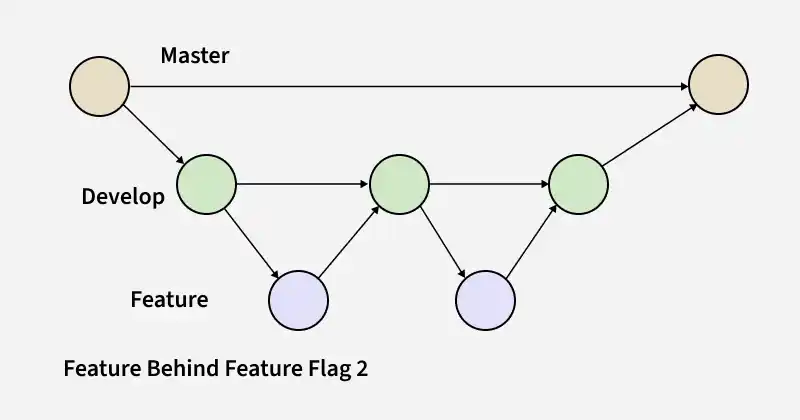
Feature flags are used to hide incomplete features until they are ready.
Encourages small, frequent commits to reduce merge conflicts.
Supports continuous integration and continuous delivery (CI/CD).
Best suited for small teams or projects that prefer a simple and fast workflow.
Git provides multiple branching strategies to support different team sizes, workflows and project goals and choosing the right one depends on how a team balances simplicity, control and release speed.
Beginners should start with simple workflows like GitHub Flow or Trunk-based development and scale up as needed.