|
VOOZH | about |
|
VOOZH | about |
Git branches enable developers to work on features, bug fixes, or experiments without affecting the main codebase. Once a branch has served its purpose, deleting it helps keep the repository clean and organized.
Before deleting a branch, ensure you are not currently on that branch, as Git does not allow deletion of the active branch. You must switch to another branch first.
Use the following command to move to a different branch (e.g., main):
git checkout <branch-name>Example:
git checkout mainUse the following command to delete a branch:
git branch -d <branch-name>Example:
git branch -d my-test-branchIf the branch has not been merged, Git will prevent deletion using -d. In such cases, you can force delete it:
git branch -D <branch-name>Example:
git branch -D my-test-branchNote: Always switch to another branch before deleting, otherwise Git will throw an error.
To delete a remote branch, you cannot use git branch. Instead, you must use the git push command with the --delete flag, along with the remote name (usually origin).
Syntax:
git push <remote-name> --delete <branch-name>Example:
git push origin --delete my-test-branchThis command will delete the branch remotely.
You can also delete a remote branch using this shorter command:
git push <remote-name> :<branch-name>Example:
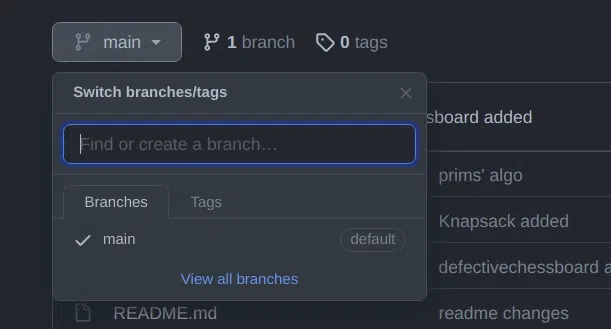
git push origin :my-test-branchAs you can see my remote branch is no more in my GitHub repo:
error: unable to push to unqualified destination: remoteBranchName
The destination refspec neither matches an existing ref on the remote nor begins with refs/,
and we are unable to guess a prefix based on the source ref.
error: failed to push some refs
Reason: The branch may have already been deleted on the remote
Fix: Sync Local Branch List
To update your local repository and remove references to deleted remote branches:
git fetch -pNote: Always sync remote-tracking branches that no longer exist on the remote repository.
Here are some differences:
| Local Deletion | Remote Deletion |
|---|---|
| Deletes a branch from your local machine only | Deletes a branch from the remote repository (e.g., GitHub) |
| Command: git branch -d branch-name | Command: git push origin --delete branch-name |
| Force delete using git branch -D branch-name | Shorthand: git push origin :branch-name |
| Safer with -d as it prevents deleting unmerged branches | No safety check so make sure the branch is not needed before deleting |
Does not affect other developers’ copies | Affects all collaborators using the remote repository |