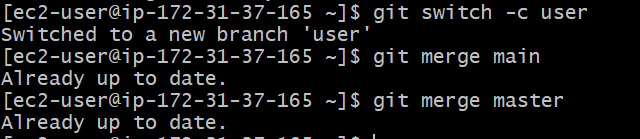
The git switch command is a more focused alternative to git checkout for handling branch switching and creation. Introduced in Git 2.23, it allows developers to focus on branch operations without the risk of accidentally modifying files, which can occur when using Git checkout. This command is particularly useful for users who primarily deal with branches.
The main difference between git switch and git checkout lies in their scope
git switch: Focuses on branch switching and creation, making it simpler and more specialized.
git checkout: A more versatile command that can switch branches, check out specific files, and navigate commits, which can sometimes be confusing for new users.
By separating branch operations from other functionalities, Git makes it easier for developers to manage their workflows.
Now Let's see the use of Git Swich Branch.
1. Switching to an Existing Branch
Use the git checkout command with a branch name. This will make the working directory reflect the state of that particular branch.
Tracking and Switching to Remote Branches with git switch --track
To switch to a remote branch and set up tracking
git switch --track <remote-branch>
Understanding and Using the --guess Option to Simplify Branch Switching
The --guess option allows git switch to automatically select the branch you likely meant to switch to based on the current context, reducing errors in branch switching.
3. Switch to a Remote Branch
If you need to switch to a branch that exists only in a remote repository, you can fetch the branch and then switch to it.
Automatically Handling Untracked Files and Directories
Git allows one to handle untracked files and directories, among other options; these are done automatically in order to switch between branches, in ways that are smoother than.
If your uncommitted changes include untracked files or directories, Git won't automatically handle them when you switch branches.
Resolving Merge Conflicts While Switching Branches
Conflicts may arise in case of branch switching because of divergent changes. This has the effect of ensuring that conflicts are resolved quickly and the state of the working area is clean.