|
VOOZH | about |
|
VOOZH | about |
Git export means creating a copy of a repository without the .git folder, containing only project files. It is done using git archive since no direct export command exists.
There is no direct command called git export in Git. Instead, we use the git archive command.
git archive [--format=<fmt>] [--list] [--prefix=<prefix>/] [<extra>]
 [-o <file> | --output=<file>] [--worktree-attributes]
 [--remote=<repo> [--exec=<git-upload-archive>]] <tree-ish>
 [<path>…]
Example 1: Export to another directory (tar format)
git archive master | tar -x -C /somewhere/elseExample 2: Export as compressed file (bz2 format)
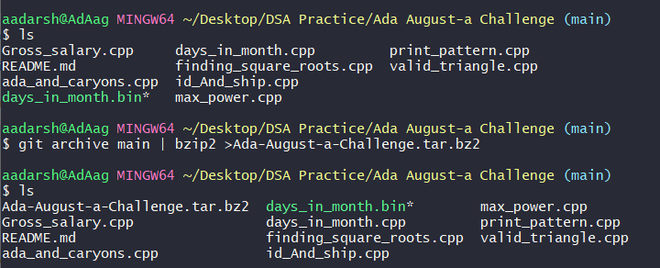
git archive master | bzip2 > source-tree.tar.bz2Example 3: Export as ZIP file
git archive --format zip --output /full/path/to/zipfile.zip masterNote: By default, git archive creates a tar file, which can be compressed (gzip/bzip2), and the export includes only project files without the .git folder.
Even though .git is excluded, some hidden files may still be present:
To exclude them, add in .gitattributes:
/test export-ignore
.gitattributes export-ignore
.gitignore export-ignoreTo export files from the staging area (index):
git checkout-index -a -f --prefix=/destination/path/Exporting a repository means creating a copy of project files without Git history.
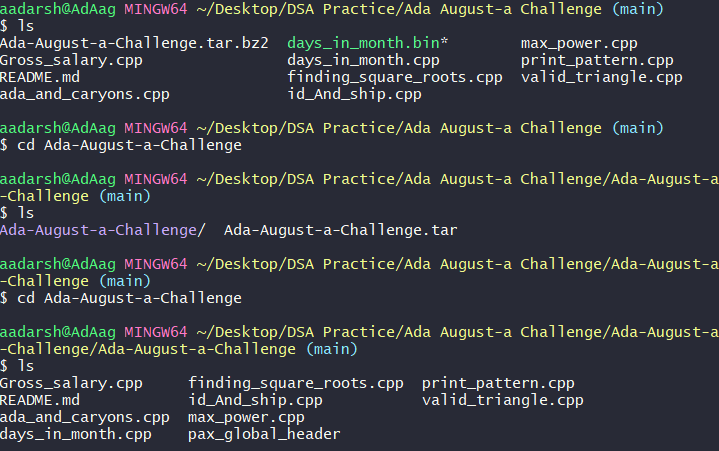
git archive master | bzip2 > Ada-August-a-Challenge.tar.bz2👁 Image