|
VOOZH | about |
|
VOOZH | about |
It often feels as if one could view the files or code from a GitHub repository online in a code editor to search the files, code components, or simple text(and indeed, it does enhance the readability and management of the code) without having to clone it to your device.
What if I tell you it hardly takes a second or two to open any GitHub repo in VS Code in your browser?
Table of Content
Consider the simple process below illustrated to add a GitHub repository in VS Code as follows:
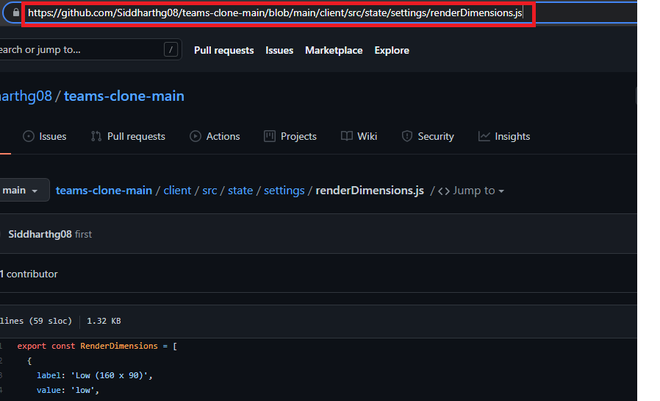
For example, if the URL in the address bar reads which is also clearly seen from the visual aid provided below.
https://github.com/Siddharthg08/teams-clone-main/blob/main/client/src/state/settings/renderDimensions.js👁 Imagehttps://github1s.com/Siddharthg08/teams-clone-main/blob/main/client/src/state/settings/renderDimensions.js 👁 ImageThis will take you to a screen where the repo gets opened in VS Code in your browser.
👁 ImageThe thing to note here is that the repo is in read-only mode, and hence you cannot perform any sort of editing over there. However, you can make use of all other available VS Code features.
There is a special chrome extension been designed and available which can be installed can easily as it allows us to open the repository. Once done with installing the extension, we will find a button with "Github1s" written over it (without quotes) whenever you open any repo. You can open the VS Code with a single click on the mentioned button.
👁 Image